Sepasoft MES Module Suite
Equipment Manager Main View | Vision
From the main view, equipment may be created, modified, or deleted. As the selection within the equipment tree changes, the available menu categories and options on the right will also change. Some options are dependent upon which module(s) are installed and will only be shown when the corresponding module is available.
Cannot Modify Parent Equipment

|
Users cannot make any modifications to parent equipment in the MES Equipment Manager or via equipment-related scripting (an error will be thrown). To make modifications to parent equipment, log in to the parent gateway and make the modifications or run equipment-related scripts from there. Users can make modifications to equipment on child servers using either the MES Equipment Manager or equipment-related scripting. |
Refreshing After Production Model Changes

|
Not all changes to the Production Model done via scripting will appear immediately in the equipment tree or in the other menu categories. Click to another equipment item or category, then back again to refresh the view. |
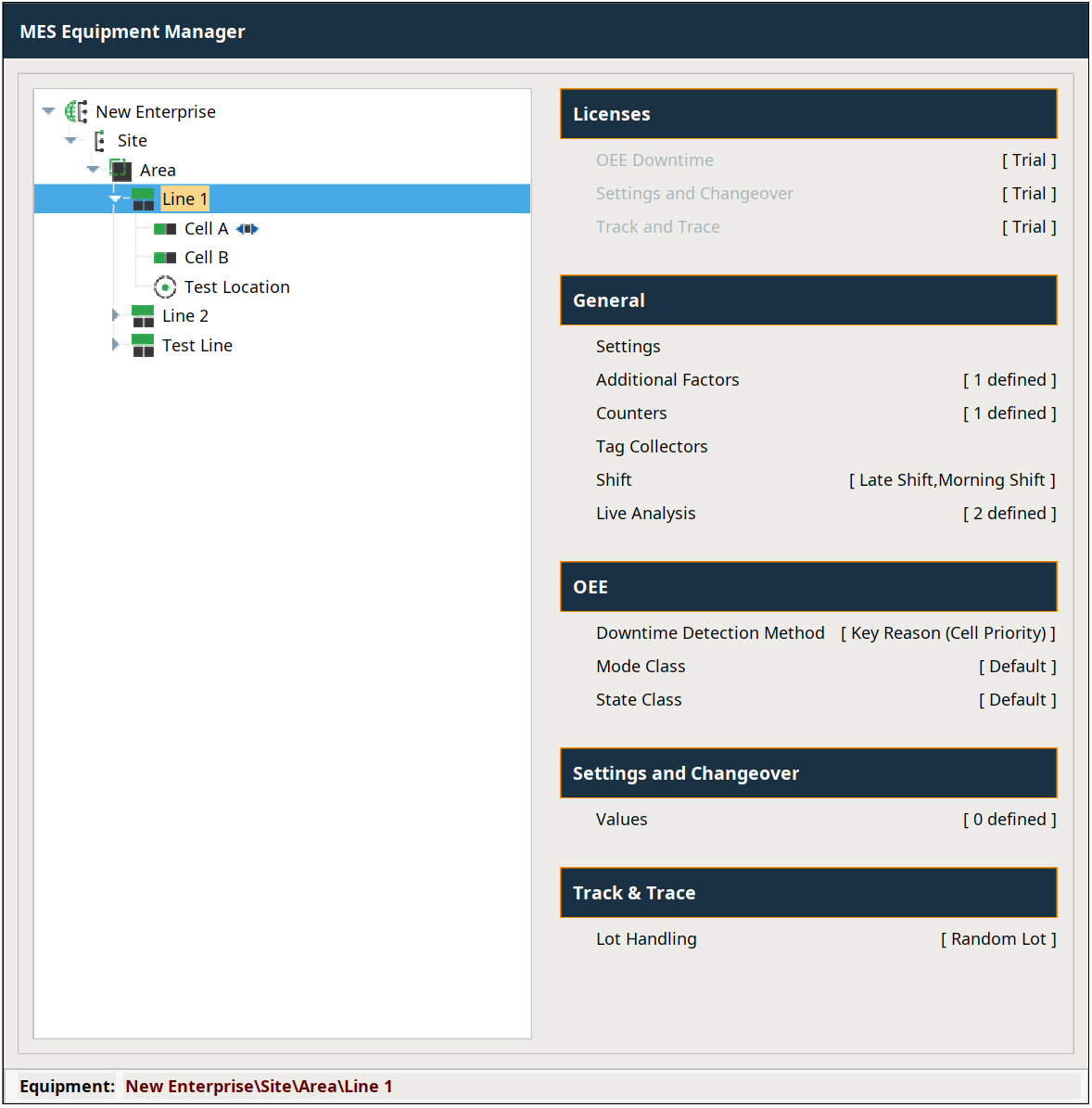
Menu Categories
A menu is available by right-clicking on the equipment tree. It provides options for creating new equipment as well as for renaming, copying, pasting, deleting, activating/deactivating, or moving equipment.
The following choices are available for each level in the equipment tree:
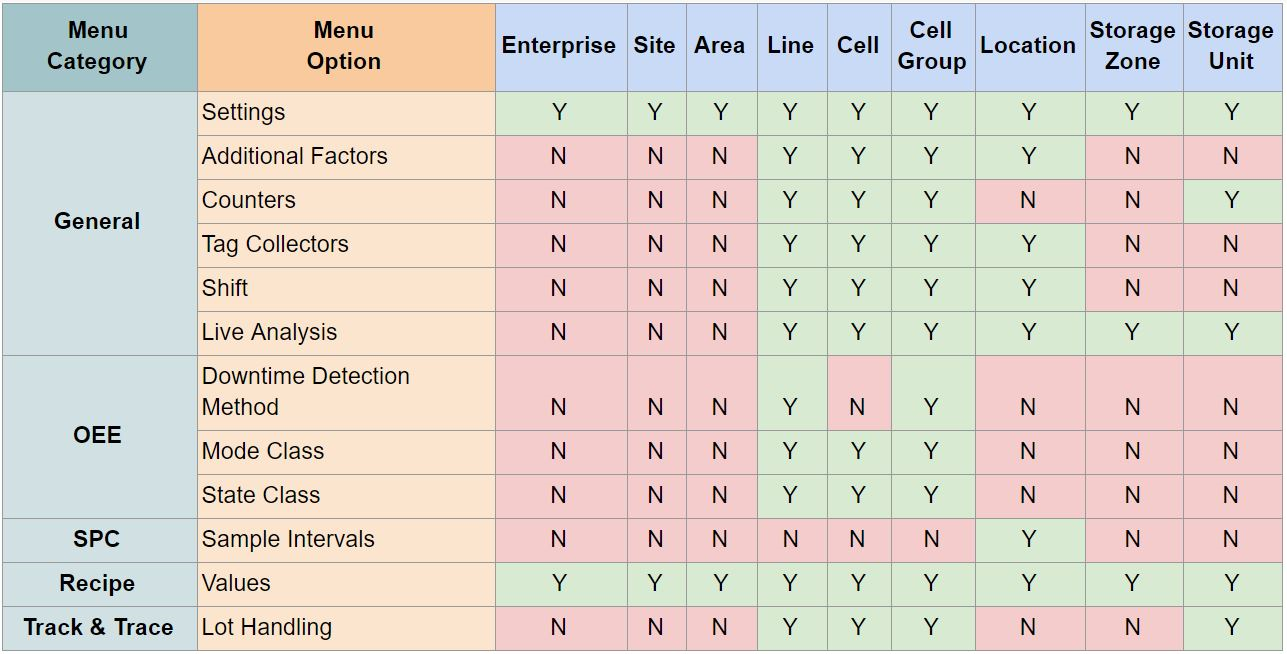
Note: The Recipe module shown above is now called Settings and Changeover.
Sepasoft MES Module Suite