Sepasoft MES Module Suite
A component to allow selection of MES Artifact objects. It contains a Name Filter property to filter the MES Artifact objects to include in the list.
This component would generally have its Selected MES Object property bound to the Selected MES Object property of an MES Object Selector.
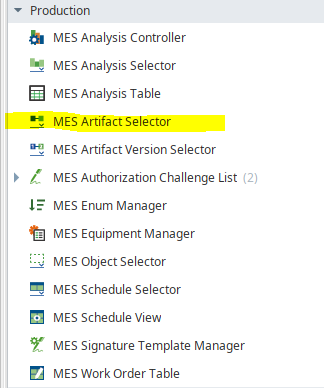
Production section of
Component Palette
Component Properties
Properties are provided that can be set to affect the operation and look of the component. They can be set through the Property Editor in the Designer or through scripting.
Example
Code |
|
PROPS
Component Properties
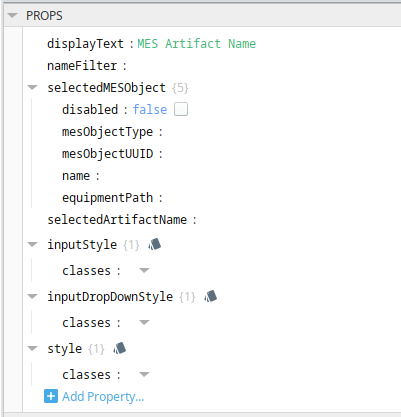
| Name | Scripting | Property Type | Description |
|---|---|---|---|
| displayText | String | Dataset that contain the analysis results. | |
| nameFilter | String | Filter value, including * and ? wildcard characters, to filter results by names. | |
| selectedMESObject | MESObjectLink | The selected MES Object Link. | |
| disabled | Boolean | If true, disables selection box. | |
| mesObjectType | String | Type of MES object | |
| mesObjectUUID | String | Unique ID to the MES object | |
| name | String | Name of the MES object | |
| equipmentPath | String | The equipment path as defined in the Equipment Manager to the object. | |
| selectedArtifactName | String | The selected artifact name. |
Each property above can be edited for text, background, margins and padding, border, shape, as well as opacity, cursor and overflow characteristics:
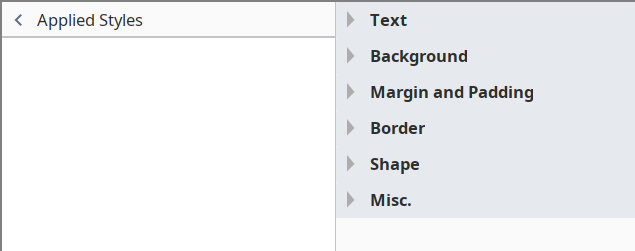
Ignition Style Editor

|
Refer to the Ignition 8 docs page Style Reference for information on modifying the properties listed below. |
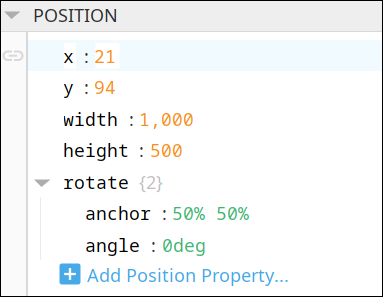
POSITION
Position Properties
The component position properties aren't usually changed by users during runtime, but they can be written and read in the same manner as other properties, if ever needed. Refer to Ignition Perspective Component Properties for details on POSITION properties.
New user-defined position properties can be created in this section.
User-defined Properties
|
|
Best practice: If user-defined properties are required, create them in the CUSTOM section instead of here. |
CUSTOM
Custom Properties
New user-defined custom properties can be created in this section.

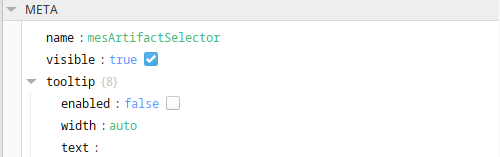
META
Meta Properties
This section contains the name and visibility properties for the component.
New user-defined meta properties can be created in this section.
User-defined Properties
|
|
Best practice: If user-defined properties are required, create them in the CUSTOM section instead of here. |
Component Functions
This component has no Component Functions.
Sepasoft MES Module Suite