Sepasoft MES Module Suite
Document Viewer | Vision
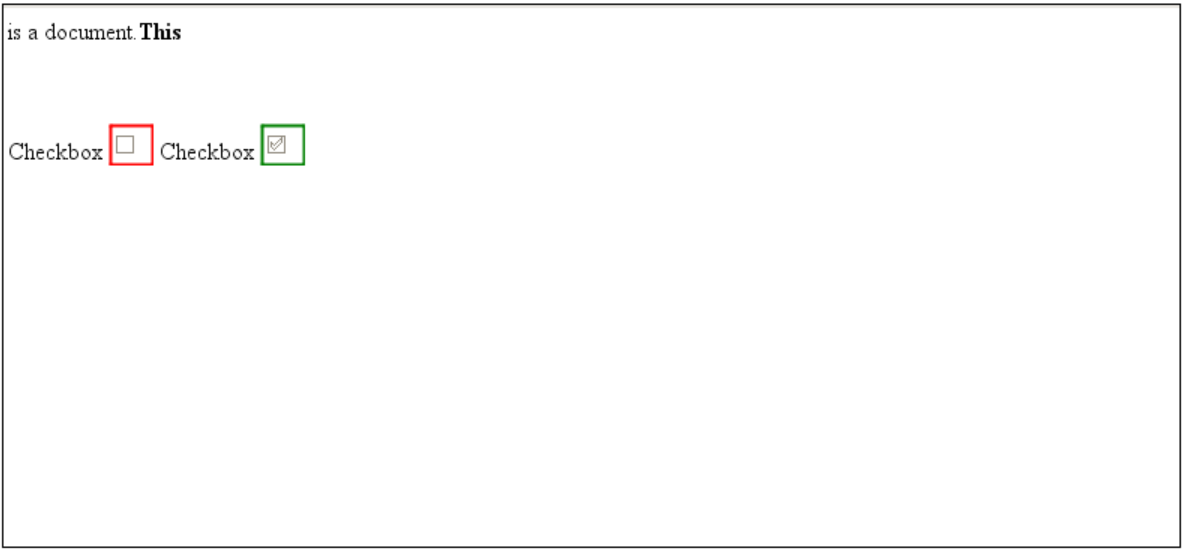
A component that is used to compare two HTML documents for editing and data-entry differences. Usually, two saved versions of the same document Artifact are compared, such as where operators have entered data during two production runs and it is important to see what different data or selections were recorded for each.
Component Properties
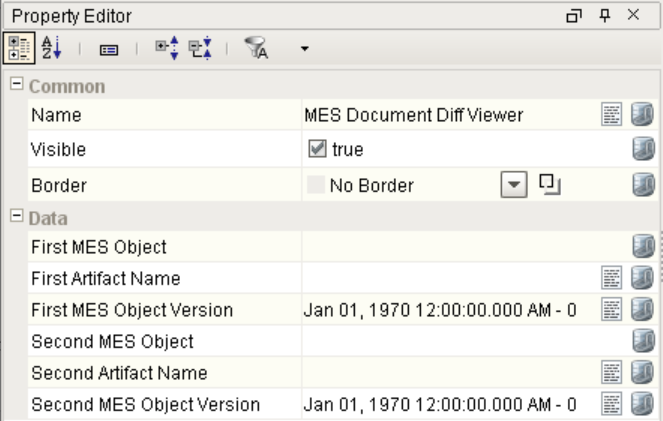
Properties are provided that can be set to affect the operation and look of the component. They can be set through the Property Editor in the Designer or through scripting.
Example
Python |
event.source.parent.getComponent('MES Document Diff Viewer').visible = True |
Properties
| Scripting Name | Data Type | Description |
|---|---|---|
| firstMESObject | MESObjectLink | MES Object to load first document from and compare to second. |
| firstArtifactName | String | The name of the artifact used in the first document. |
| firstMESObjectVersion | String | The object version of the first MES Object to compare to the second. |
| secondMESObject | MESObjectLink | MES Object to load second document from and compare from first. |
| secondArtifactName | String | The name of the artifact used in the second document. |
| secondMESObjectVersion | String | The object version of the second MES Object to compare from first. |
Event Handlers
Event handlers provide the ability to add custom script when a user interacts with a component and a component property changes.
propertyChange
Fires whenever a bindable property of the source component changes. This works for standard and custom (dynamic) properties.
Property | Description |
|---|---|
| .source | The component that fired this event. |
| .newValue | The new value that this property changed to. |
| .oldValue | The value that this property was before it changed. Note that not all components include an accurate oldValue in their events. |
| .propertyName | The name of the property that changed. NOTE: Remember to always filter out these events for the property that you are looking for! Components often have many properties that change. |
Extension Functions
This component does not have extension functions associated with it.
Custom Methods
Custom methods allow you to add your own component functions to a component that can be called through scripting. This is a useful and clean method of re-using script that is specific to the component (say you want to update a visual aspect of the component in the same way whether a user clicks on the component or a window property value changes).

Customizers
The custom properties can be used to add user defined properties.
Component Functions
This component does not have functions associated with it.

|
Note: After the two-hour Ignition trial period has expired, the contents in the viewing pane of the MES Document Diff Viewer will no longer be visible when in Preview mode. |
Sepasoft MES Module Suite