Sepasoft MES Module Suite
OEE Run Director Vision Component
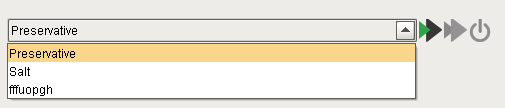
OEE Run Director component is used to start and stop the production runs. Multiple operations can be run at a time by setting the Enable Simultaneous Active property to True. The button will start changeover, button will switch operation from changeover to production and button will end the run.
Component Properties
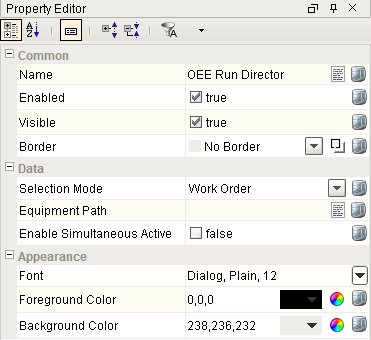
Properties are provided that can be set to affect the operation and look of the component. They can be set through the Property Editor in the Designer or through scripting.
Example
Code |
# This example will return a path to a different image to replace the default delete image: if iconName == 'remove': return 'Builtin/icons/24/delete2.png' |
Data
Hidden
Event Handlers
Event handlers provide the ability to add custom script when a user interacts with a component.
propertyChange
propertyChange
Fires whenever a bindable property of the source component changes. This works for standard and custom (dynamic) properties.
| Property | Description | ||||||||||||||||||||
|---|---|---|---|---|---|---|---|---|---|---|---|---|---|---|---|---|---|---|---|---|---|
| .source | The component that fired this event. | ||||||||||||||||||||
| .newValue | The new value that this property changed to. | ||||||||||||||||||||
| .oldValue | The value that this property was before it changed. Note that not all components include an accurate oldValue in their events. | ||||||||||||||||||||
| .propertyName |
The name of the property that changed. NOTE: Remember to always filter out these events for the property that you are looking for! Components often have many properties that change. Event properties are listed in the table below.
Code Example
Code Snippet
Output
|
Extension Functions
loadIcon
- Description
Provides a chance to change an icon. Based on the icon name parameter, return the image path to the icon to use in place of the default icon.
- Parameters
self - A reference to the component that is invoking this function.
iconName - The name of the icon.
- Returns
Nothing
- Scope
Client
Example
Code |
# This example will return a path to a different image to replace the default delete image: if iconName == 'remove': return 'Builtin/icons/24/delete2.png' |
Custom Methods
Custom methods allow you to add your own component functions to a component that can be called through scripting. This is a useful and clean method of re-using script that is specific to the component (say you want to update a visual aspect of the component in the same way whether a user clicks on the component or a window property value changes). See Component Custom Methods in the Ignition Help Manual for more information.
Customizers
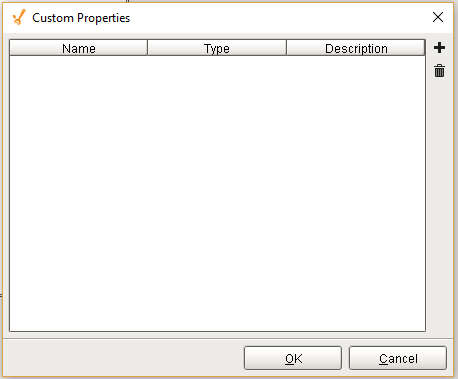
Custom Properties
The custom properties can be used to add user defined properties.
Component Functions
This component does not have functions associated with it.
Sepasoft MES Module Suite