Sepasoft MES Module Suite
OEE Time Chart Vision Component | Vision
A component that displays the line and cell downtime events of a run in a visual time chart.
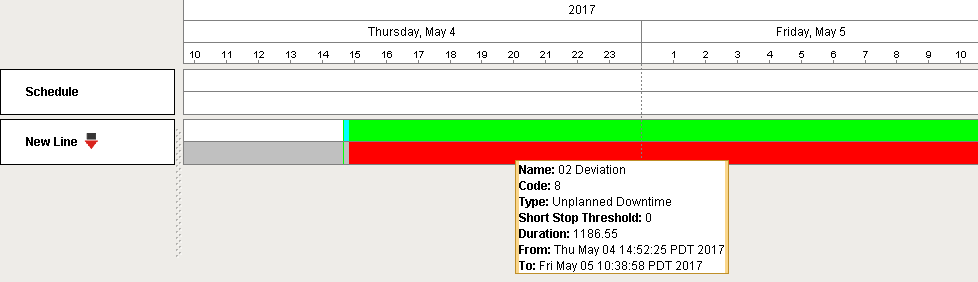
Deleted Equipment

|
When equipment items are deleted, they will no longer appear in the OEE Time Chart. |

|
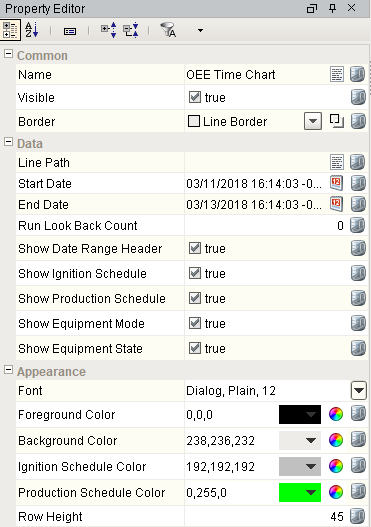
If the Run Look Back Count property is set to anything other than "0", the Start Date and End Date properties will be ignored and just the number of runs specified will be displayed. |
Component Properties
Properties are provided that can be set to affect the operation and look of the component. They can be set through the Property Editor in the Designer or through scripting.
Example
Python |
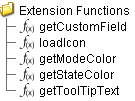
# Below is the default script provided in the getStateColor Extension Function: # Modify the if/return statement to assign desired custom colors to any state value. # (for example, assign a unique color for each custom Unplanned Downtime State) from java.awt import Color def color_function(stateObj): state = stateObj.getEquipmentState() if state.isUnplannedDTState(): if state.getCode() == 3: return Color(123, 123, 123) stateColor.setCallable(color_function) stateColor.setUnknownColor(Color.WHITE) stateColor.setUnplannedDowntimeColor(Color.RED) stateColor.setPlannedDowntimeColor(Color.BLUE) stateColor.setBlockedColor(Color.ORANGE) stateColor.setStarvedColor(Color.CYAN) stateColor.setRunningColor(Color.GREEN) stateColor.setIdleColor(Color.LIGHT_GRAY) stateColor.setDisabledColor(Color.DARK_GRAY) stateColor.setChangeoverColor(Color.YELLOW) stateColor.setMaintenanceColor(Color.MAGENTA) stateColor.setCleaningColor(Color(0,128,128)) return stateColor |
Data Properties
| Name | Scripting | Description | |||
|---|---|---|---|---|---|
| Line Path | linePath | String | Production line path to show schedules. | ||
| Start Date | startDate | Date | Start date to get schedules for the production line. | ||
| End Date | endDate | Date | End date to get schedules for the production line. Must have the end time of the downtime in-range in order to display an end time in the UI. | ||
| Refresh Rate Limit | refreshRateLimit | Integer | Minimum amount of time in seconds required between data refresh from state changes. Set to 0 to have no minimum time. | ||
| Run Look Back Count | runLookBackCount | Integer |
Number of runs to show schedules, equipment modes and equipment states.
Set to 0 to see all runs within the date range. Set to 1 to see only the current run. Greater numbers are additive: 2 will show you events from the last 2 runs, 3 from the last 3 runs, etcetera.
|
||
| Lookback Hours | lookbackHours | Integer | Number of hours to look back from the analysis begin date to consider for downtime cause.
| ||
| Show Date Range Header | showDateRangeHeader | boolean | If true, show the date range header. | ||
| Show Ignition Schedule | showIgnitionSchedule | boolean | If true, show Ignition schedules. | ||
| Show Production Schedule | showProductionSchedule | boolean | If true, show production schedules. | ||
| Show Equipment Mode | showEquipmentMode | boolean | If true, show equipment modes. | ||
| Show Equipment State | showEquipmentState | boolean | If true, show equipment states. | ||
| Unknown State as Unplanned Downtime | unknownStateAsUnplannedDowntime | boolean | Treat unknown states as unplanned downtime states. |

Appearance
Event Handlers
Event handlers provide the ability to add custom script when a user interacts with a component.
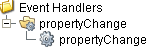
propertyChange
Extension Functions
Custom Methods
Custom methods allow you to add your own component functions to a component that can be called through scripting. This is a useful and clean method of re-using script that is specific to the component (say you want to update a visual aspect of the component in the same way whether a user clicks on the component or a window property value changes). See Component Custom Methods in the Ignition Help Manual for more information.
Customizers
This component does not have any custom properties.
Sepasoft MES Module Suite