Sepasoft MES Module Suite
Track & Trace Module | Operation Pattern Framework
This topic provides an overview of the flexible operation recording patterns supported by the Sepasoft Track & Trace module — enabling end-to-end material traceability across every stage of production.
- Overview
- How It Works
- Operation Pattern Reference
- Additional Operation Attributes
- Traceability Outcomes
- Summary
Overview
The Sepasoft Track & Trace module captures every movement and transformation of materials on the production floor through the concept of an Operation. An Operation records what went in, what came out, where it happened, who performed it, and what equipment was involved — creating an unbroken chain of custody from raw material receipt to finished goods shipment.
At the heart of this model is a flexible input/output architecture. Because materials entering and leaving an operation are defined as arrays, the system natively supports any combination of material flows — from a simple one-to-one inspection record to a complex many-to-many transformation. This means a single configuration framework covers virtually every scenario encountered on the manufacturing floor.
How It Works
Each operation is built from three core concepts:
1. The Operation Record
An operation record is created by a single system call that captures the top-level context: a unique identifier, a descriptive name, start and end timestamps, the equipment path where the operation took place, and optional links to work orders and personnel. This record becomes the anchor point for all associated material, tooling, and personnel data.
2. Material Configuration
Before recording the operation, each material involved — both incoming and outgoing — is described using a material configuration helper. This defines the lot number, material type, quantity, unit of measure, status, and the equipment path where the material originates (for inputs) or will reside after the operation (for outputs). Multiple materials can be configured and passed together, enabling complex multi-material operations.
3. Material Flow Patterns
The system’s flexibility comes from the fact that material inputs and outputs are both arrays. Any number of input materials can feed into any number of output materials, and the operation records each one. This makes it possible to model the full spectrum of manufacturing operations — described in detail in the next section — without any change to the underlying framework.

|
Equipment Path & Material Location The equipment path on a material input represents where that material currently resides (its source location). The equipment path on a material output represents where it will be stored or used after the operation completes. This distinction is what allows the system to accurately track physical movement and inventory levels across the facility. |
Operation Pattern Reference
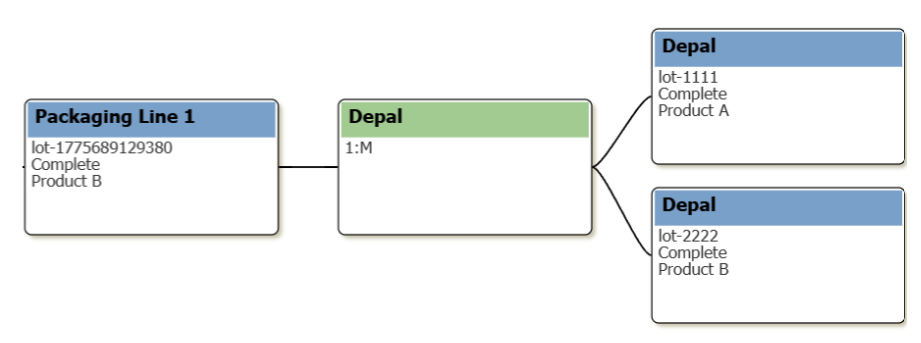
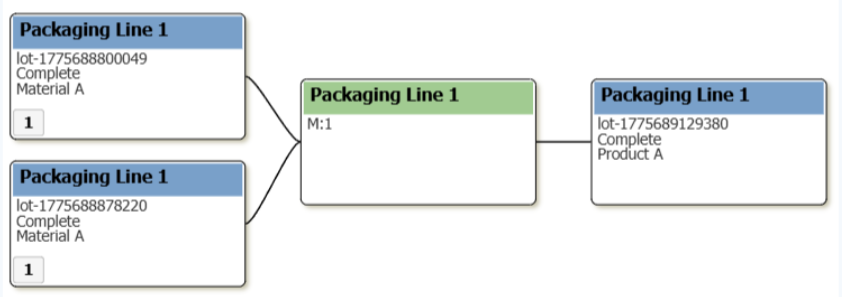
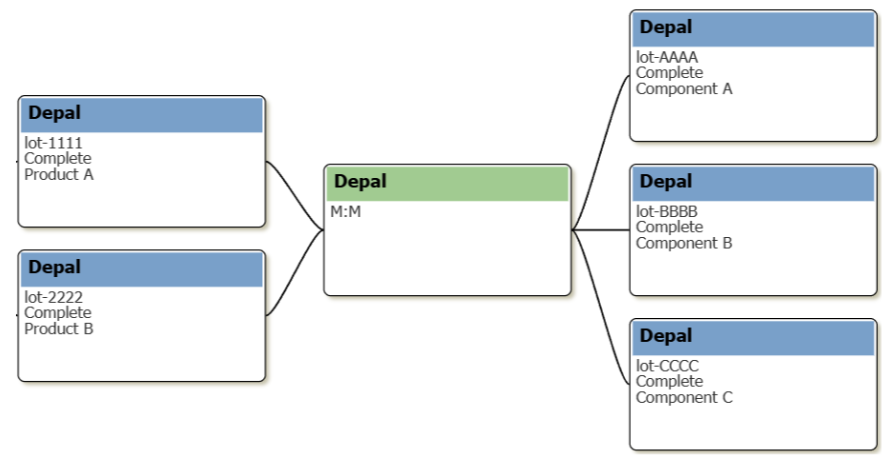
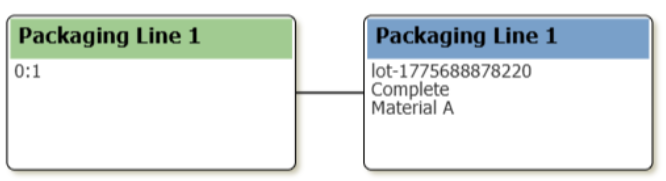
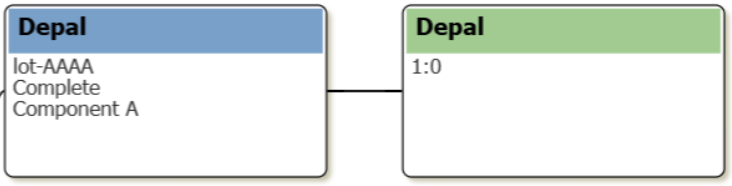
The table below summarizes all supported operation patterns. Each pattern is defined by its material input-to-output ratio, and maps directly to real-world manufacturing scenarios.
| Patterns | Description | Example |
|---|---|---|
1:1 | One input, one output |
|
 | ||
1:Many | One input, multiple outputs |
|
 | ||
Many:1 | Multiple inputs, one output |
|
 | ||
Many:Many | Multiple inputs, multiple outputs |
|
 | ||
None:1 | No tracked input, one output |
|
 | ||
1:None | One input, no tracked output |
|
 | ||
Additional Operation Attributes
Beyond material flows, every operation can optionally capture a rich set of contextual data that enriches traceability records and supports downstream reporting, compliance, and analytics.
Work Order Association
Operations can be linked to an existing work order by name. When an output material is associated with a work order, its quantity is automatically credited to that order — enabling real-time production tracking without separate data entry. If work order linkage is desired without automatic quantity roll-up, a custom property can be used instead.
Personnel Tracking
One or more operators, supervisors, or technicians can be recorded against an operation, along with their time on task.
Supplemental Equipment (Tooling)
Any tooling, dies, fixtures, or other non-production equipment used during the operation can be logged as supplemental equipment.
Custom Properties
Both operations and individual material lots support user-defined custom properties — name/value pairs that can capture any additional process data required for compliance, quality, or analysis. Custom properties are searchable by value. Examples include temperatures, pressures, shift codes, inspection results, and certificate numbers.
Artifacts
If more complex data structures such as JSON are required, artifacts can be attached to material lots. Since Artifacts are lazy-loaded, custom values can be stored here in bulk if searching by property value is not required.
Lot Auto-Creation
For output materials, the system can automatically create a new lot record if one does not already exist. This eliminates the need for separate lot creation workflows and reduces the scripting footprint required to implement traceability. Lot auto creation can occur on both inputs and outputs.
Traceability Outcomes
Every operation recorded through the Track & Trace module contributes to two complementary data structures that power downstream traceability:
Inventory Accuracy
Material quantities are updated in real time as operations are recorded. Inputs are decremented from their source equipment locations; outputs are credited to their destination locations. This keeps the digital inventory mirror synchronized with the physical floor at all times.
Genealogy & Trace Graph
All operations are linked into a searchable genealogy graph. Given any lot — whether a raw material, work-in-process sub-lot, or finished good — the system can trace forward to every downstream product it contributed to, or backward to every upstream input that went into it. This supports recall management, quality investigations, and customer traceability requirements.
|
|
Enterprise Scale When deployed across multiple sites using Enterprise Sync, operation records are synchronized across the network. Site-specific identifiers on operation and lot IDs prevent conflicts and ensure that genealogy data remains accurate and non-duplicated across all locations. |
Summary
The Sepasoft Track & Trace module’s operation framework is built to meet manufacturing teams where they are. Whether the production process is simple or highly complex, the same consistent model applies: define what went in, define what came out, record the operation. The result is a complete, queryable, audit-ready record of every material transaction on the floor — captured with minimal scripting and maximum flexibility.
The six operation patterns documented here cover the full spectrum of manufacturing material flows. Because they all share the same underlying architecture, they compose naturally — a 1:Many split operation today can become the Many:1 merge operation’s input tomorrow, and the system will trace the complete lineage automatically.
Sepasoft MES Module Suite