Sepasoft MES Module Suite
Operations Scheduling
Sepasoft's MES provides the ability to schedule any type of operation, whether it is a Work Order production run, Maintenance Work Order, cleaning operation, new production introduction, testing etc. Any type of operation can be created using the MES Object Editor component or through scripting. These scheduled operations can then be used by the Track & Trace module for lot tracking, material consumption and WIP inventory, and by the OEE module for order fulfillment and downtime tracking.
When the MES Work Order Table component is used, Work Orders can be dragged from the Work Order table and dropped onto the MES Schedule View component. For OEE runs, the OEE Material Manager - Vision component must be used to create the Material Root Material Definitions and to associate these Material Definitions with the Production Line(s).
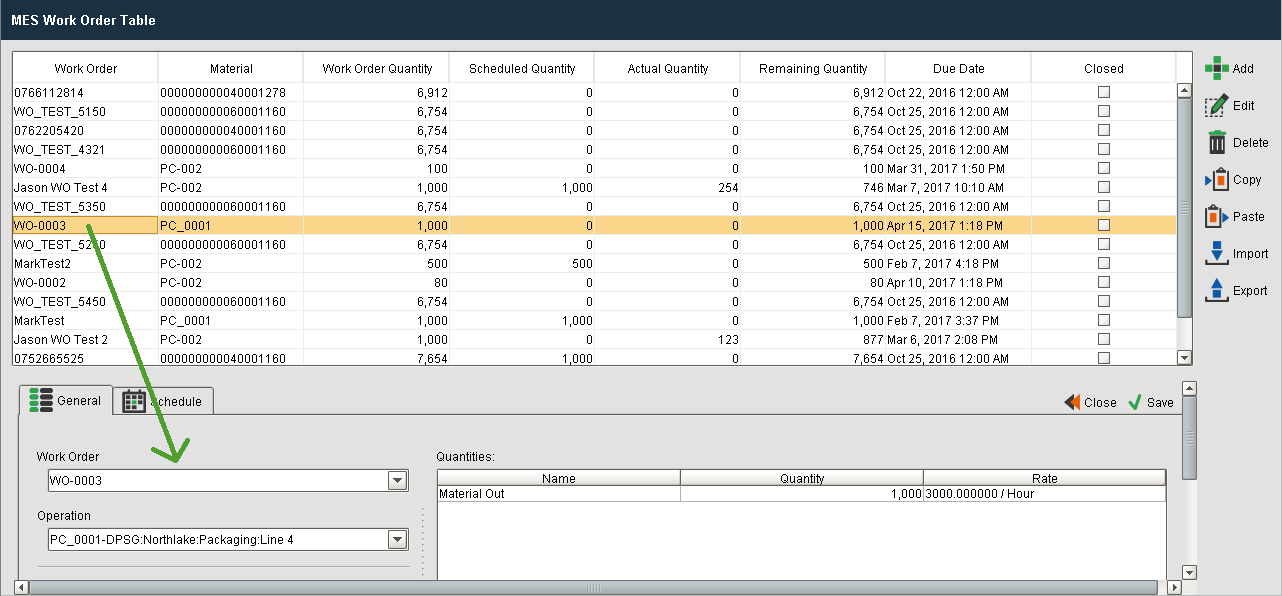
MES Work Order Table and MES Schedule View component
Product Codes
When scheduling a Product Code that is not part of a Work Order, the MES Schedule View component can be used to create the scheduled run.
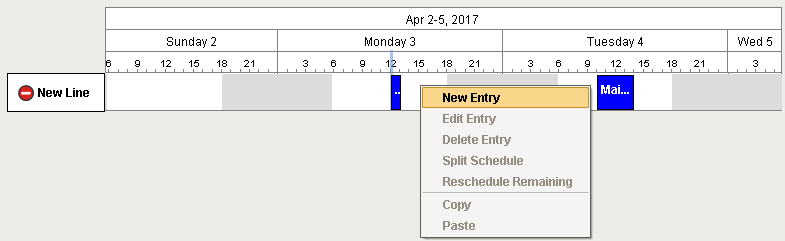
- Right click on the desired line at the time you wish to schedule the run and select New Entry.
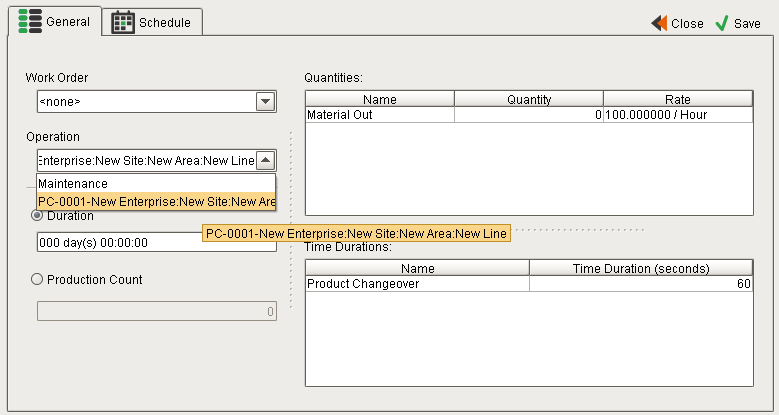
- Select <none> for the Work Order and select the product code operation you wish to schedule.
-
Select a duration or a Production Count for the run and Save.

|
If you choose Production Count, the duration of your operation will be the Production Count, multiplied by the Schedule Rate for that particular material definition and equipment. So if your rate is 100 per minute, and you schedule 10,000 units, your schedule will be 100 minutes long. |
Maintenance and Other Operations Scheduling
Any type of operation can be created and scheduled. The operations can be created using the MES Object Editor or through scripting functions. These operations do not need to have Material Definitions associated with them unless you want to track consumables, but they do require equipment to be associated with them. If you want to create a maintenance operation that can be scheduled on any line, simply associate the process segment with an equipment class that includes all production lines.
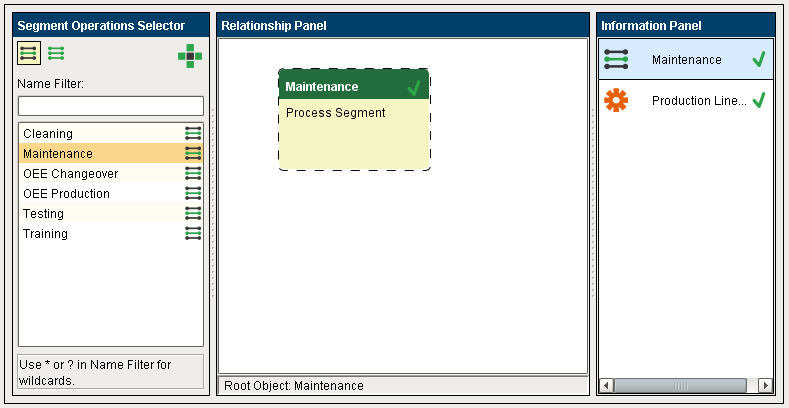
MES Object Editor component
The process segment has associated production settings with it. Select the mode you want to consider the equipment to be in when this operation is active. This will allow you to use analysis to return the equipment mode to provide an equipment utilization chart.
You can then use the MES Schedule View component to schedule these operations by selecting <none> for Work Order and selecting the appropriate Operation.

Process Segment Production Settings
Sepasoft MES Module Suite