Sepasoft MES Module Suite
Parameters in Formulas
 |
Version Specific Available in 3.81.11 RC 1, 3.81.11 SP9 Batch Procedure Module and later. |
Parameters with Value Source set to Recipe and Execution or Execution within the Batch Procedure Recipe Elements are exposed in Formulas. To understand the group of parameters exposed in Formulas, you need to understand the framework of batch equipment and batch procedure recipes.
See below:
- Batch Parameters
- Parameters Added to Formulas
- Logging Changes to Parameters
- After Running Batches | Review Parameter Value Changes
- Permissions on Parameters for Formulas
- Syncing Parameters to Formulas
- Syncing and Saving Parameters in Recipe Editor to Formula(s)
- Syncing and Saving a Formula to Master Recipe
Batch Parameters
Batch parameters consist of the parameter name, its properties and its value. Parameter values are set in Batch Formulas. Parameter names and properties are sync'd to Batch Formulas.
- Name: synced as read-only to formulas. Parameter names cannot be changed in formulas.
- Properties: synced to formulas and depending on the property, property values may be modified in a formula.
- Value: default values are synced, but can be modified in formulas
Parameters Added to Formulas
Parameters are added to formulas from the master recipe: modified values and ones with default values.
Removing parameters
- When a parameter is removed from the master recipe, it is removed from the formula when the formula is edited or by executing a validateFormula() script function in the Batch Formula Manager. See Batch Formula Manager and system.mes.batch.formula
- If a batch that is based on a formula is added to the batch queue that has extra parameter definitions from the Master Recipe (which happens when parameters are removed from the Master Recipe), they will be ignored (note this is the existing functionality of the setBatchBOM() script function).
Logging Changes to Parameters
- MES Changelog captures changes to formula objects. To track by user, Ignition provides functionality to link a component property to a user name, user ID and equipment through authentication.
After Running Batches | Review Parameter Value Changes
- The Electronic Batch Record (EBR) can display the changes made in parameter values by operator login data. To view parameter changes by operator, set the Batch Formula Editor component property: ShowInEBR.
For reference, see:
Batch Formula Scripting
Permissions on Parameters for Formulas
You can set permissions on each parameter that adds parameter-level control at batch-execution runtime.
|
|
Note that the Batch Formula Manager property: mesAdmin overrides parameter-specific permissions. |
To set permissions on Formulas for Editing and Viewing:
- Adds the MESAdmin Signature Template associated with taking any action on a formula.
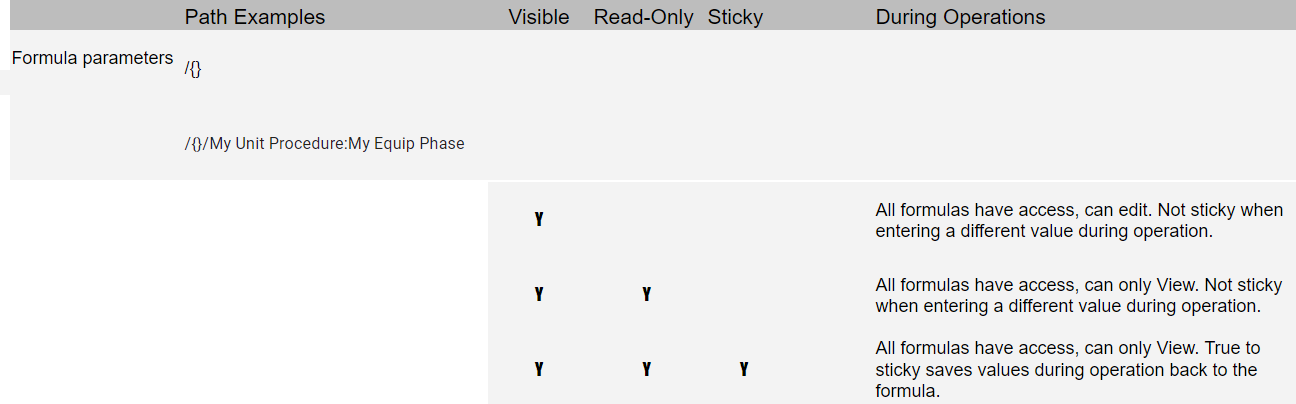
| Parameter Permissions | Description |
|---|---|
Sticky | Sets whether a parameter value in a formula is saved based on an operator entry. |
Visible | Sets whether the parameter is visible in a formula to an operator. |
Read-only | Sets the parameter value to be read-only to an operator. |
 |
The parameters must be up-to-date, synced up with the phases and recipe-level procedure parameters before setting permissions. |
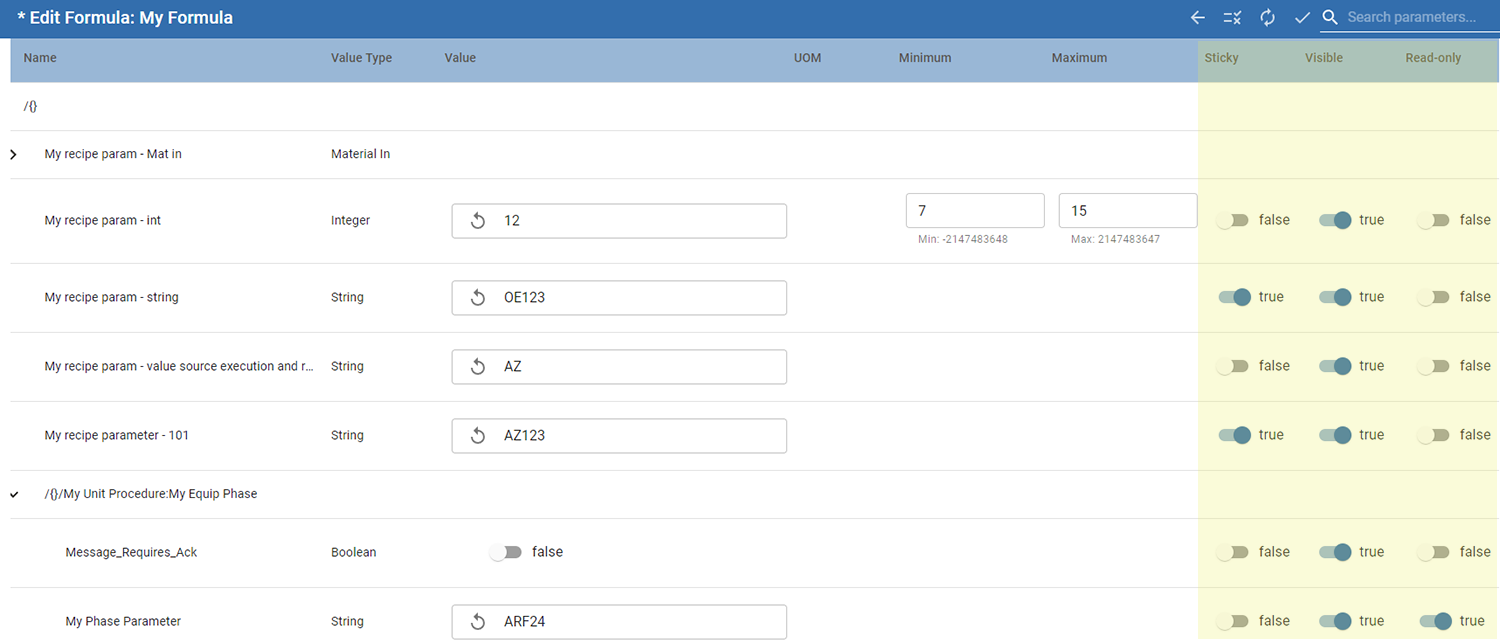
Syncing Parameters to Formulas
|
Phase-Specific Syncing to Master Recipe will be included in 3.81.11 RC2 - This feature is not in 3.81.11 RC1 |
Syncing and Saving Parameters in Recipe Editor to Formula(s)
This syncs parameters from the recipe to formula(s).
- Open a batch recipe in Recipe Editor.
- Assign a Formula
- Save. Then Sync and Save.
Syncing and Saving a Formula to Master Recipe
This is one formula at a time.
- In Batch Formula Manager, open the formula associated with the master recipe.
If the parameters are out of sync, you'll see a notification when editing the formula.
- Click Sync and Save to update the formula.

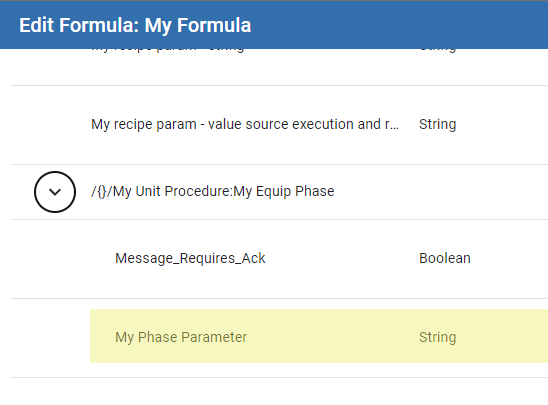
The phase parameter displays in the formula.
Sepasoft MES Module Suite