Sepasoft MES Module Suite
Attributes in a Sample Definition
Some examples of attributes include pH, temperature, viscosity, weight, non-conformities, and nonconforming items. From here, the name, description, datatype, format, default value, minimum value, and maximum value can be defined.
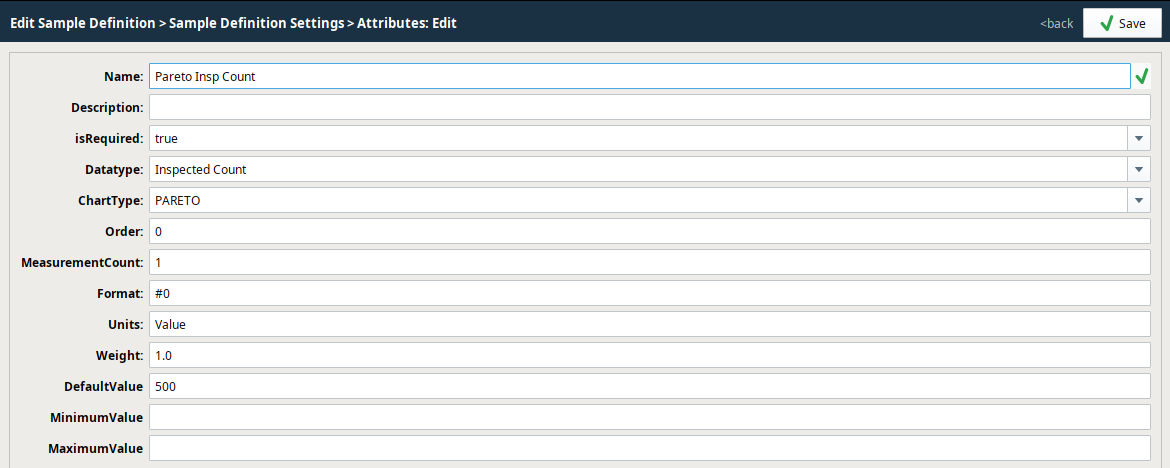
To add attributes to a Sample Definition:
- Select a definition in the Definition List tree.
- Under Sample Definition Settings, click Attribute List.
- Click New.
| Attribute Settings | Description | ||
|---|---|---|---|
| Name | Names can have spaces and special characters. | ||
| Description | Attribute summary description | ||
| isRequired | Use isRequired set to True, to ensure values are entered before saving. Version Dependent
| ||
| Datatype |
| ||
| ChartType |
| ||
| Order | Used is in the Sample Entry component, where it determines the order in which the attributes display. | ||
| Measurement Count | Sets the number of samples to take for the system to consider the counts as a full sample. | ||
| Default Value | Sets the default value for a measurement. | ||
| Minimum Value | Optional - Sets the minimum value of measurement data. | ||
| Maximum Value | Optional - Sets the maximum value of measurement data. | ||
| Format | Optional - The format string for this attribute's display. Used to verify formatting values on the control charts and that entered data is correctly formatted. | ||
| Units | Optional - Sets the measurement to a standard quantity. | ||
| Weight | Optional - Used for the Pareto chart to determine importance. For example, you have Scratched and Cracked. Cracked is a bigger deal so you would give it a higher weight here. |

Sepasoft MES Module Suite