Sepasoft MES Module Suite
Adding BC Server Functionality

|
Offered in 3.81.10 RC1 and later Business Connector Server Functionality - input/output data structures in start element. The data structure for input and output parameters are defined at the Business Connector chart start element. Parameters defined at the start element support complex and simple user-defined structures or select predefined structures. The predefined structures include B2MML and general MES structures. The general MES structures are stripped down to the point structures when the complexity of B2MML is not needed. |
- Select Servers > Add New Server.
Settings
Server Name
Enabled - Boolean - this is not a JCo setting, but the Interface for SAP does register the server if this setting is not checked.
Destination - string - this must match one of the previously configured destinations.
Gateway Host - string - this is the URL to the SAP Server or Gateway. In most cases, this matches the Host setting in the Destination configuration.
Gateway Server - string - this is an open field but follows the format of “sapgw00” where the 00 defines the ports used by the JCo library.
- Connection Count - integer - this specifies the maximum simultaneous connections that JCo accepts for the server.
Server Functions
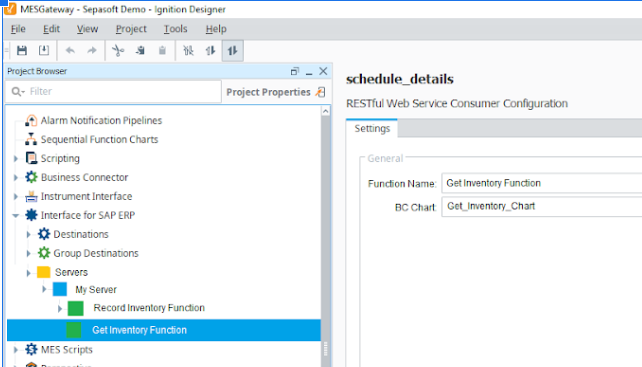
At the Function level, these settings are available:
Enabled
Business Connector chart to execute when a request comes in for the function endpoint. The chart is referenced by an internal ID or UUID so that it can be renamed without breaking the association.
The input and output data structures are shown in the panels on the right side but are read-only.
The structures are retrieved from the select Business Connector chart and will refresh when a new chart is selected.
The format and data types from the Business Connector module shall be translated into SAP format and datatypes before displaying in this section.
SAP handles arrays as Tables (rows and columns). The Business Connector uses XML, which doesn’t have the notion of tables but does support arrays. A translation between arrays and tables will need to be done between the Business Connector and Interface for SAP.
These structures can be large, and each section should automatically show a scroll bar if the contents extend beyond the visible bounds.
Monitoring
A JCoServerErrorListener is registered for each server. When JCo reports errors or exceptions, they echo to the Ignition logs. A JCoServerStateChangedListener is registered for each server. This status is reflected in the Designer UI and Ignition logs.
Sepasoft MES Module Suite