Sepasoft MES Module Suite
Creating a new SOAP Endpoint
In the Project Browser of the designer, right-click SOAP Endpoints to create a new SOAP Endpoint.
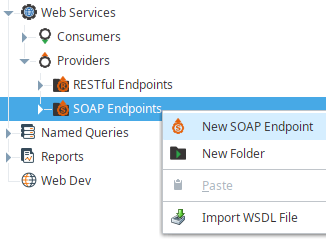
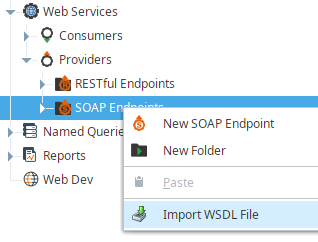
Import WSDL File
In the Project Browser of the designer, right-click SOAP Endpoints and select Import WSDL File to import a WSDL file.
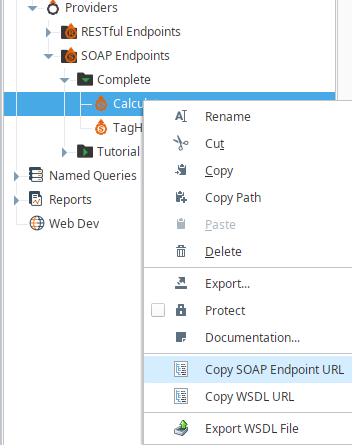
Copy SOAP Endpoint URL
In the Project Browser of the designer, right-click SOAP endpoint and select Copy SOAP Endpoint URL to copy the endpoint URL.
Each SOAP endpoint resource will be directly accessible over HTTP and mounted beneath the /main/system/ws/soap path. For example, if the SOAP endpoint resource is created directly beneath 'SOAP Endpoints', it would be mounted at: http://host:port/main/system/ws/soap/resource_name

|
SOAP endpoint resource name is part of the path. If the SOAP endpoint resource is nested inside a folder, it will be part of the path too, for example: http://host:port/main/system/ws/soap/folder_name/resource_name |
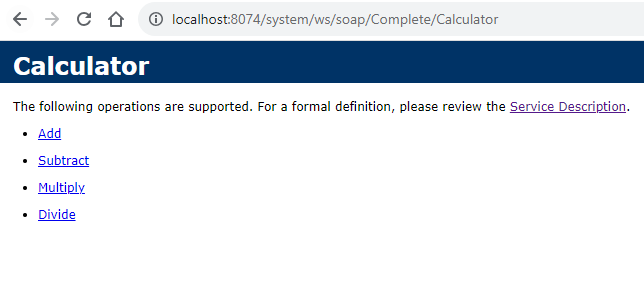
Links for the SOAP definitions (WSDL) and operations can be accessed by pasting the copied endpoint URL to a web browser.
Click one of the operation links on that web page to see its sample SOAP 1.1/1.2 request/response.
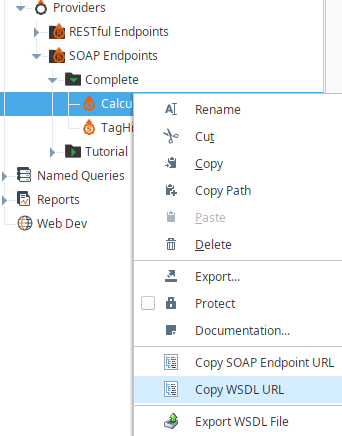
Copy WSDL URL
- In the Project Browser of the designer, right-click SOAP endpoint and select Copy WSDL URL to copy a WSDL URL. For example:
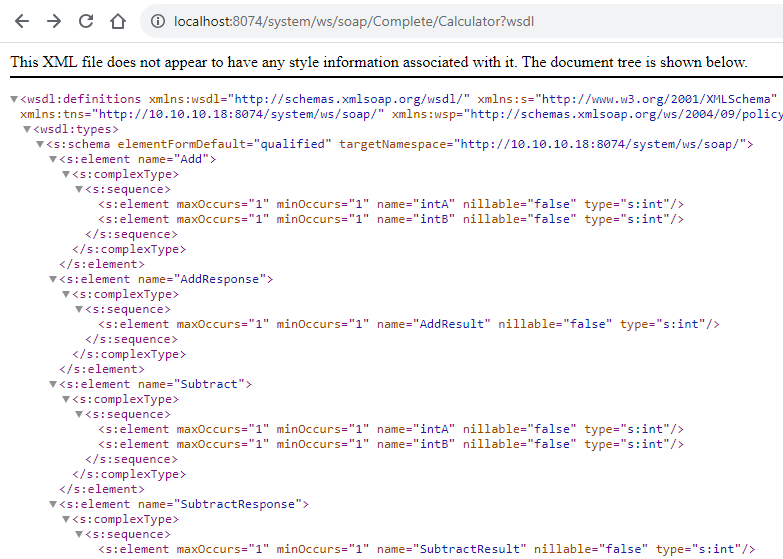
http://host:port/main/system/ws/soap/resource_name?wsdl
- Access the WSDL document by pasting the WSDL URL into a web browser. An example for the WSDL document is shown in the screenshot.
Export WSDL File
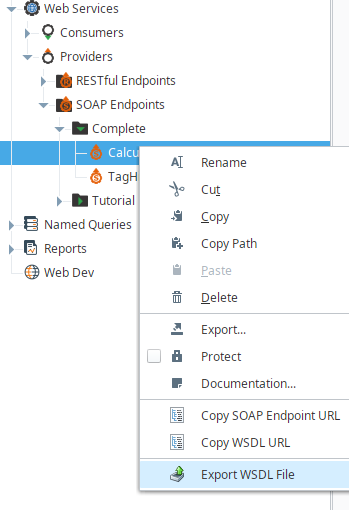
- In the Project Browser of the designer, right-click SOAP endpoint and select Export WSDL File to export the WSDL file.
Operations
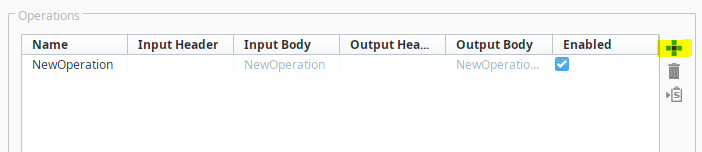
Menu buttons on the Operations table allow to add or delete a SOAP operation or to copy its sample script.
| Button | Description |
|---|---|
 | Add a SOAP operation |
 | Delete SOAP operation |
 | Copy the sample script of SOAP operation |
Name
Name of the SOAP operation.
Input Header
Header of the incoming request. User can choose the input header.
Input Body
Body of the incoming request. It is fixed and can't be changed.
Output Header
Output of the outgoing request. User can choose the output header.
Output Body
Body of the outgoing request. It is fixed and can't be changed.
Enabled
If Enabled is checked, then the corresponding operation is exposed to the WSDL document.
Types
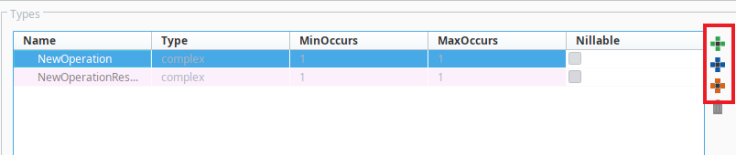
Menu buttons on the Types table allow to add or delete a type, a member or an attribute. The Type, MinOccurs, MaxOccurs and Nillable can be specified for each member.
| Button | Description |
|---|---|
 | Add a new type |
 | Add a new member |
 | Add a new attribute |
| Delete a type, a member or an attribute |
Name
Name of the type.
Type
Type of the member or the attribute can hold any of the following data types:
anyType | complex | anySimpleType | anyAtomicType | string | boolean |
decimal | float | double | duration | dateTime | time |
date | gYearMonth | gYear | gMonthDay | gDay | gMonth |
hexBinary | base64Binary | anyURI | QName | NOTATION | precisionDecimal |
normalizedString | token | language | NMTOKEN | NMTOKENS | Name |
NCName | ID | IDREF | IDREFS | ENTITY | ENTITIES |
integer | nonPositiveInteger | negativeInteger | long | int | short |
byte | nonNegativeInteger | unsignedLong | unsignedInt | unsignedShort | unsignedByte |
positiveInteger | yearMonthDuration | dayTimeDuration | dateTimeStamp |
For more details on the different data types, visit https://www.w3.org/TR/xmlschema11-2/
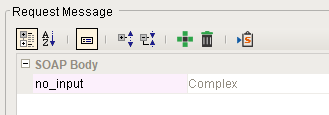
No Inputs
|
|
For provider operations with no inputs, leave it without attributes (child properties). Example:
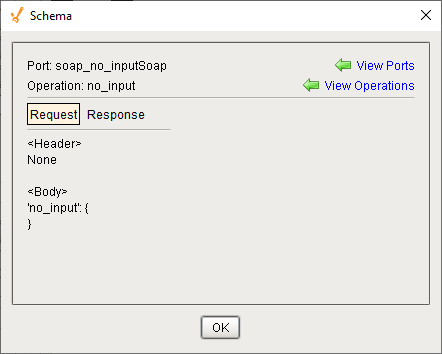
A Request Message Schema will be generated that has an empty body:
|
MinOccurs
The minimum number of times this element can occur in the parent element. The value can be any number >= 0. Default value is 1.
MaxOccurs
The maximum number of times this element can occur in the parent element. The value can be any number >= 0, or if you want to set no limit on the maximum number, use the value "unbounded". Default value is 1.
Nillable
True enables an instance of the element to have the null attribute set to true. The null attribute is defined as part of the XML Schema namespace for instances. Default is false.
General Settings
Encoding
Encoding type of HTTP response content. The available encoding types are UTF_8, UTF_16, ISO_8859_1, Windows_1252, and ASCII.
Redirect to SSL
If this is checked, then the SOAP endpoint resource will only be accessible via an SSL connection. If a non-secure HTTP transport is used, the browser will be sent a redirect to the the gateway's SSL port.

HTTP Authentication
Type
If the Basic option is selected, the RESTful endpoint resource will require HTTP BASIC authentication before it executes. If the credentials are missing, an HTTP 401 will be returned with the WWW-Authenticate header. If the credentials are present but incorrect, an HTTP 403 will be returned.
User source
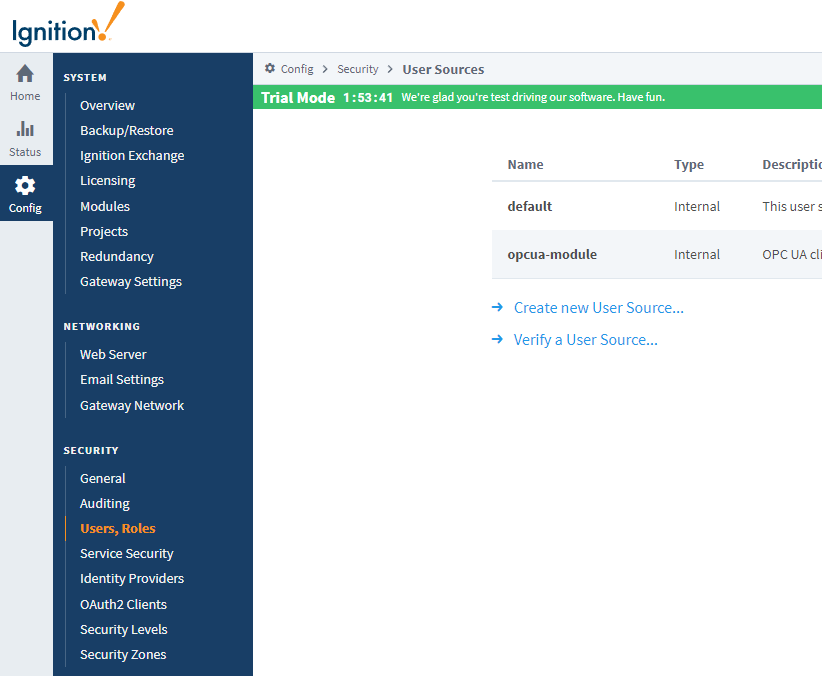
The username/password combination sent through the HTTP BASIC authentication headers will then be passed through the chosen ‘User Source’. The options are default and opcua-module. User sources can be managed at the Ignition gateway menu (Screenshot on the right): ‘CONFIGURE -> [SECURITY] Users, Roles -> User Sources’. For more details refer Ignition User Manual at Managing Users and Roles.
Required role(s)
If roles are specified, the user must have at least one of the roles. Multiple acceptable roles can be specified using a comma separated list. If blank, then all roles are can access to the RESTful endpoint resource. For more details refer Ignition User Manual at Managing Users and Roles.

Script Editor
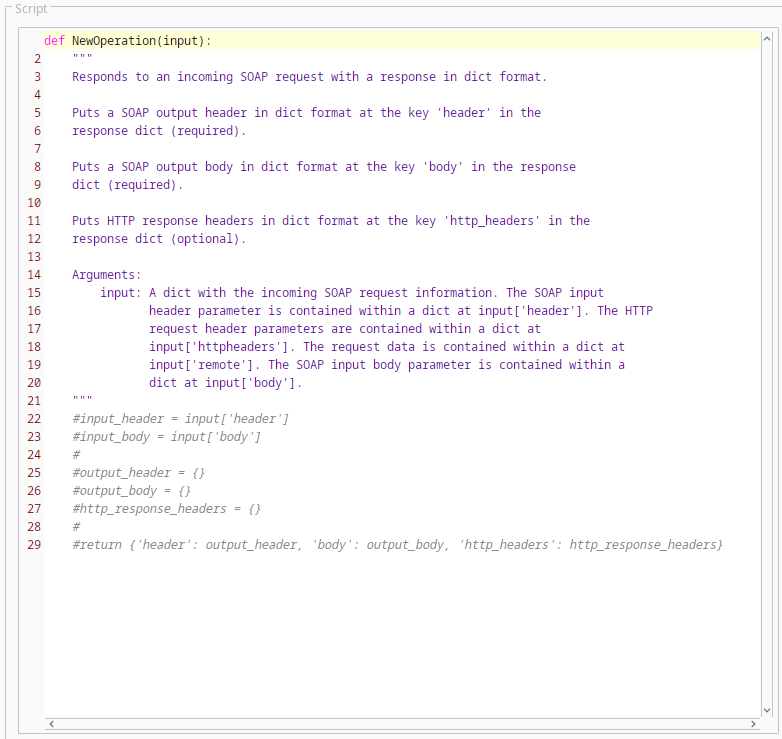
SOAP operation scripts can be written using Python programming language. If there is a syntax error in a script, an HTTP 500 will be returned.
Parameters
Each operation function receives the 'input' parameter. The 'input' parameter is a dict with an incoming SOAP request information.
| Parameters | Description | ||
|---|---|---|---|
| input[header] | SOAP input header in dict format | ||
| input['body’] | SOAP input body in dict format | ||
| input['sender_infoResponse’] | The return value also encapsulates sender information. In the example below, the dictionary entry "sender_infoResponse" provides the sender with the sender's address, port and requested URL:
| ||
| input['remote'] |
|
Custom Namespace
To override (customize) the default namespace "ns" in the SOAP Response Body, add the new namespace prefix and value at the beginning (value can be a dictionary):
return {'namespace': namespace, 'header': output_header, 'body': output_body, 'http_headers': {}}
Example with custom namespace (the value in this example is a dictionary):
Code |
|
In the example above, the default namespace xmlns:ns="<value assigned to ns>" will be replaced by:
xmlns:urn="urn:sap-com:document:sap:idoc:soap:messages"
Return Value
Each operation function returns a response in dict format. SOAP output header (dict format) should be given at the key 'header' in the response dict. SOAP output body (dict format) should be specified at the key 'body’ in the response dict. HTTP response headers (dict format) may be specified at the key 'http_headers' in the response dict.
An HTTP 400 will be returned if:
- An invalid value exists in the request dict.
An HTTP 500 will be returned if:
- An invalid value exists in the response dict.
- The key 'header' doesn't exist in the response dict.
- The value of the key 'header' is neither a dict or None in the response dict.
- The key 'body' doesn't exist in the response dict.
- The value of the key 'body' is not a dict in the response dict.
Auto-convert input dateTime to Date object
SOAP dateTime format
In MES 4.83.3 SP3 and later, Sepasoft Web Services writes SOAP dateTime and dateTimeStamp values as ISO-8601 with three-digit milliseconds and a timezone offset: yyyy-MM-dd'T'HH:mm:ss.SSSXXX.
Example: 2026-01-28T11:06:33.000+01:00
.000 is included when the milliseconds are zero. The offset is Z or ±HH:mm. Values are no longer truncated to a form such as 2026-01-28T11:06:33, which drops the fraction and often the offset. Strict partners, including some .NET ASMX validators, reject that shorter form.
This applies to SOAP messages Sepasoft writes. The WSDL type names stay dateTime and dateTimeStamp.
Auto-convert input dateTime to Date object
If this is checked, an input with type dateTime or dateTimeStamp is converted to a java.util.Date object.
In MES 4.83.3 SP3 and later, conversion accepts an XSD-legal dateTime with or without fractional seconds. Both 2026-01-28T11:06:33.000+01:00 and 2026-01-28T11:06:33+01:00 convert. A value that is not a dateTime still fails, and the gateway log reports the failed conversion.
A converted Date logged with str() or Date.toString() does not show milliseconds. That display is unchanged. To confirm .000 and the offset, inspect the SOAP XML.
Show whitespace characters
If this is checked, then whitespace characters are shown on the script editor.
Sepasoft MES Module Suite