Sepasoft MES Module Suite
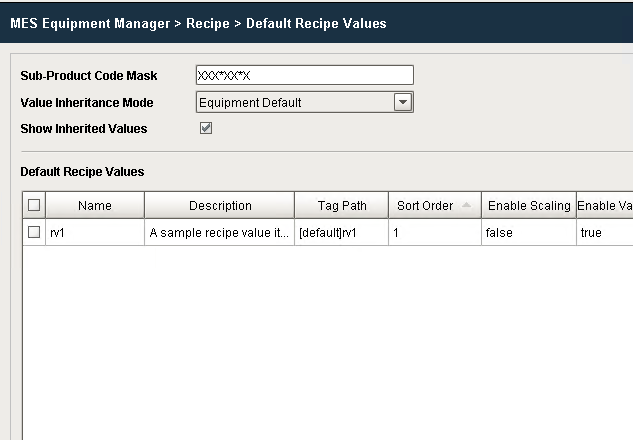
Sub-Recipe Mask
In some situations, a limited number of digits in the product code can be used to specify the recipe to use for a machine. This is accomplished by setting a sub recipe mask.
To enable Sub Recipes for a line, cell, cell group or location, enter a value for the Sub Recipe Mask. If the sub recipe feature is not being used for the production item, leave it blank.
The value can only consist of two different mask characters:
- X - Any characters that exist in the corresponding digit position of the product code will be ignored.
- * - Any characters that exist in the corresponding digit position of the product code will be used to select the sub recipe.
The asterisk characters in the Sub Recipe Mask do not need to be in consecutive digit positions.
The sub-recipe feature can be utilized on a per-product basis. This allows for a combination of standard recipe and sub-recipe functionalities. For instance, if you have a tape machine where recipe values change based solely on the case size, and there are only two case sizes differentiated by a digit in the product code, sub-recipes can be employed for the tape machine. Other machines can continue to use the regular recipe functionality.
Sepasoft MES Module Suite