Sepasoft MES Module Suite
system.recipe.readItemCurrentValues(itemPath, includeChildren, recipeName, subProductCode, valueNames, note)
Reads and updates the recipe values to the value(s) of the current tag(s) for the production item specified by the itemPath parameter.
Syntax
system.recipe.readItemCurrentValues(itemPath, includeChildren, recipeName, subProductCode, valueNames, note)
- Parameters
String itemPath - The item path to a production line, cell, cell group or location.
boolean includeChildren - If true, also set the recipe values for children of the items.
String recipeName - Name of recipe.
String s ubProductCode - The sub product code.
String valueNames - The name(s) of the recipe values to set to current tag values. Separate multiple recipe value names with commas. For all recipe values of a production item, leave blank.
String note - Optional note to be stored in the recipe change log.
- Returns
Nothing
- Scope
All
Code Examples
Python |
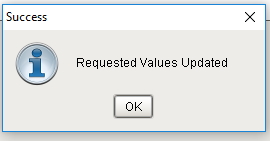
import sys import traceback # readCurrentRecipeValues # function: system.recipe.readCurrentRecipeValues(itemPath, includeChildren, recipeName, subProductCode, valueNames, note) # (str) (Boolean) (str) (str) (str) (OPT) # itemPath can be any line, cell, cell group or location # This updates the named recipe values to the current values of the tags associated with them # required arguments itemPath = 'Enterprise\New Site\Packaging\packagingLine1\Checkweigher' includeChildren = True recipeName = 'Boylan' subProductCode = '' valueNames = 'Max Fill Level,Min Fill Level,Units, Assigned by note = 'Changed Max to 8.9 and Min to 8.5' try: currentValues = system.recipe.readItemCurrentValues(itemPath, includeChildren, recipeName, subProductCode, valueNames, note) system.gui.messageBox('Requested Values Updated', 'Success') except: system.gui.messageBox('Error Reading Requested Values', 'Failed') var = traceback.format_exc() system.gui.messageBox(var, 'Error attempting to test monitoring') |
Sepasoft MES Module Suite