Sepasoft MES Module Suite
Batch Recipe Timer Phase
The timer phase provides a delay in a Procedure, Unit Procedure, or Operation. The straightforward functionality is simple where when the step (element) of a chart is active, the timer starts timing. However, there are options (there are always options) as described below.
Timer Phase Parameters
| Continuous | If the step is in HELD, PAUSED, STOPPED states, or the Ignition server is stopped for any reason, then the elapsed time includes all time including HELD, PAUSED, STOPPED states, or Ignition downtime. If the elapsed time is more than the target time, then the elapsed time reflects the duration between the time the step was activated and deactivated no matter the state or if the server was running. |
| Retentive | If the step is in HELD, PAUSED, STOPPED states, or the Ignition server is stopped for any reason, then the elapsed time does not include time while in HELD, PAUSED, STOPPED states, or Ignition downtime. Once the step is reactivated, the elapsed time continues where it left off. The elapsed time is the accumulation of all periods that the step was in RUNNING state. |
| Reset | Anytime the step is in HELD, PAUSED, STOPPED states, or the Ignition server restarts after being down, the accumulated value is reset back to 0. |
The direction of the count can be set with the Direction parameter:
| Up | the Elapsed Duration increases over time. |
| Down | the Elapsed Duration decreases over time. |
The time interval can be adjusted using the Interval parameter:
| 1 Second | The timer updates once every second. |
| 1 Minute | The timer updates once every minute |
Read-only Parameters
Target Duration mS - The number of milliseconds for the Target Duration. Calculation supported.
Elapsed Duration - The count up or countdown duration in the DD HH:MM:SS format.
Elapsed Duration mS - The count up or countdown duration in milliseconds.
Adding a User-Defined Timer Phase
Phase Manager | Base Phase > Timer
- Select Timer for Base Phase
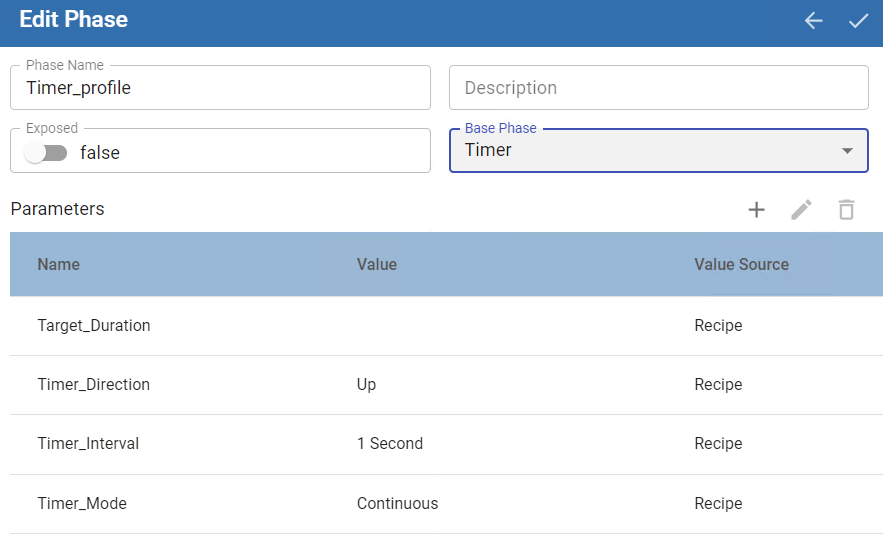
| Parameter | Description |
|---|---|
| Timer_Duration | Calculation Supported Format: 00 OR 00 00:00:00 Days Hours:Minutes:Seconds |
| Timer_Direction | Options are Up to increase the count and Down to decrease the count. |
| Timer Interval | This is how often the timer is checked/updated, and doesn’t affect how Timer_Duration is read. |
| Timer_Mode | Modes control how the accumulated time value changes if the state changes from Running. See Timer_Mode below. |
Timer_Mode
Modes control how the accumulated time value changes if the state changes from Running.
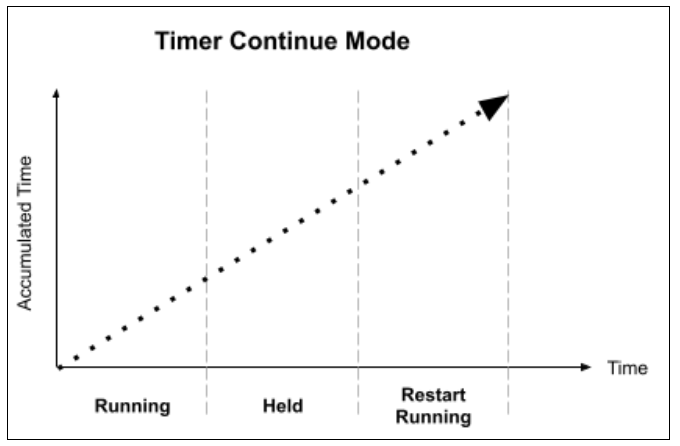
Continuous
When the phase goes into Hold, the timer continues to time. If the timer completes while the phase is in the Held state, the phase remains Held. After the Phase is restarted, if the timer has not timed out, the timer continues timing until it completes. At this point the phase completes as well. If the timer had completed while Held, then the phase completes as soon as it gets restarted.
Retentive
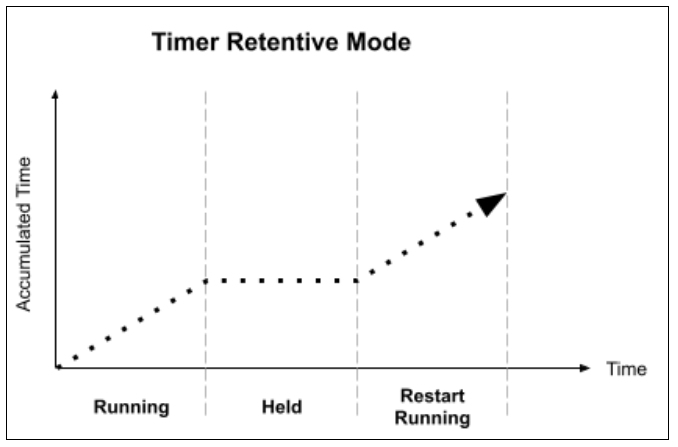
When phase goes into Hold, the phase stops the timer, and the elapsed time is retained. After the phase is restarted, the timer continues timing from the previously accumulated time until the timer completes. At this point the phase completes.
Reset
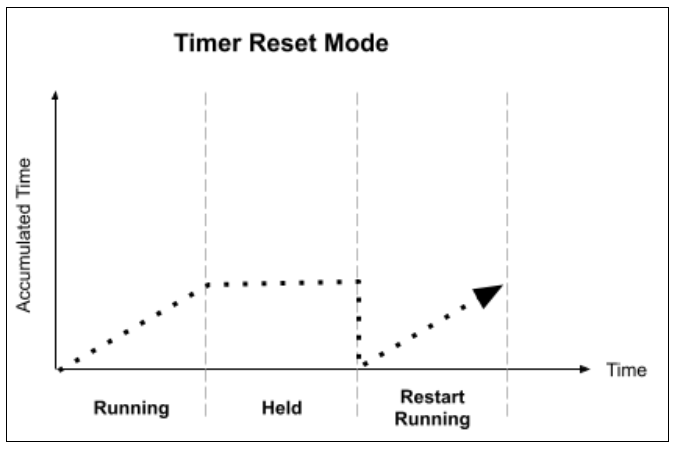
When the phase goes into Hold the timer stops the time and the elapsed time is not retained, it is reset to zero (0). After the Phase is restarted the timer continues timing until it completes, at this point the phase is completed.
Sepasoft MES Module Suite