Sepasoft MES Module Suite
Transfer Out Phase
The Transfer In and the Transfer Out Phases provide the variables needed for the synchronization logic to determine availability and execution of the transfer.
See Transfer In Phase.
Considerations:
- The Transfer Out and Transfer In phases for a given Sync_Group have to be executing at the same time. Anytime a Transition evaluates to True and the step above it is not complete (or some other final-type state), Batch Engine sends a Stop command to step. To keep the Transfer phases in sync, make sure to add the <Transfer Out Step>.complete in the Transition.
- Verification that the unit capacity can handle the material quantity being transferred.
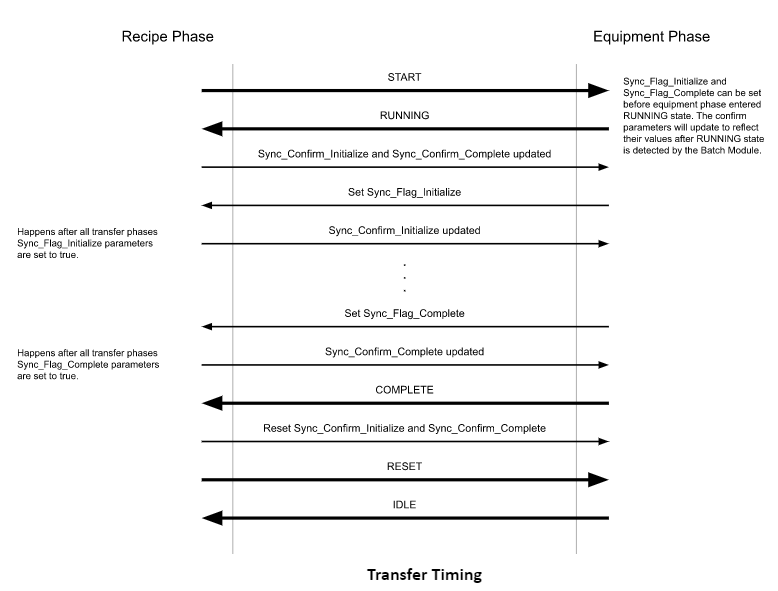
Handshake with the Synchronization Manager
Expand to see transfer handshake diagram
Transferring and Synchronizing
In the Recipe Editor and Recipe Monitor components, the Synchronize, Transfer In and Transfer Out Phases show a sync group box. If more than one sync group exists in a Unit Procedure or Operation, then multiple groups are shown. When you hover over (or optionally clicks on) the sync group, a tooltip is shown that lists all of the logic paths to the synchronize, transfer in, and transfer out phases.
For details about setting parameter flags, see Synchronize Phase.
Sync flags are set either by the batch system or manually:
A Sync_Mode = Auto sets the Sync_Flag_Complete = True .
When all the phases within a Sync_Group have Syn_Flag_Complete = True , then the Synchronization Manager sets the Sync_Confirm_Complete = True .
When the Phase sees Sync_Confirm_Complete = True , it sets Complete = True.
To get the sync groups and items of a recipe, use:
Code |
|
To get the sync groups and items of an active batch (queue entry), use:
Code |
|
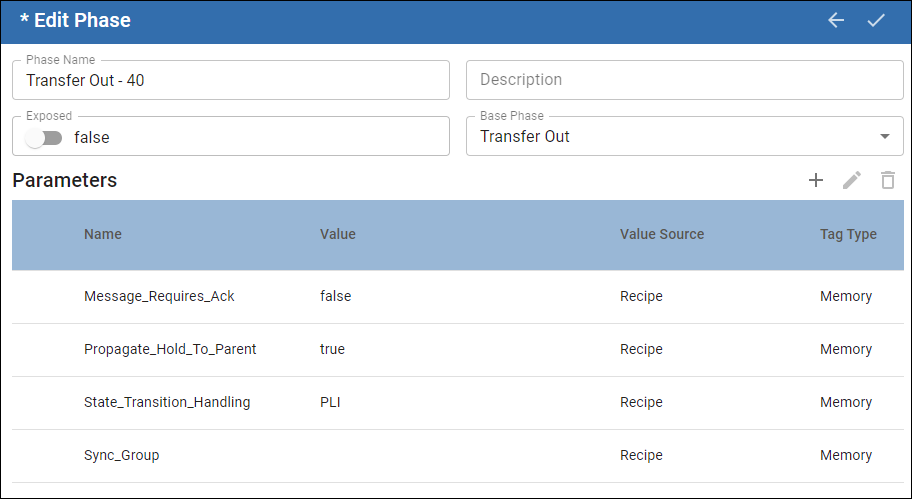
Transfer Out Parameters
| Name | Data Type | Description | Phases with this parameter: |
|---|---|---|---|
| Messages_Require_Ack | Auto/Manual Default: Auto | Displays in a view with the Message List component. | Equipment |
| Propagate_Hold_To_Parent | Boolean T/F Default: True | Sends the Hold command up to the parent element within the framework. | All |
| State_Transition_Handling | Boolean options: PLI/Auto | When set to PLI, the PLC drives the state. When a batch completes, Batch Engine sends a RESET command and waits for the input value from the PLC. Then, the batch is back to IDLE. | Equipment |
| Sync_Group | String | Use synchronization groups to pass values among phases. | Synchronize Transfer In Transfer Out |
Sepasoft MES Module Suite