Sepasoft MES Module Suite
Versioning Documents
'Versioning' is the ability to create multiple versions of the same MES Document Artifact, each containing the current selections and data-entry values present at the time it was saved. Each version is stored as an additional entry in the database.
When a document Artifact is first created, it can be configured as versioned = True, which allows a new copy to be created upon each .save() function execution for that Artifact in the MES Document Viewer component (if versioned = False, then each .save() overwrites the one existing document entity).
Example of .save() function script for the MES Document Viewer component in an Ignition Button called Submit Form:

Python |
event.source.parent.getComponent('MES Document Viewer').save() |
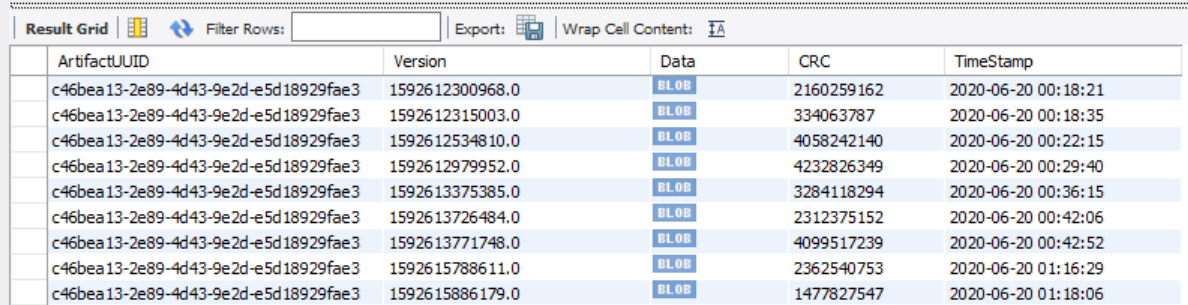
Each version is stored as an additional entry in the database (the HTML is encoded as a 'blob' object):
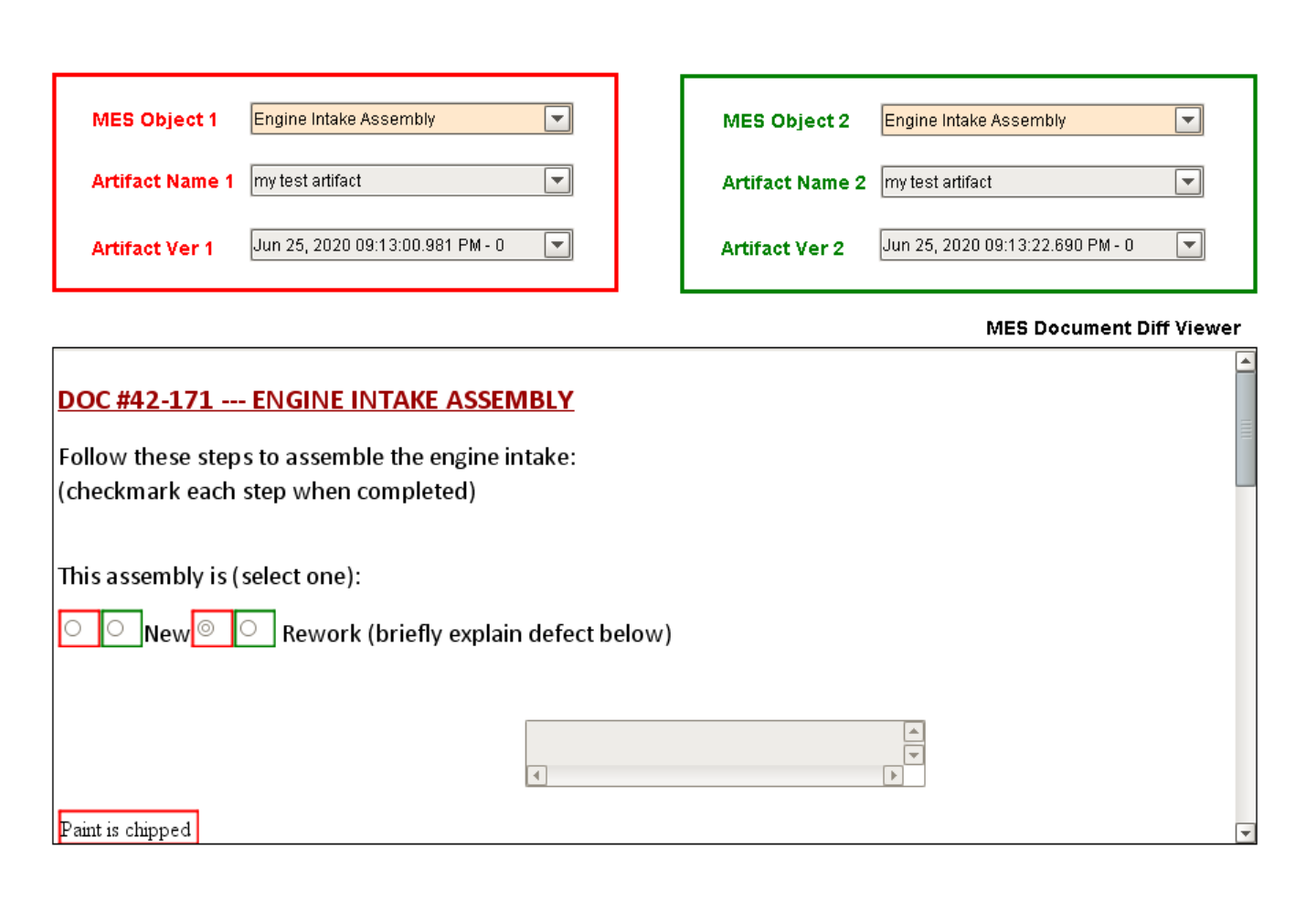
The MES Document Diff Viewer component is provided in the module to compare two HTML documents for differences. Generally, users will want to compare two historical versions of the same document Artifact. Once all of the MES Object Selectors, MES Artifact Selectors and MES Artifact Version Selectors are configured by the user (providing the MES Object, attached document Artifact Name and the particular version for each, the comparison is automatically performed. The differences are shown in the MES Document Diff Viewer display pane.
Example of the MES Document Diff Viewer on a window with two each of MES Object Selector, MES Artifact Selector and MES Artifact Version Selector, showing the differences between two versioned instances of the same document Artifact:
Sepasoft MES Module Suite