Create OEE Operation that will start Automatically, on Schedule 3.0
You want to create an Operation that will start automatically when Scheduled
Step-by-step guide
Using Components
- Using the Material Manager, create a new Material (or modify an existing Material accordingly)
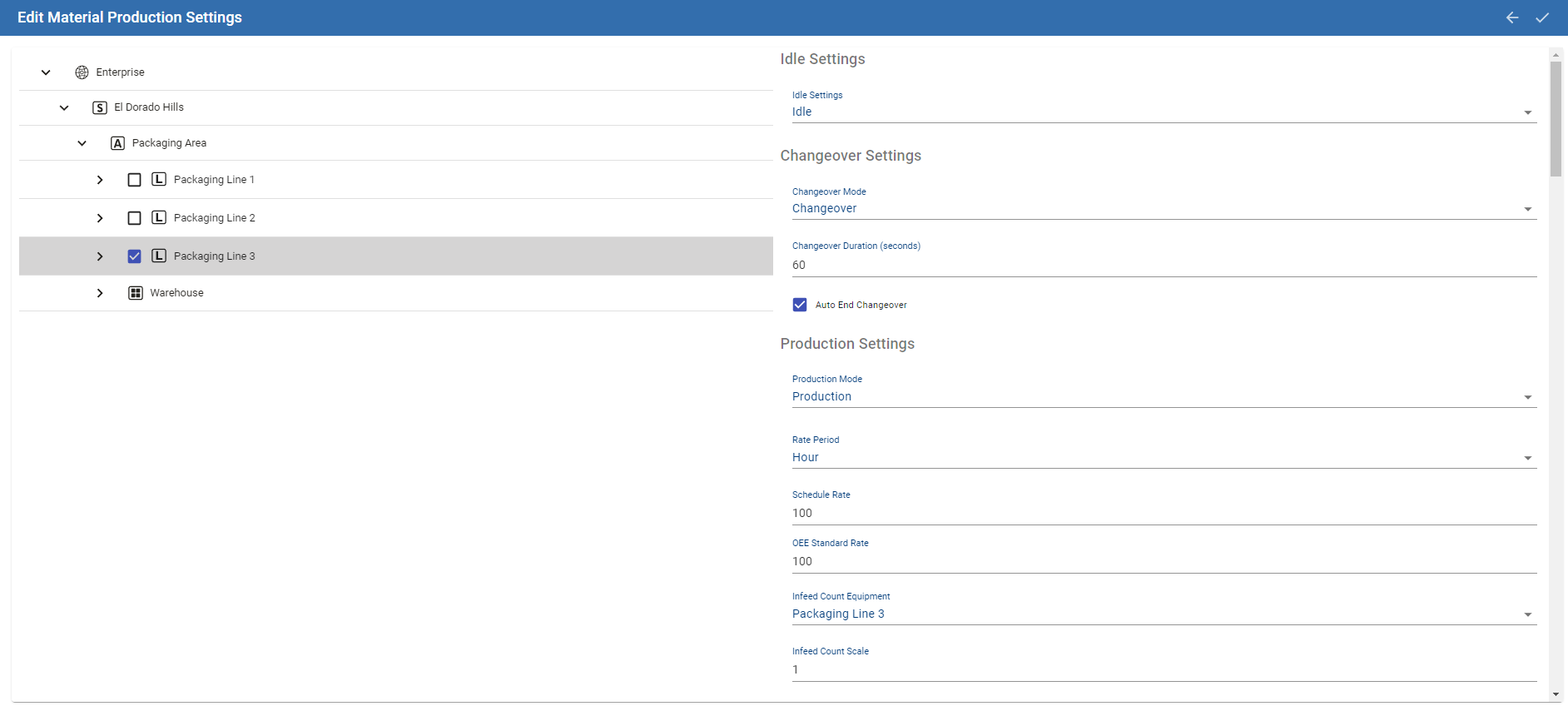
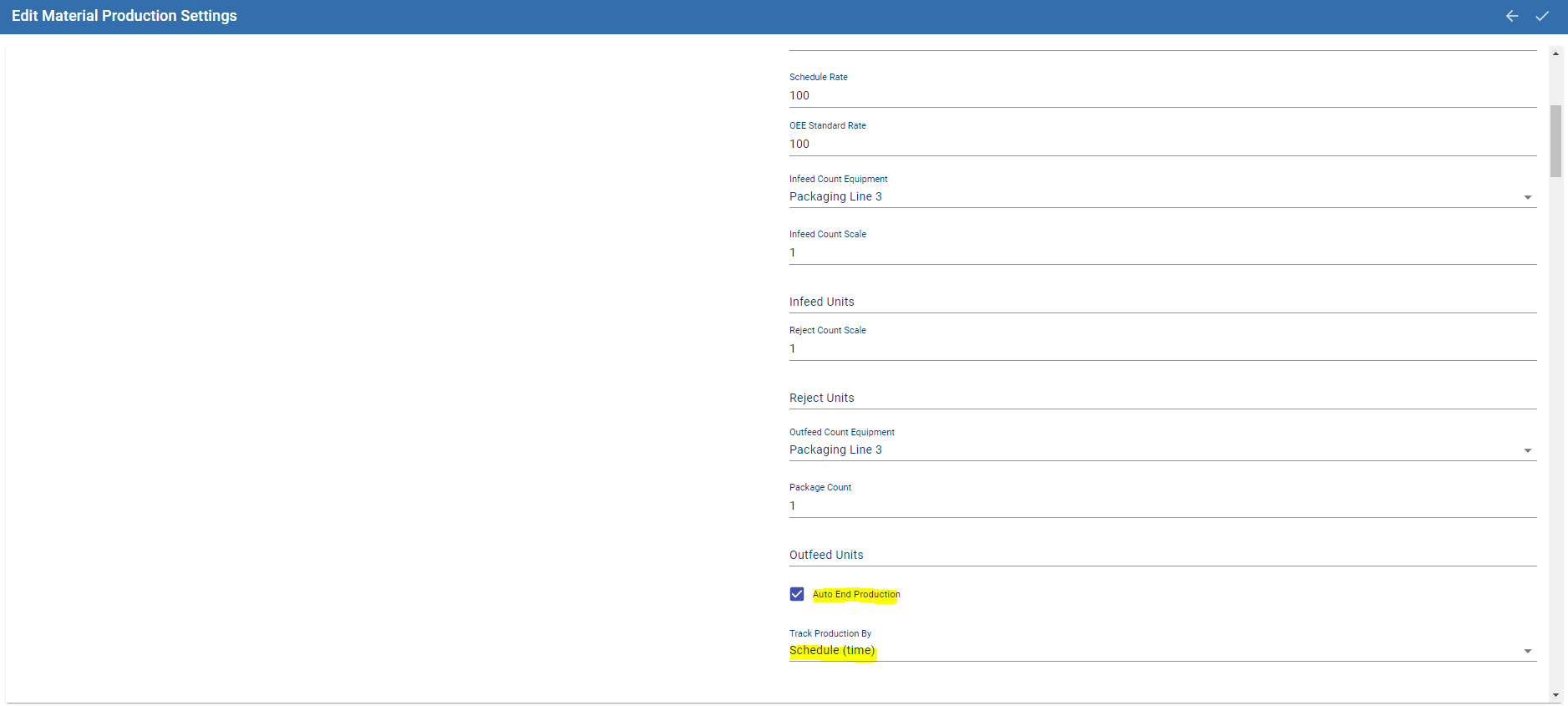
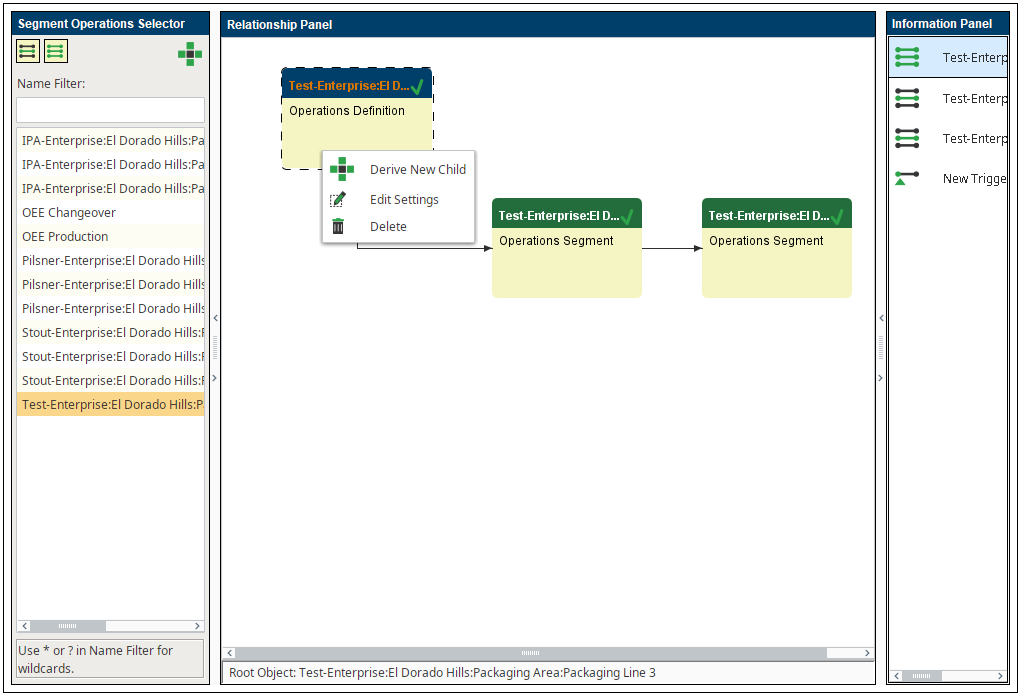
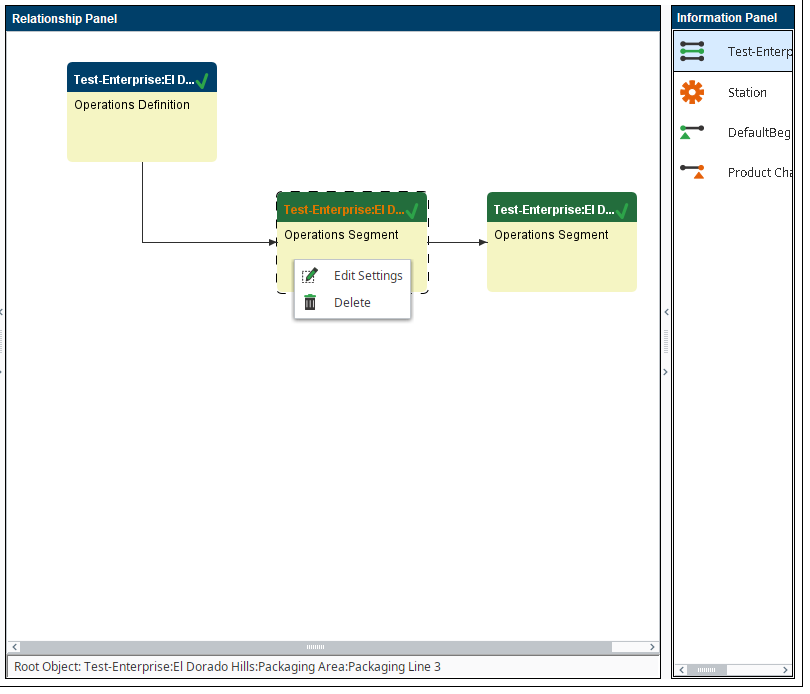
- Use the Object Editor to check your Operation Definition
right click on Operation Definition and select Edit Settings
Add a Trigger Operation Begin with the  sign
sign
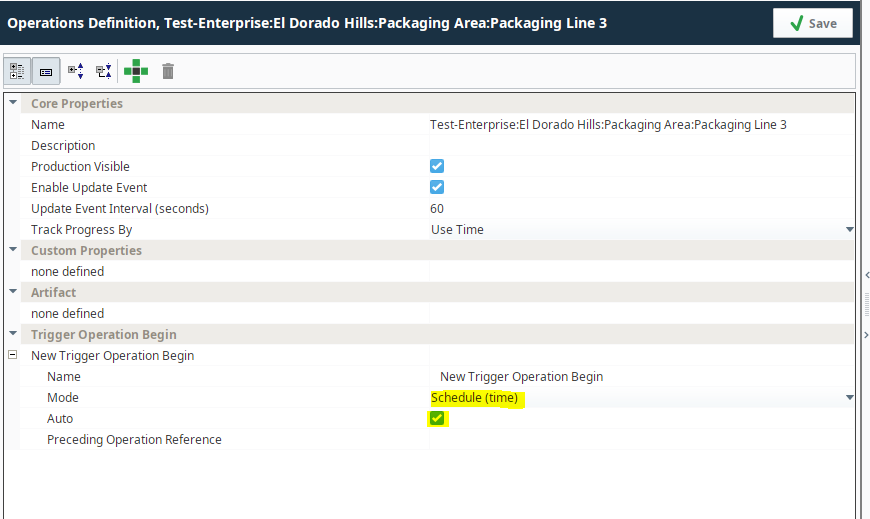
Save
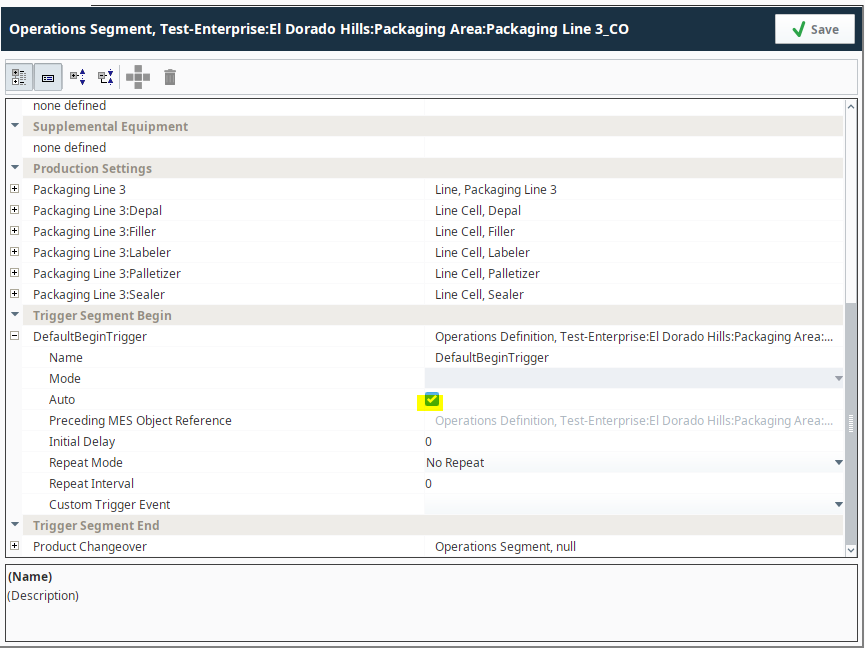
Edit the _CO segment (Changeover) in the same fashion (right click → Edit Settings)
and make sure that Auto is selected
save
- In this example, I am using the MES Schedule View component to create a new schedule entry.
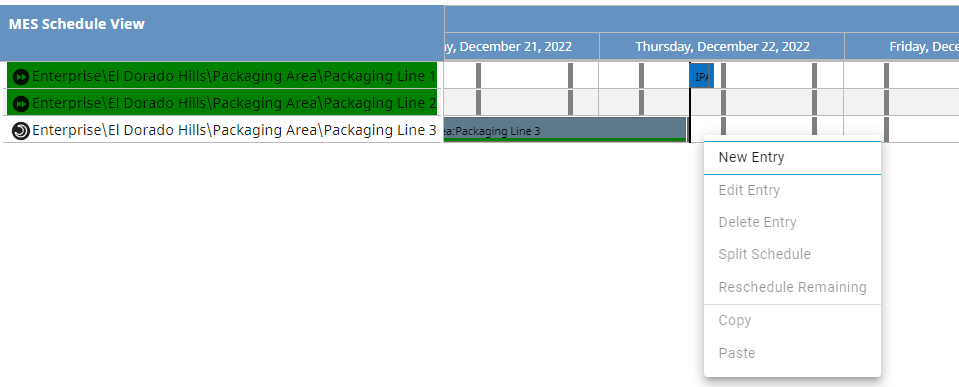
In the Schedule creation screen, create a new operation using the duration option.

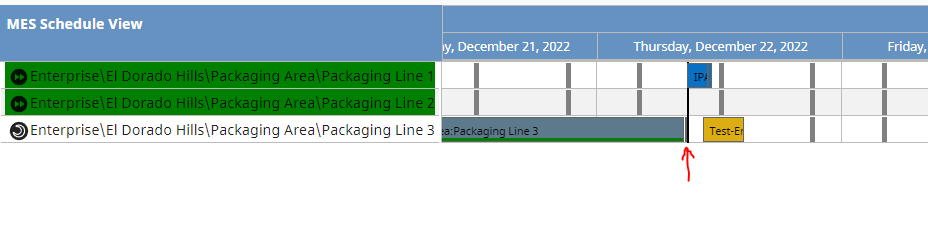
Save - at the Scheduled Time (or different if you drag the entry in the MES Schedule View Time Line)
this Operation will start and end Automatically (note the color change for Automatic Pending schedule state)
Caution
This will not change existing schedule entries. You will need to recreate your schedule entries to take affect.
Automated setup script for bulk changes
If you need to set up auto start for a large number of OEE operations, the script below will do just that. The setUpAutoStart function will configure a single operation, removeAutoStart will undo the configuration. The executeForOperationsOnEqPath will call those functions for all OEE operations for a particular line, you just need to pass it the name of the function you want to execute.
Auto Start Configuration Helper
|
def setUpAutoStart(operation):
    """Sets Up auto-start for an OEE operation."""
    print operation
    try:
        COLink = system.mes.getMESObjectLinkByName('OperationsSegment', operation.getName() + '_CO')
    except:
        print "we skipped operation %s" % operation
        return

    #Checking if the property exists, so we don't duplicate names
    triggerName = 'DefaultBeginTrigger'

    if triggerName not in operation.getComplexPropertyItemNames('TriggerOperBegin'):
        #if the propperty doesn't exist, we create it
        begTrig = operation.createComplexProperty('TriggerOperBegin', 'DefaultBeginTrigger')
    else:
        #if the propperty exists, we load it
        begTrig = operation.getComplexProperty('TriggerOperBegin', 'DefaultBeginTrigger')

    #From https://help.sepasoft.com/docs/display/MHD/Trigger+Operation+Begin+Property
    begTrig.setMode('Schedule (time)')
    begTrig.setAuto(True)
    system.mes.saveMESObject(operation)

    #From https://help.sepasoft.com/docs/display/MHD/Trigger+Segment+Begin+Property
    #also from the example in https://help.sepasoft.com/docs/display/SKB/Derive+Operations+Segment
    COSeg = system.mes.loadMESObject(operation.getName() + '_CO', 'OperationsSegment')
    COtrigger = COSeg.getComplexProperty('TriggerSegBegin', 'DefaultBeginTrigger')
    COtrigger.setAuto(True)
    system.mes.saveMESObject(COSeg)

    #same process as for the Changeover above
    ProdSeg = system.mes.loadMESObject(operation.getName(), 'OperationsSegment')
    ProdTrigger = ProdSeg.getComplexProperty('TriggerSegEnd', 'Production End')
    ProdTrigger.setMode('Schedule (time)')
    ProdTrigger.setAuto(True)
    system.mes.saveMESObject(ProdSeg)

def removeAutoStart(operation):
    """Removes auto-start from an OEE operation"""
    print operation
    try:
        COLink = system.mes.getMESObjectLinkByName('OperationsSegment', operation.getName() + '_CO')
    except:
        print "we skipped operation %s" % operation
        return

    #Checking if the property exists, so we don't duplicate names
    triggerName = 'DefaultBeginTrigger'

    if triggerName not in operation.getComplexPropertyItemNames('TriggerOperBegin'):
        return
    else:
        #if the propperty exists, we remove it
        operation.removeComplexProperty('TriggerOperBegin', 'DefaultBeginTrigger')

    #From https://help.sepasoft.com/docs/display/MHD/Trigger+Segment+Begin+Property
    #also from the example in https://help.sepasoft.com/docs/display/SKB/Derive+Operations+Segment
    COSeg = system.mes.loadMESObject(operation.getName() + '_CO', 'OperationsSegment')
    COtrigger = COSeg.getComplexProperty('TriggerSegBegin', 'DefaultBeginTrigger')
    COtrigger.setAuto(False)
    system.mes.saveMESObject(COSeg)

    #same process as for the Changeover above
    ProdSeg = system.mes.loadMESObject(operation.getName(), 'OperationsSegment')
    ProdTrigger = ProdSeg.getComplexProperty('TriggerSegEnd', 'Production End')
    ProdTrigger.setMode('Schedule (production)')
    ProdTrigger.setAuto(False)
    system.mes.saveMESObject(ProdSeg)

def executeForOperationsOnEqPath(eqPath, function):
    """goes through OEE operations defined for the eqPath passed and applies the passed function to them."""
    #from https://help.sepasoft.com/docs/display/MHD/system.mes.getAvailableOperations
    opList = system.mes.getAvailableOperations(eqPath, '*', False, False)
    print opList
    for op in opList:
        operation = op.getMESObject()
        function(operation)

eqPath = 'Nuts Unlimited\Folsom\Tests\Test Line 1'

# Configures all OEE Operations to auto start for a line
executeForOperationsOnEqPath(eqPath, setUpAutoStart)

# Removes the configuration for all OEE Operations in a line
executeForOperationsOnEqPath(eqPath, removeAutoStart)
|