Display Custom Data in the MES Work Order Table
There may be occasions to display custom data with a work order in the MES Work Order Table. The custom data could be tied to the work order object or any other MES object as a Custom Property or Artifact.
Displaying the data in the MES Work Order table is accomplished using the Extension functions of the table.
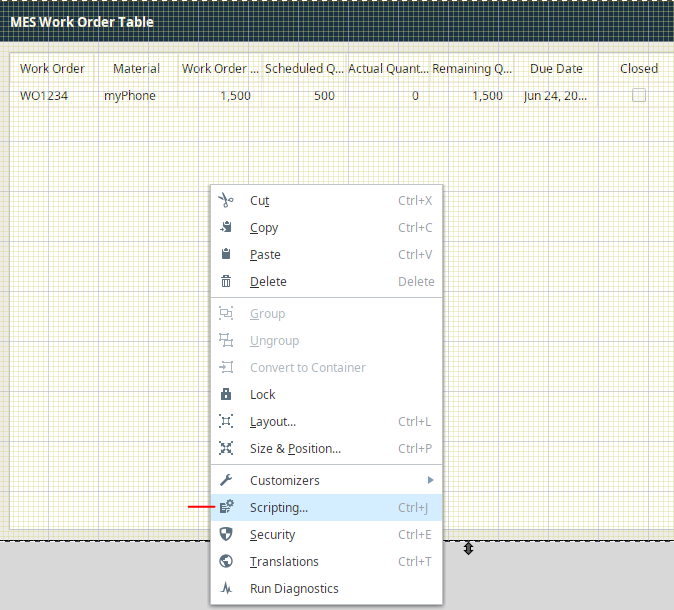
First Create a Column for the data desired by right-clicking and selecting Scripting:
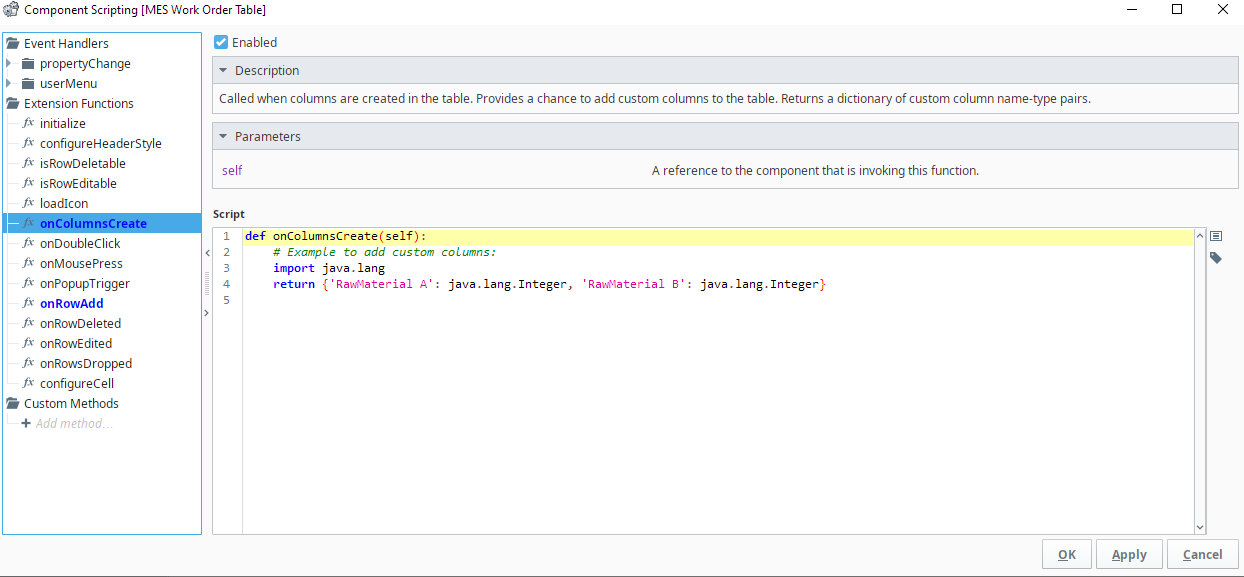
Create Column Definitions including data types desired under onColumnsCreate extension function:
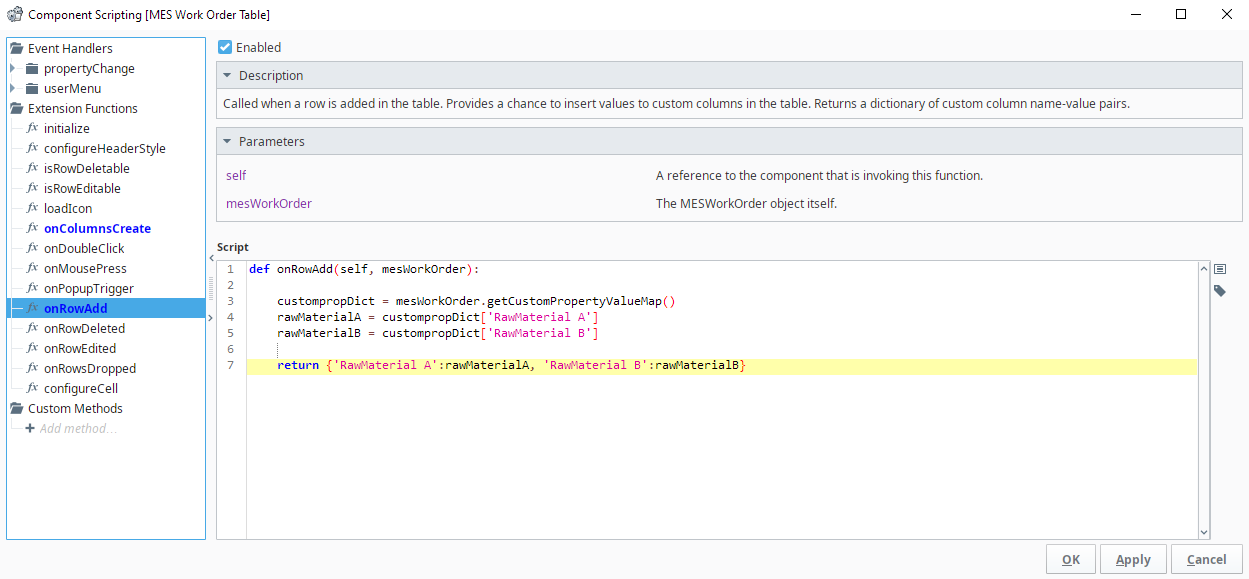
Now populate those columns with the desired data. Here we are loading some custom property data stored on the MES Work order object:
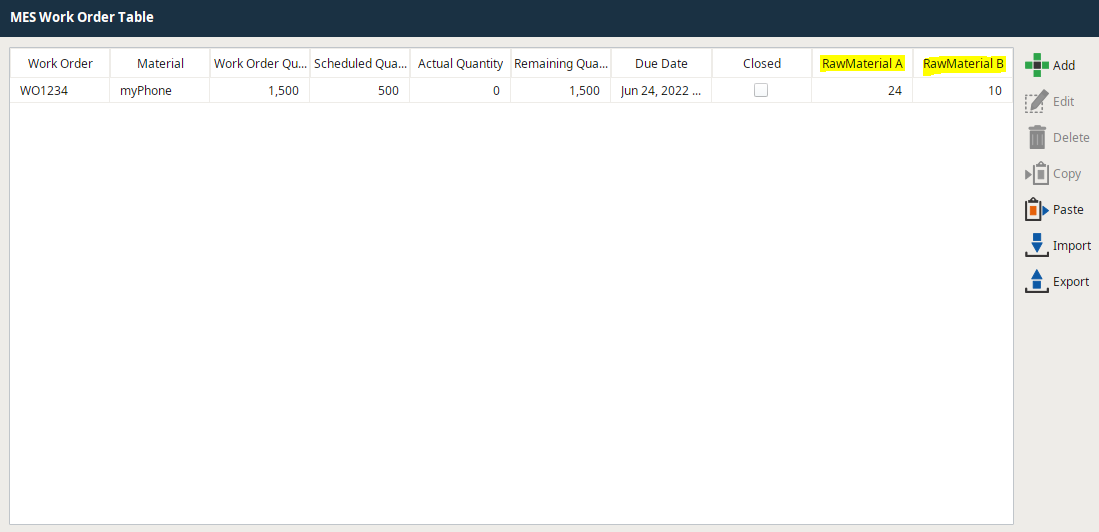
Your new Columns should now be populated with relevant data in the MES Work Order Table:
*Note - onRowsAdd is called for every work order added and updated in the work order table. You should limit the complexity of the script called here for best performance.