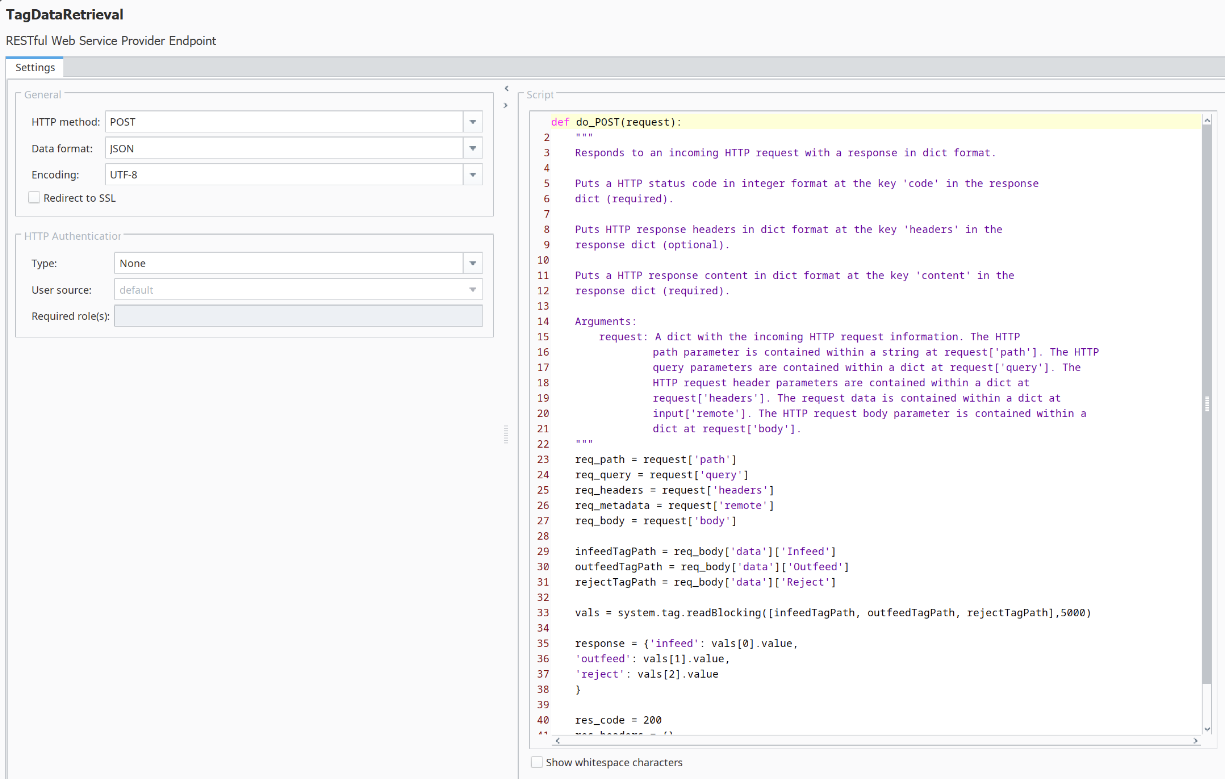
Creating TagDataRetrieval RESTful Provider
The RESTful Provider for fetching tag values will be created in the Sepasoft Web Services module's RESTful Provider area. It will read the tag path provided by the calling consumer (in our case, just script in the Script Console) and return three MES Counter values residing in an OEE Live Analysis tag folder.
Alternative tags to use

|
If OEE is not installed and/or Live Analysis tags are not available, feel free to create three memory tags of any type, set them to some non-zero initial values, and change the path value in the RESTful Consumer to point to the each tag path. The concept being shown is that RESTful Providers can add real-time remote visibility to any desired PLC-level data within your production environment. |
Create TagDataRetrieval RESTful Provider
Create the RESTful Provider TagDataRetrieval in Web Services as follows:
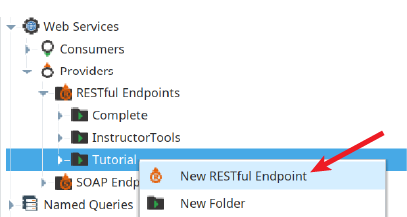
- In the Web Services section of the Project Browser, right-click on the Tutorial folder in RESTful Endpoints and select New RESTful Endpoint.
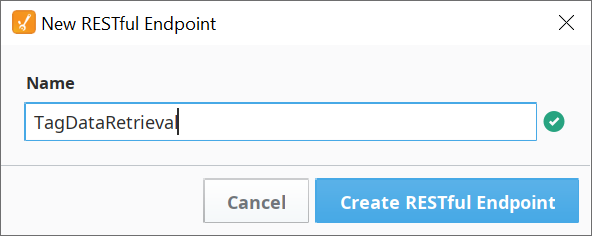
- Name it TagDataRetrieval. Click Create RESTful Endpoint.
Configure Response Message
The default Response Message is commented out. It contains some of the scripting we'll need for this exercise.
- Un-comment all of the lines and delete line 31 (the line containing "Hello World").
- To form the response, we'll add the following lines after line 27, which parses the tag paths requested (if using other tags, make these lines match your tag names):
infeedTagPath = req_body['data']['Infeed']
outfeedTagPath = req_body['data']['Outfeed']
rejectTagPath = req_body['data']['Reject'] Next paste in the following line, to synchronously read the tag values in vals, using the tag paths parsed above. It will error out after 5000 milliseconds if the tags do not respond:
vals = system.tag.readBlocking([infeedTagPath, outfeedTagPath, rejectTagPath],5000)
The system.tag.readBlocking function reads the value of the specified tags at the given paths. It will block the script from continuing to run until the read operation is complete or times out after the delay parameter expires (in milliseconds).
For more information refer to the Inductive documentation on system.tag.readBlocking.- Below the tag read function, paste in the following lines to create the Response Message using the tag values returned in vals.
response = {'infeed': vals[0].value,
'outfeed': vals[1].value,
'reject': vals[2].value
} - Change the last line to use response instead of res_content as the returned response object. It should look like this:
return {'code': res_code, 'headers': res_headers, 'content': response}
The completed Response Message script should look like this:
Python |
[Code] [Code] req_path = request['path'] req_query = request['query'] req_headers = request['headers'] req_metadata = request['remote'] req_body = request['body'] infeedTagPath = req_body['data']['Infeed'] outfeedTagPath = req_body['data']['Outfeed'] rejectTagPath = req_body['data']['Reject'] vals = system.tag.readBlocking([infeedTagPath, outfeedTagPath, rejectTagPath],5000) response = {'infeed': vals[0].value, 'outfeed': vals[1].value, 'reject': vals[2].value } res_code = 200 res_headers = {} return {'code': res_code, 'headers': res_headers, 'content': response} |