Configuring a New SOAP Consumer
Once a SOAP provider is active, a consumer must be configured to act as the client-side interface to its operations. The consumer uses the provider's WSDL to understand how to structure requests and parse responses, simplifying the process of calling the web service from other parts of Ignition.
Create a New SOAP Consumer
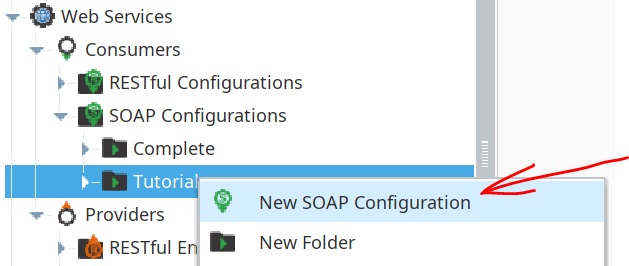
- Navigate to the SOAP Consumer section in the Project Browser.
- Within the
Tutorialfolder, create a new SOAP Consumer and name it TagHistoryAverage.
- Save your project.
- In the configuration window, paste the following WSDL URL into the designated field:
http://localhost:8088/system/ws/soap/Tutorial/TagHistoryAverage?wsdl
- Click the Refresh button.
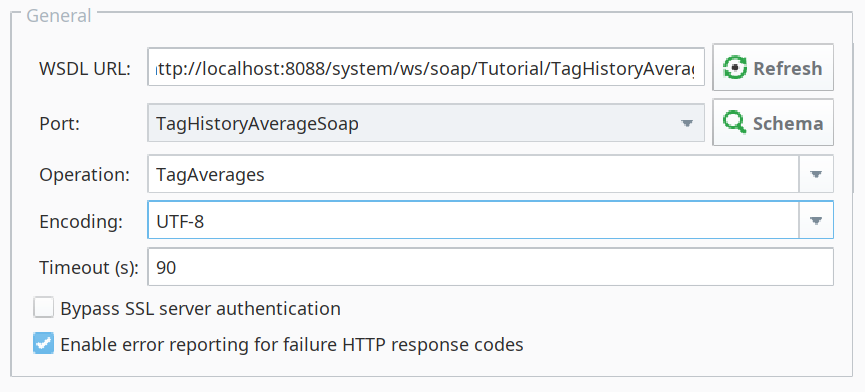
After refreshing, Ignition will automatically connect to the WSDL URL, inspect the service definition, and populate the available Ports, Operations, and Request Message data. This happens because the consumer is parsing the WSDL file, which acts as a machine-readable "contract" detailing exactly what the web service can do and how to interact with it.
Verifying the Schema
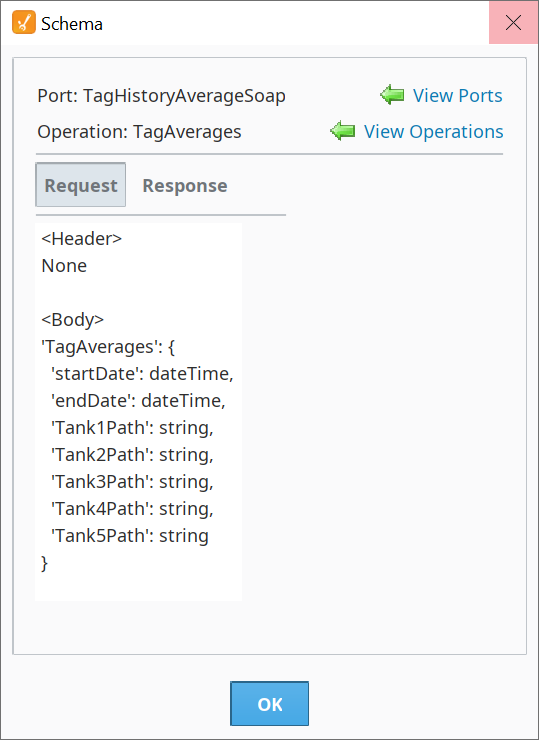
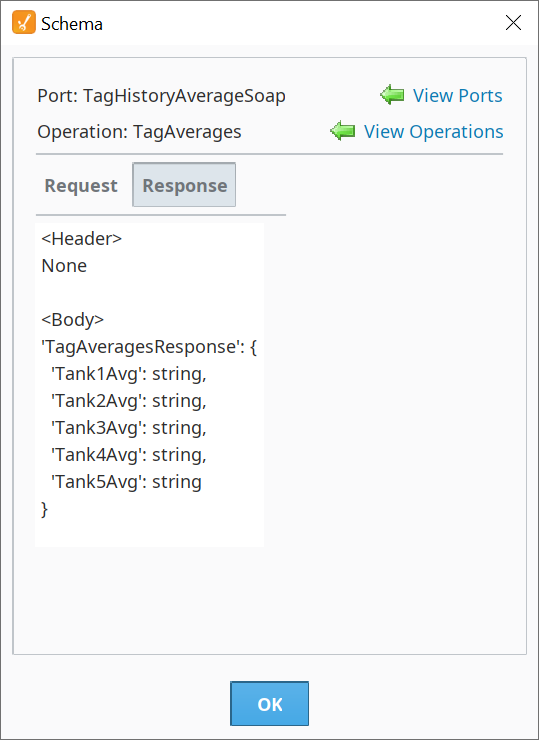
To confirm that the consumer has successfully connected to and understood the provider, you can inspect its schema.
- Click the Schema button in the consumer's configuration window.
A dialog box will appear, showing the three available operations that were created in the provider:
TagAverages, TagMin, and TagMax.Seeing these operations confirms that the provider and consumer are correctly linked. With the backend communication channel now established, the final step is to trigger the web service from an application interface.
- Save your project.