Configure Schedule Manager
Configure the Schedule Manager component on the window OEE_01_GUI/01_Configuration.
Configure Schedule Manager
The Schedule Management component is used for editing the shift schedules in your project. First, we need to configure the Ignition Schedule Management component itself, so it works with the Ignition Tab Strip component in this tutorial. Follow the steps below.
There are two components:
- Tab Strip (Ignition, already in place for you)
- Schedule Management (Ignition)
Do the following:
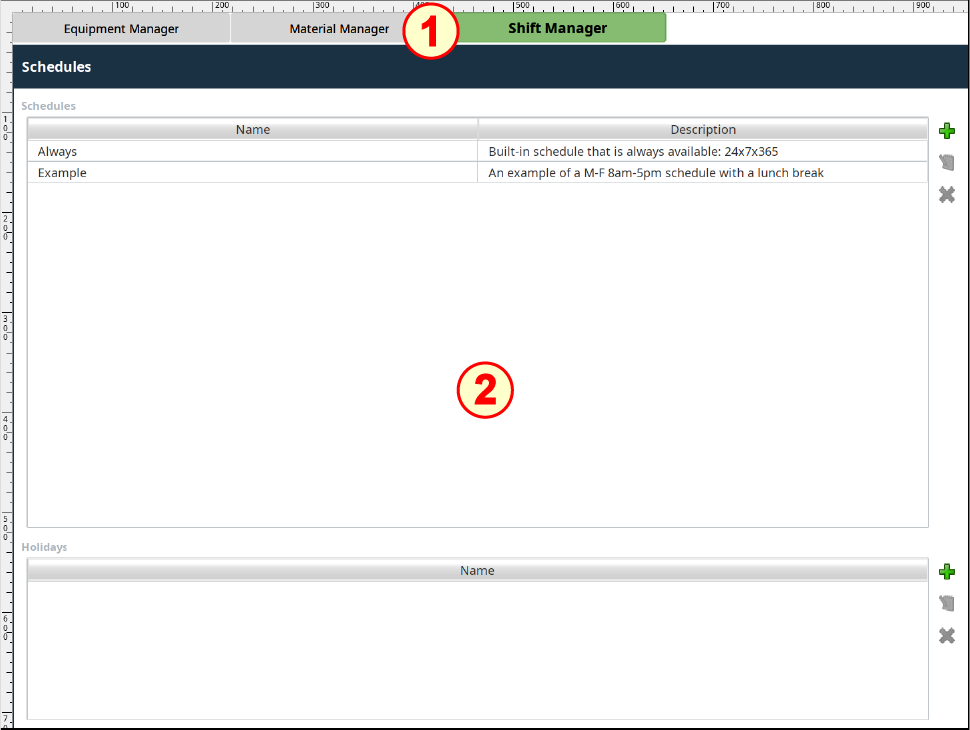
- Drag the Schedule Management component from the Admin component palette onto the window and position it under the Tab Strip (built for you already), so it looks like the image above. Resize to the remaining area of the window.
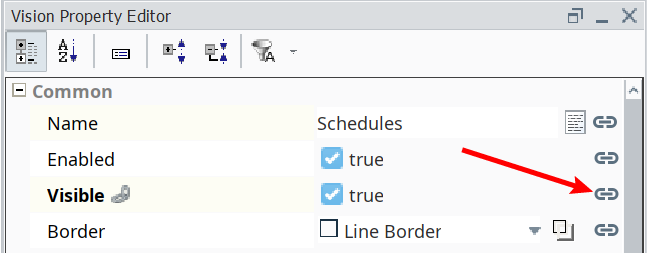
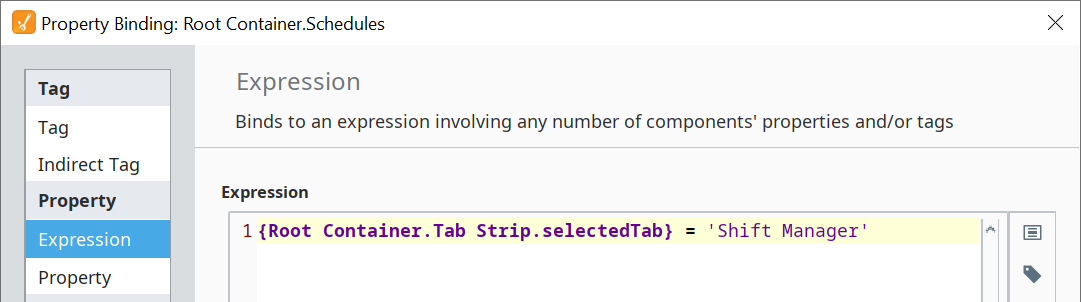
Bind the Visible property to the following expression. This will cause the Schedule Management component to be visible only when the user clicks on the "Shift Manager" tab in the Tab Strip component.
Schedule Management component 'Visible' expression
Code{Root Container.Tab Strip.selectedTab} = 'Shift Manager'

|
When you click on each of the tabs in the Tab Strip component, the Schedule Management component is only visible when the "Shift Manager" tab is clicked, else it hides. |