Materials
The Create Materials set-up on the window OEE_03_Scripting/01_Configuration has four main components:
- Four Buttons (Ignition)
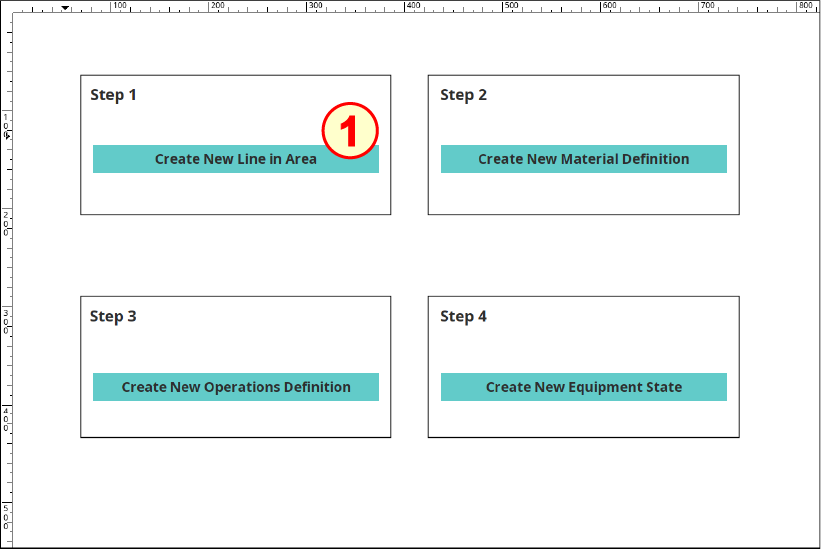
Configure Buttons and Scripts
Reference:
- custom functions: project.mesutils
- Equipment Objects
- system.mes.createMESObject
- system.mes.saveMESObject
- system.mes.loadMESObject
- Drag four Ignition Buttons onto the rectangles on the window. Position each and resize as shown above.
- (optional) Change each Button's Background Color property (this tutorial uses 98,203,201).
- For each of the four Buttons, use the associated code block in the panels below to configure, as follows:
- Change the Button's Text property to match the Button image.
- Change the Name property to match the name provided.
- Open the Component Scripting dialog box (Ctrl-J), select the actionPerformed event handler script area and paste in the associated script.
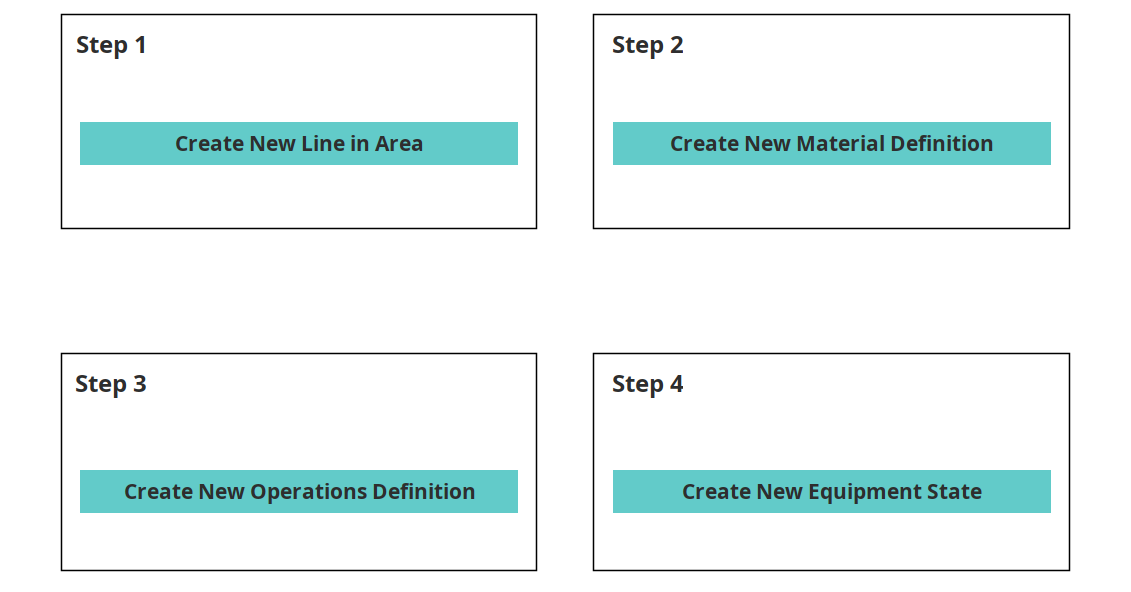

Button Name: btn_createLine
Script for the actionPerformed event handler:
Python |
##Create a new Equipment State in a given Equipment State Class stateCls = system.mes.loadMESObject('Default', 'EquipmentStateClass') state = system.mes.createMESObject('EquipmentState') state.addParent(stateCls) state.setPropertyValue('Name', 'Comm Card Fault') state.setPropertyValue('EquipmentStateCode', 12) state.setPropertyValue('EquipmentStateType', 'Unplanned Downtime') #valid values for EquipmentStateType: "Running", "Idle", "Blocked", "Starved", "Planned Downtime", "Unplanned Downtime", "Disabled" state.setPropertyValue('EquipmentStateOverride', 'Optional') state.setPropertyValue('EquipmentStateOverrideScope', 'Detected Equipment State') system.mes.saveMESObject(state) |

Button Name: btn_createMatDef
Script for the actionPerformed event handler:
Python |
##Create a new Equipment State in a given Equipment State Class stateCls = system.mes.loadMESObject('Default', 'EquipmentStateClass') state = system.mes.createMESObject('EquipmentState') state.addParent(stateCls) state.setPropertyValue('Name', 'Comm Card Fault') state.setPropertyValue('EquipmentStateCode', 12) state.setPropertyValue('EquipmentStateType', 'Unplanned Downtime') #valid values for EquipmentStateType: "Running", "Idle", "Blocked", "Starved", "Planned Downtime", "Unplanned Downtime", "Disabled" state.setPropertyValue('EquipmentStateOverride', 'Optional') state.setPropertyValue('EquipmentStateOverrideScope', 'Detected Equipment State') system.mes.saveMESObject(state) |

Button Name: btn_createOpDef
Script for the actionPerformed event handler:
Code |
|

Button Name: btn_createEqState
Script for the actionPerformed event handler:
Python |
##Create a new Equipment State in a given Equipment State Class stateCls = system.mes.loadMESObject('Default', 'EquipmentStateClass') state = system.mes.createMESObject('EquipmentState') state.addParent(stateCls) state.setPropertyValue('Name', 'Comm Card Fault') state.setPropertyValue('EquipmentStateCode', 12) state.setPropertyValue('EquipmentStateType', 'Unplanned Downtime') #valid values for EquipmentStateType: "Running", "Idle", "Blocked", "Starved", "Planned Downtime", "Unplanned Downtime", "Disabled" state.setPropertyValue('EquipmentStateOverride', 'Optional') state.setPropertyValue('EquipmentStateOverrideScope', 'Detected Equipment State') system.mes.saveMESObject(state) |
