OEE Run
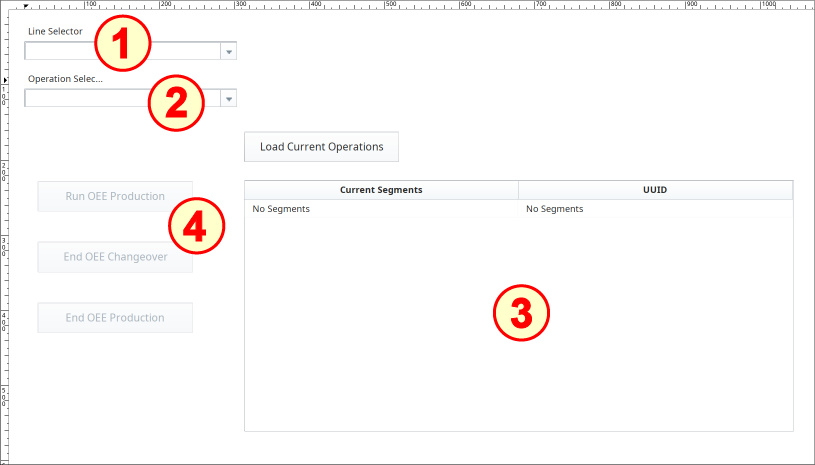
The OEE Run set-up on the window OEE_03_Scripting/02_Production Control has several components:
- MES Object Selector (named mos_LineSelector)
- MES Object Selector (named mos_OperationSelector)
- Power Table (Ignition)
- Four Buttons (Ignition)
Configure MES Object Selectors
- Drag two MES Object Selector components and two Ignition Label components onto the window. Position and resize as shown above.
- Configure both as directed below.
Line Selector
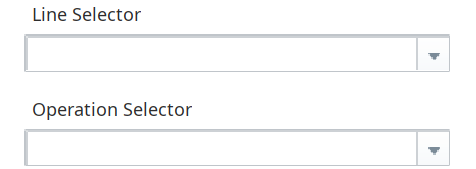
- Rename the upper MES Object Selector to mos_LineSelector. Rename the Label above it to Line Selector.
- Set the checkboxes for Include MES Line Objects and Show Equipment Path.
Operation Selector
- Rename the lower MES Object Selector to mos_OperationSelector. Rename the Label above it to Operation Selector.
- Set the checkbox for Include Operations Definition Objects (leave Show Equipment Path unchecked).
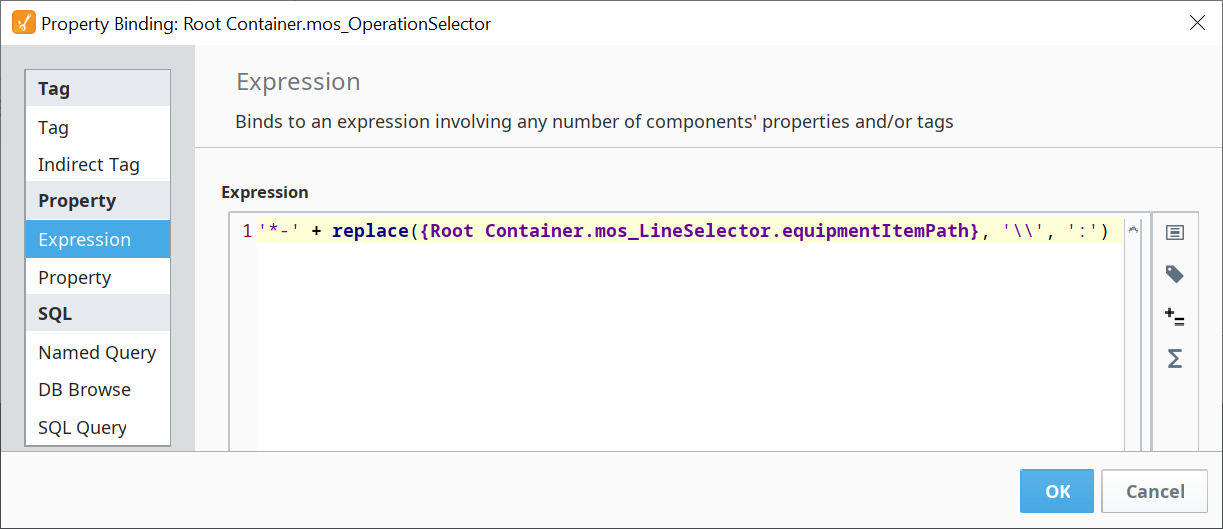
Bind the Name Filter property to the expression:
Name Filter expression
CodeeqPath = event.source.parent.getComponent('mos_LineSelector').equipmentItemPath responseSegment = system.mes.oee.getOEEActiveSegment(eqPath) if responseSegment is not None: if '_CO' not in responseSegment.getName(): system.mes.oee.endOEEProduction(eqPath) msg = 'Production Ended' else: msg = "Not production segment. Hint, it's changeover" else: msg = "Nothing running. Can't end production." system.gui.messageBox(msg, 'End Production') event.source.parent.getComponent('btn_LoadOperations').loadOps(eqPath)
Configure Power Table
- Drag an Ignition Power Table component onto the window. Position and resize as shown above.
- Rename it to tbl_CurrentOps.
- Data will be 'pushed' into the Power Table by the Load Current Operations button event (button pressed and released), so there is no other configuration required.
Configure Buttons and Scripts
- Drag four Ignition Buttons onto the window. Position each and resize as shown above.
Bind the Enabled property of the Run OEE Production, End OEE Changeover and End OEE Production buttons to the following expression:
Enabled property of Run OEE Production Button
Code({Root Container.mos_LineSelector.selectedName} != '') && ({Root Container.mos_OperationSelector.selectedName} != '')- For each of the four Buttons, use the associated code block in the panels below to configure, as follows:
- Change the Button's Text property to match the Button image.
- Change the Name property to match the name provided.
- Open the Component Scripting dialog box (Ctrl-J), select the actionPerformed event handler script area and paste in the associated script.
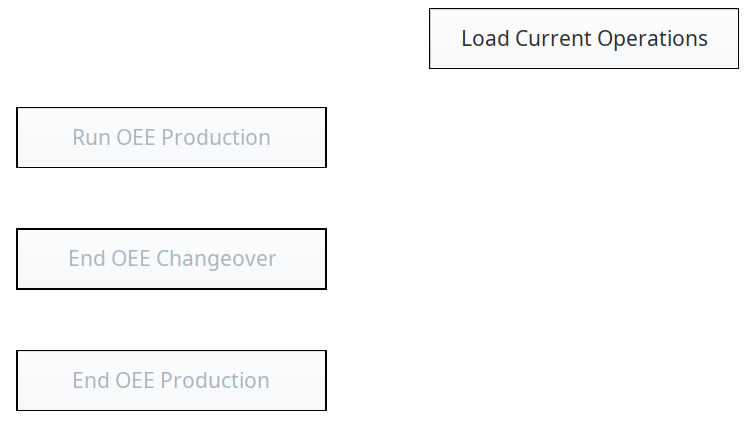
Button Name: btn_LoadOperations
Script for the actionPerformed event handler:
Code |
|
Double-click Add method... under Custom Methods, name it loadOps with the parameter eqPath. Add this script:
Script
Code |
|
Reference:
- system.mes.oee.getOEEAllActiveSegments
Button Name: btn_StartRun
Script for the actionPerformed event handler
Code |
|
Reference:
- system.mes.oee.beginOEERun
Button Name: btn_EndChangeover
Script for the actionPerformed event handler
Code |
|
Reference:
- system.mes.oee.endOEEChangeover
Button Name: btn_EndProduction
Script for the actionPerformed event handler
Code |
|
Reference:
