Configure Spec Limits
Collecting sample history for Tags can also include collecting Tag data in relation to pre-configured or custom Control Limits and/or Signals configured at the Enterprise level of the Production Model (using the MES Equipment Manager component).
Create Custom Control Limits
For this tutorial, create two custom Control Limits using the MES Equipment Manager window in the SPC_02_Tags/Options folder:
- Create a new Control Limit called Lower Spec Limit, as follows:
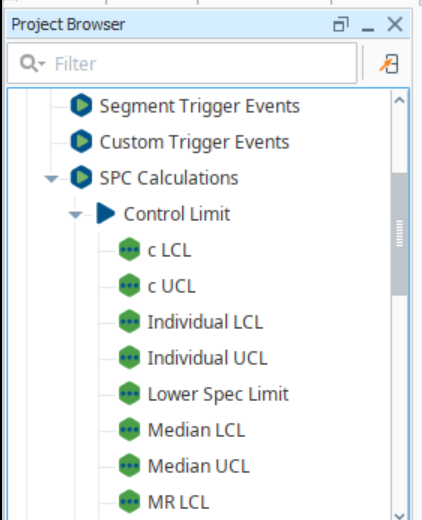
- Create a new scripting event under the MES Events, SPC Calculations, Control Limit section named Lower Spec Limit in the MESGateway Project in the Project Browser within the Designer.
- In the MES Equipment Manager component, click on New Enterprise in your Equipment Model.
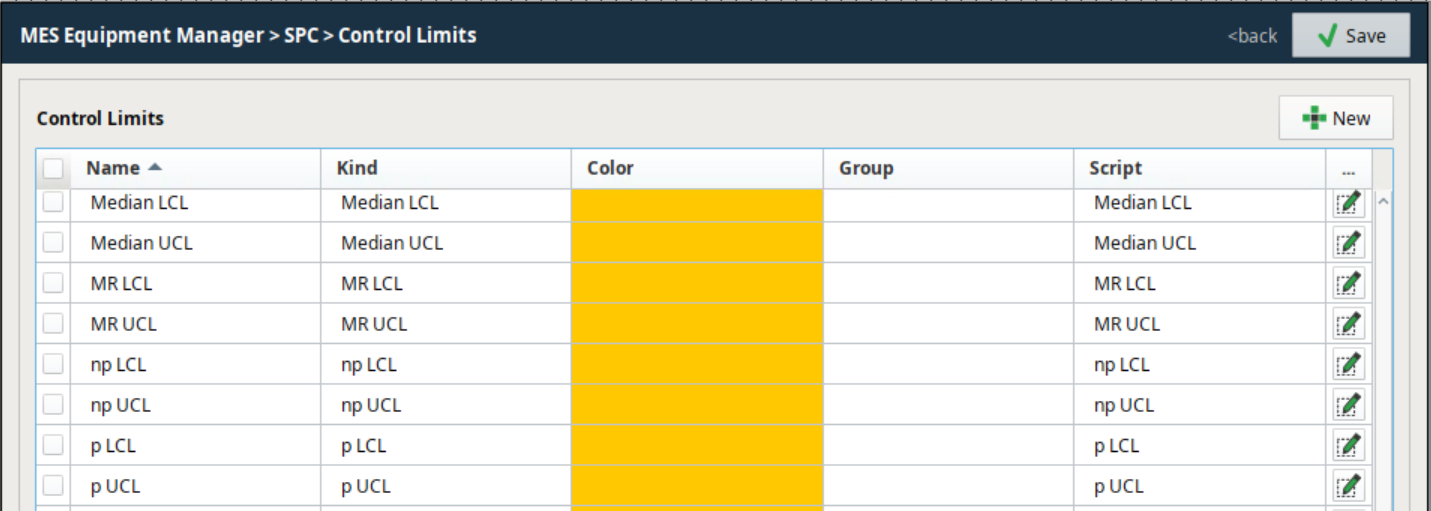
- Click on Control Limits in the SPC section on the right.
- Click New (
 ).
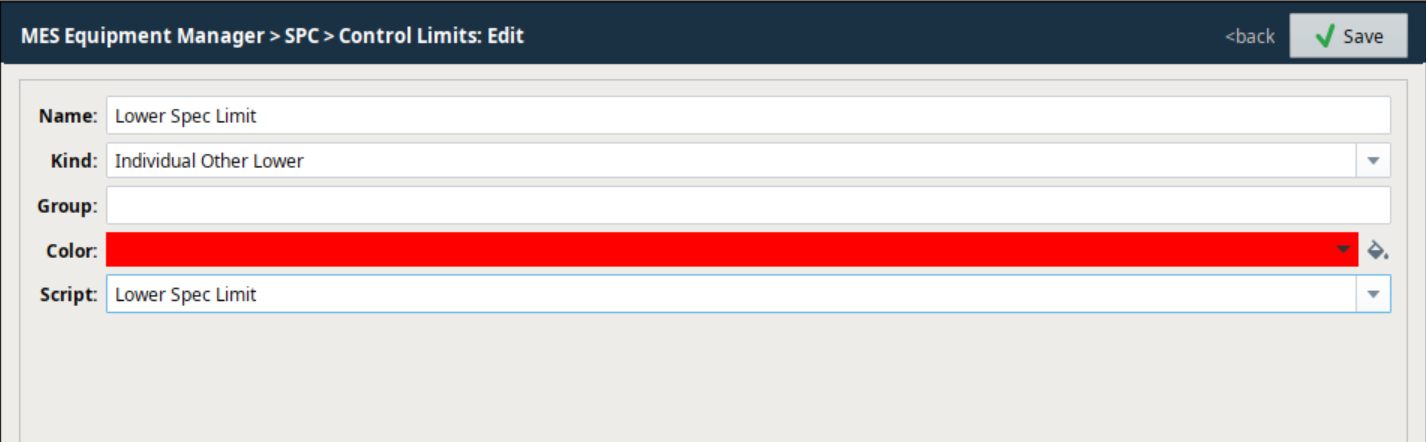
). - Add the following information:
- Name: Lower Spec Limit
- Kind: Individual Other Lower
- Calculation Script: (click
 and paste in first script below)
 - Leave Group blank.
- Click OK to create the new Control Limit.
- Repeat the steps above to create Upper Spec Limit:
- Add the following information:
- Name: Upper Spec Limit
- Kind: Individual Other Upper
- Calculation Script: (paste in second script below)
- Leave Group blank.
- Click OK to create the new Control Limit.
- Add the following information:
Calculation Script for Lower Spec Limit
Code |
|
Calculation Script for Upper Spec Limit
Code |
|
Reference Material
Refer to the following SBK page, as well as the included Control Limit Event section below.