Configure Tag Sample Collection
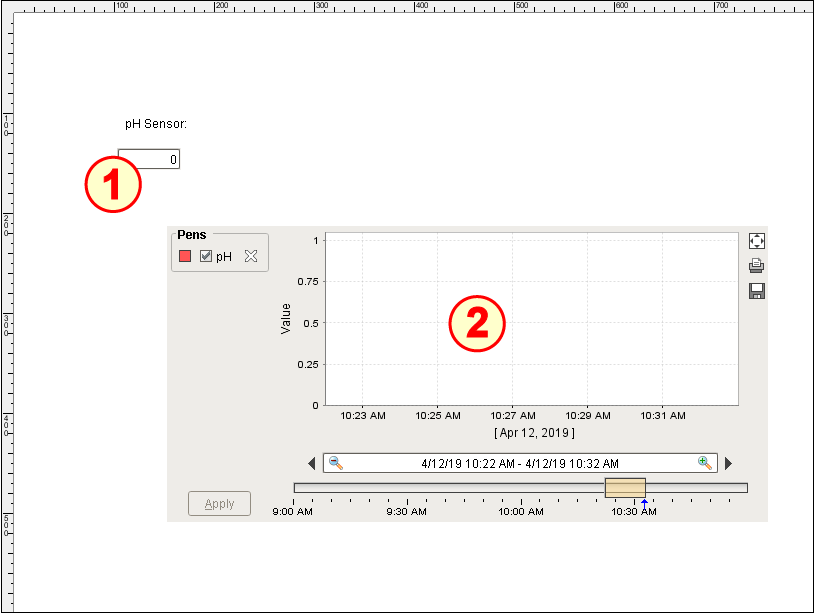
The Tag Change and Sample Collection page on the window SPC_02_Tags/02_Production Control has two main components:
- Numeric Text Field (Ignition)
- Easy Chart (Ignition)
Configure Numeric Text Field
- Drag a Label component onto the window. Position and resize as shown above.
- Change the Text property of the Label to pH Sensor:.
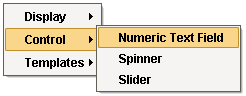
- Drag and drop the pH Tag onto the window. Select Control → Numeric Text Field. Position under the Label and resize as shown above.
Add History to pH Tag
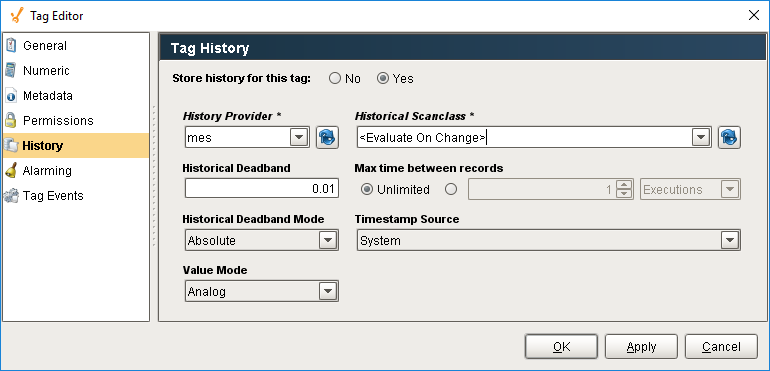
- Edit the pH tag, select the History section and do the following:
- Check the Yes radio button to store history for the pH Tag.
- Set History Provider to your mes database (drop-down list).
- Set Historical Scanclass to <Evaluate On Change>.
- Click OK.
Configure Easy Chart
- Drag an Easy Chart component onto the window. Position and resize as shown above.
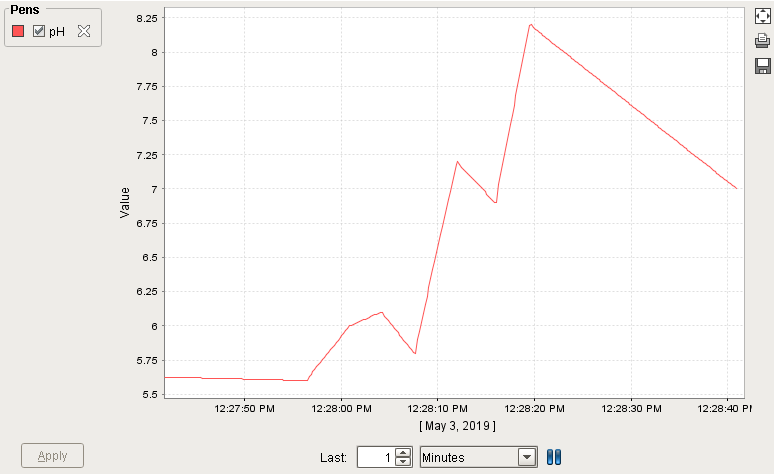
- Drag and drop the pH tag onto the Easy Chart component. When available, the pH Tag historical value changes will be plotted on the chart (example shown to the right).
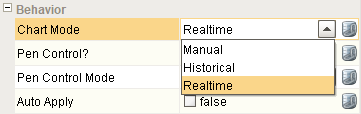
- Set Chart Mode to Realtime.