Explore MES Analysis Selector
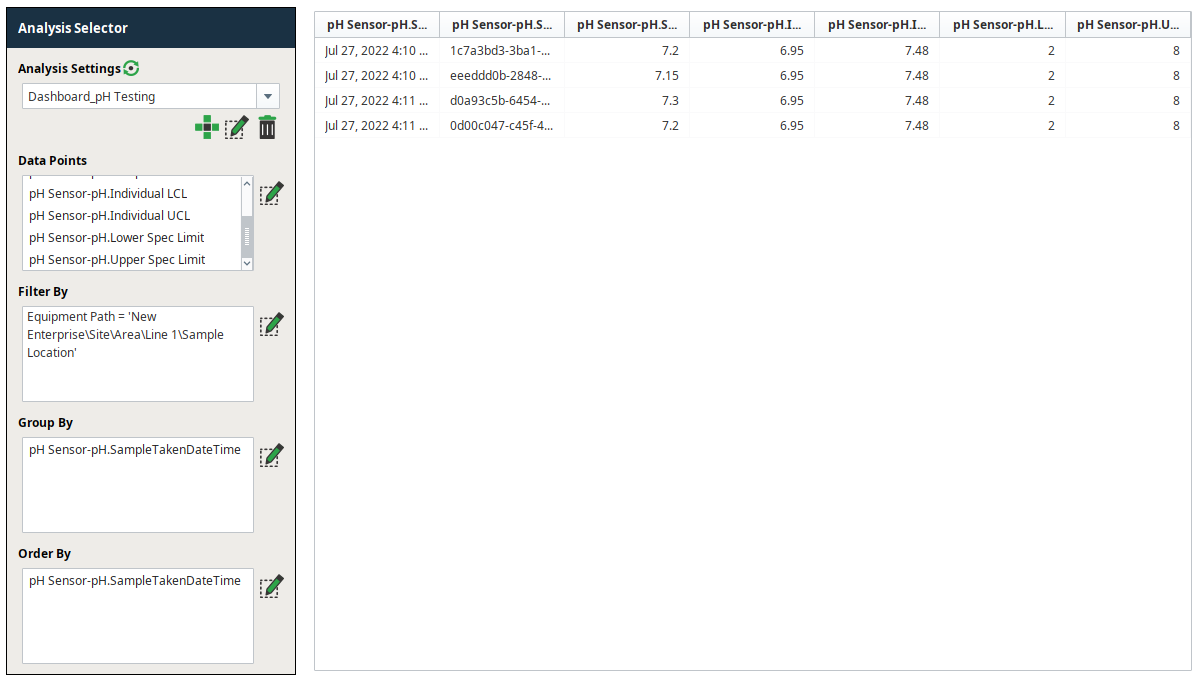
After building a simple screen or view with the MES Analysis Selector and a table component, execute the analysis with the refresh icon. As you can see in the example at right, the data binding provides a view of the data selected by the user. Explore different analysis configurations to generate relevant data displays.
Explore Live Analysis
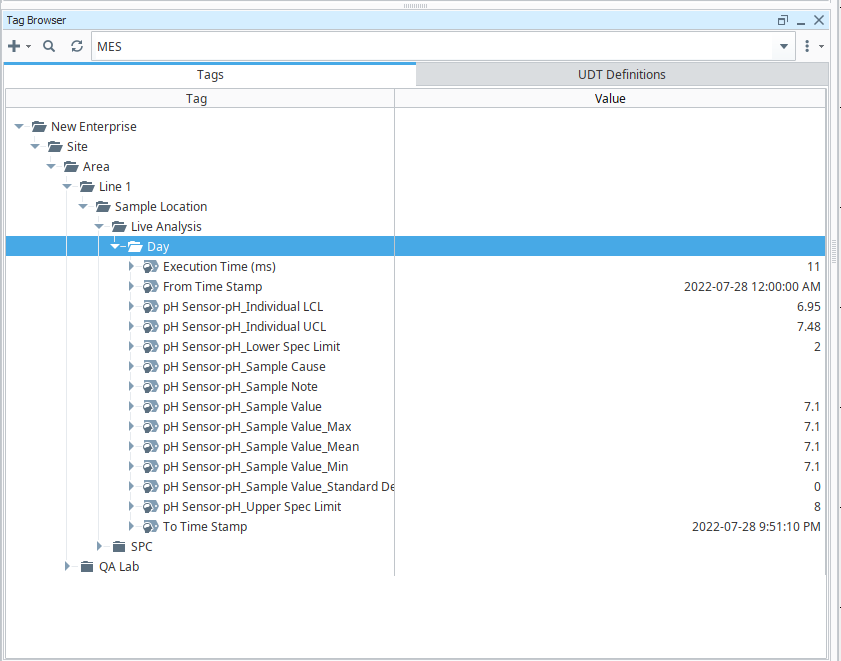
Live Analysis is a feature supported by SPC, whereby analysis data points are published to the MES tag provider. As seen in the image at right, the Live Analysis Configuration for "Day" that was configured in the previous page, is published in the MES tag provider. Live calculated values can now be dragged onto a screen or view, historized, shared with other systems, applied to alarms, etc.
Data display in real time is critical for SPC. Combining that data with context (comments, fault reasons, etc.) empowers decision-making in manufacturing. Consider use cases in your environment that could benefit from this visibility.
Note that Tag Sample Collectors are simple and flexible to configure. A Tag Sample Collector is a great way to "set it and forget it" for pertinent values that need sampling. Expression tags can be used as an intermediate logical interface between OPC tags (typically from a PLC) and the SPC Tag Sample Collector configuration, allowing additional logical controls on Sample collection.