Sepasoft MES Module Suite
Batch Procedure Framework
Batch Procedure Data Flow Overview
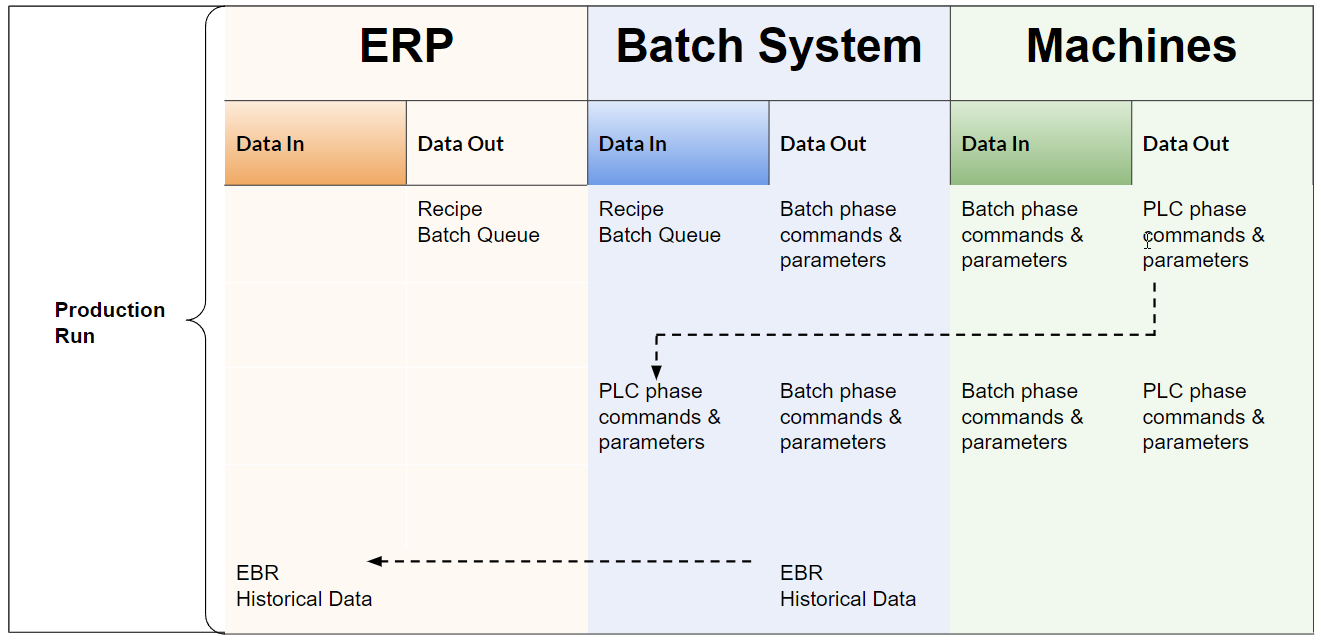
Production Equipment Model in Batch Procedure
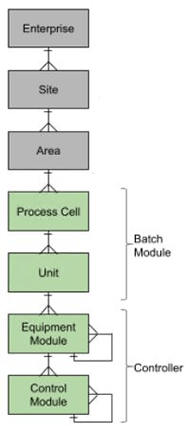
Representing the physical model in Batch Procedure, the Process Cell and Unit extend the MES Production Equipment Model, compliant with the ISA88 standard.
- Process Cell: Designed to represent all of the physical equipment required for production. See more information below.
- Unit: Connects to the physical equipment and control module(s) within a controller. See more information below.
Process Cell and Unit objects are added in the MES Equipment Manager.
|
|
|
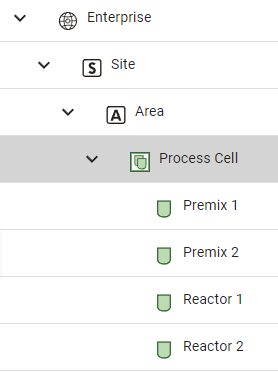
What is a Process Cell
A Process Cell represents a production line of any type of manufacturing:
- Continuous Process
- Converting Line
- Discrete Manufacturing
- Packaging Line

|
Renaming tree levels in Equipment Manager, could lead to errors. Make naming conventions part of the project planning. |
For settings information, see Process Cell | Batch Procedure
What is a Unit
A Unit represents a piece of equipment and its control modules within the Production Equipment Model. During batch execution-time, batch control executes on a single Unit. A Unit is tied to a Unit Procedure within a Batch Recipe by its phase unit-class structure.
Each Unit usually performs one operation within batch execution, which could include multiple stages. A Unit can have one or more Phases assigned to it .

|
When a batch is running, there is a one-to-one relationship between a Unit Procedure and Unit. A Unit Procedure is an element within the structure of a batch recipe. A Unit is allocated to a Unit Procedure when the Unit Procedure step becomes active in the recipe. |
A Unit may:
- perform a single function machine
- combine a multifunctional machine operation within a single machine frame and control system.
- separate equipment functionality, such as:
A piece of equipment performs separate jobs: Job X and Job Y
Example:
Job X and Job Y are in the same Recipe
Job X and Job Y are in separate Recipes
Job X and Job Y have overlapping processing time
-
- You can create a Unit for each job so that there is Job X Unit and Job Y Unit.
For settings information, see Unit | Batch Procedure.
Data Model in Batch Procedure
The batch formula gets the parameters from the master recipes. Each parameter has a value or might be blank in the MES Tag Batch Details.

|
We do not allow a parameter to be deleted from a formula to avoid inconsistencies between the master recipe needs and what the formula provides during runtime. A master recipe requires a mesh of parameters that the formula must provide. |
See Below:
MES Tag Provider for a Unit
Top level MES Tags
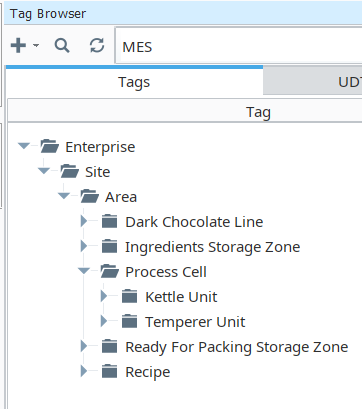
For a Unit:
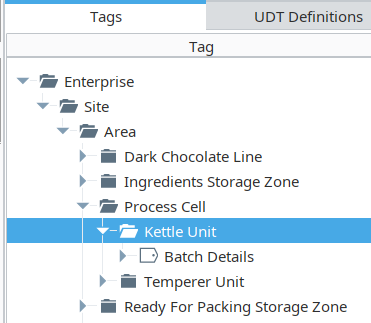
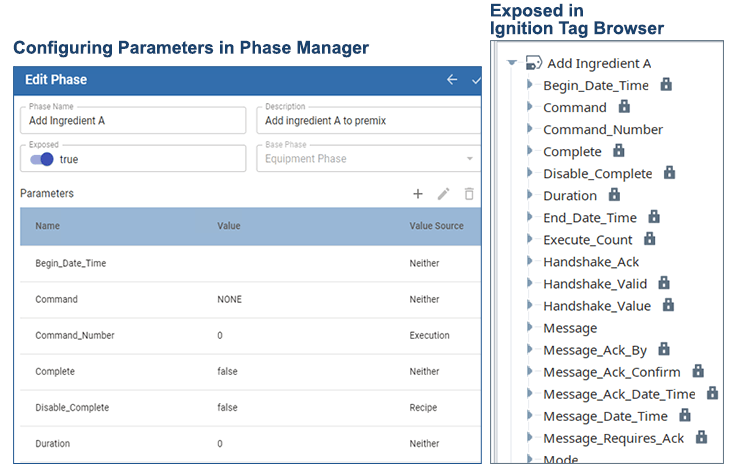
Each Phase has parameters that are used to transfer data values back and forth between the Unit and the equipment module. The values going from the Unit to the equipment PLC-control component are called Output Parameters. The values coming in from the PLC-control component are called Input Parameters.
Enterprise > Site > Area > Process Cell > Unit
eqpath
itemPath
Unit to Unit Class to Phase Parameters - Pre-Production Parameters Mesh
Batch Details
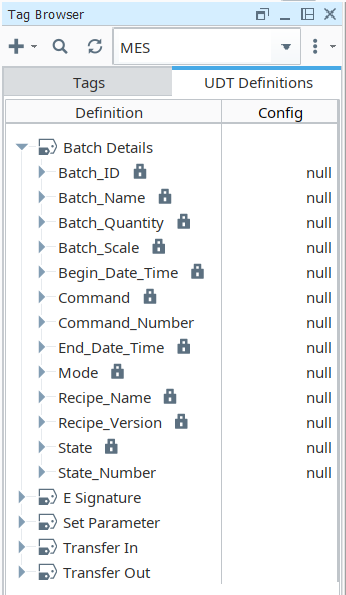
Batch UDT
Ignition UDT members are automatically created for each parameter for all phases defined for each Unit. You can map these tags to equipment module tags within a controller.
|
|
Available in 3.81.11 SP 11 and later MES-6938
MES-7291
|
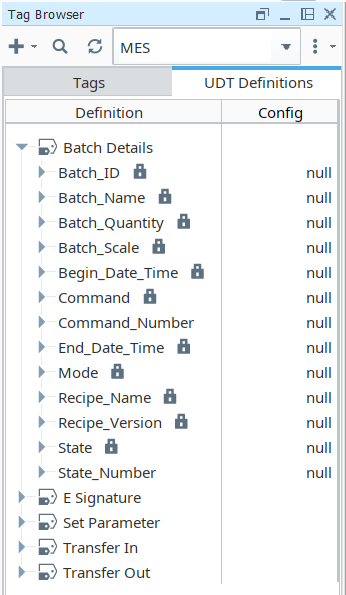
Output Parameters
The Batch Engine writes values to the tags when a phase becomes active. While the phase is active, parameter-value changes are written to the tags immediately.
Input Parameters
The Batch Engine subscribes to input parameters when a phase becomes active. While the phase is active, parameter-value changes are updated immediately.
Execution Counter
Every phase includes the Execute_Count parameter. This parameter increments each time the phase become active.
Sepasoft MES Module Suite