Sepasoft MES Module Suite
Using Batch Unit Manager
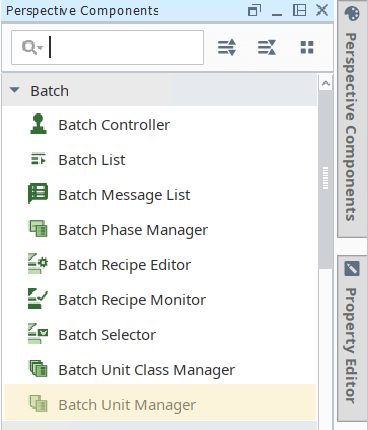
The Batch Unit Manager component is installed with the Batch Procedure module.
Use Batch Unit Manager to:
-
Order and structure the Units within a Process Cell
-
Associate Unit Classes to the Units defined in the Equipment Production Model
-
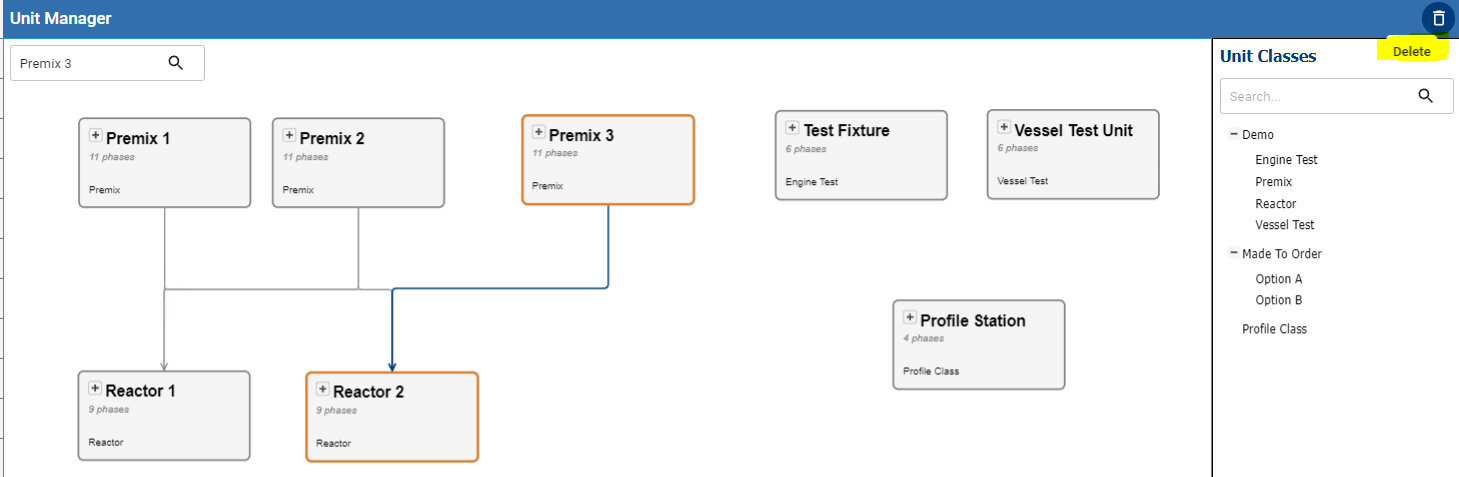
Define material flow among units
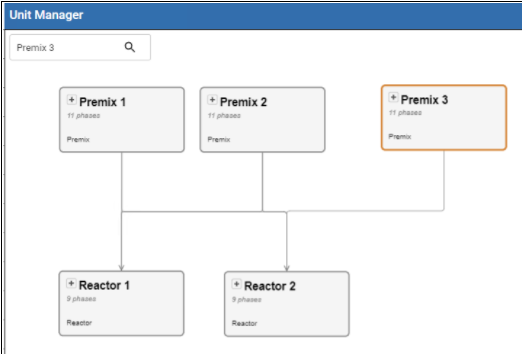
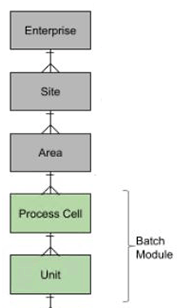
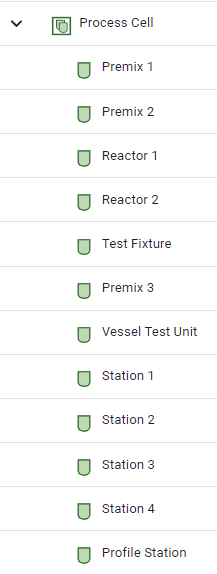
Each unit added under a Process Cell in Equipment Manager displays in Unit Manager. If you have more than one Process Cell, then you must add an Object Selector to the View to select an active Process Cell.
|
Concept
|
Process Cell and Units in Equipment Manager
|
Material Flow
Specify material flow among units by dragging connection lines, see Premix to Reactor below. This creates a Unit Path that displays when adding a batch.
Adding Unit Manager to a Perspective View in Ignition
- In Ignition, with a Perspective View active in the Project Browser, from the Perspective Component Palette add the Batch Unit Manager component to the design space.
No additional configuration is required to start adding unit classes to units. The units defined in Equipment Manager display.
Adding Unit Classes to Equipment Units
Once the component is added to a Perspective view, you can start working.
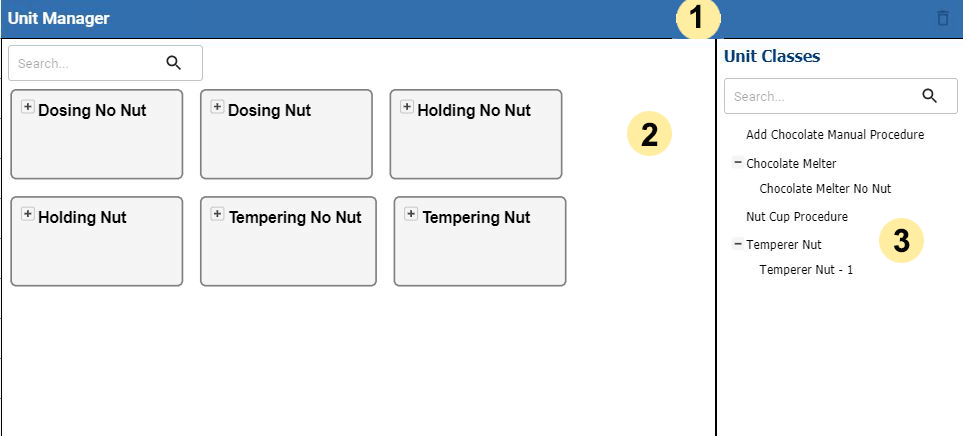
Unit Manager provides three main areas:
|
|
TOOL BAR You can delete connection lines that represent the material flow. Select a line and then click the trash icon on the far right of the toolbar.
|
|
|
DESIGN SPACE
The design space displays all the units under one process cell. If you have more than one process cell in the Production Equipment Model, then you must add an Object Selector to the view and configure for Process Cells.
|
|
|
UNIT CLASS PALETTE
Provides all the Unit Classes that you have defined in Batch Unit Class Manager. Drag and drop onto Units. One Unit Class to One Unit is the rule. To change the associated Unit Class, drop it over the Unit and it replaces the Unit Class. |


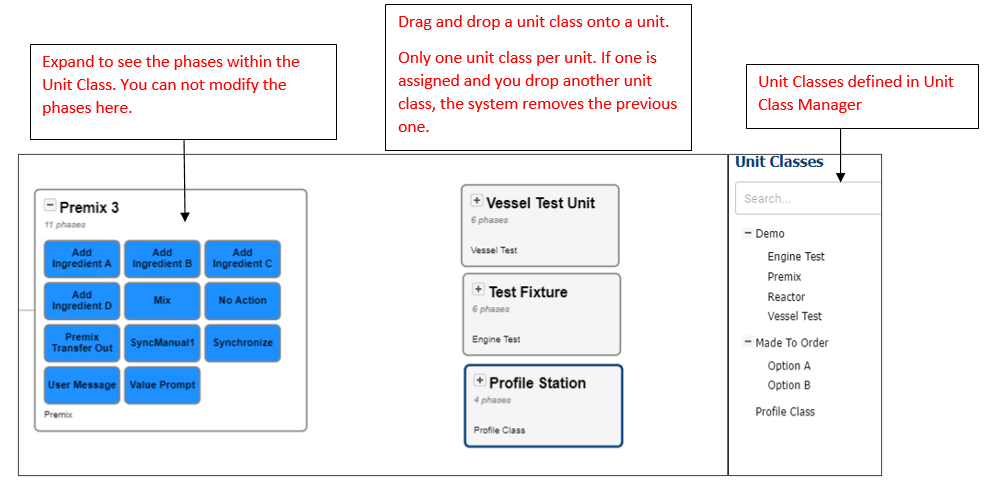

There are no specific configuration properties for this component. For reference documentation see Batch Unit Manager Component.
Sepasoft MES Module Suite