Sepasoft MES Module Suite
Allocate Phase
The Allocate and Deallocate Phases work together to control the allocation of Equipment Units during production.
Do this by setting the parameter: Shared_Unit_Path. The Unit Path is the equipment path to the Unit within the Production Equipment Model that you set up in Equipment Manger.
See Deallocate Phase.
Example: a shared Unit is a heater that is used by multiple Mixer Units. When a Mixer Unit needs heat, it can allocate the heater by using the Allocate Phase. When it is done with the heat, it can deallocate it using the Deallocate Phase making it available to other Units.
Required to set up a shared unit resource:
- Shared flag set to True on the target Unit(s) in the Equipment Production Model.
- Deallocate Phase is configured to release the shared resource.
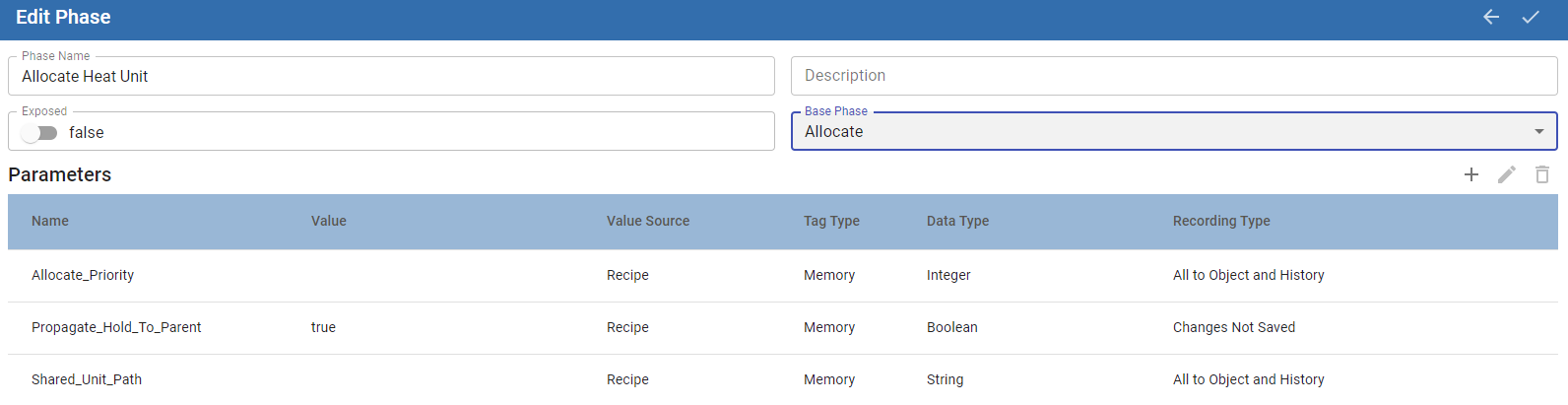
In Phase Manager, set the Base Phase to Allocate.
Allocate Default Phase Parameters
See Properties Common to All Phase Parameters
| Name | Default Value | Value Source | Tag Type | Data Type | Recording Type | Description |
|---|---|---|---|---|---|---|
| Allocate_Priority | Null | Recipe | Memory | Integer | All to Object and History | Sets the priority. |
| Propegate_Hold_To_Parent | True | Recipe | Memory | Boolean | Changes Not Saved | When a Phase state changes to HELD, the HELD state is propagated to the Unit Procedure and Operation. If this parameter is set to True, then the HELD state is passed up to the next parent level. Keep in mind that when you restart the unit procedure or operation, the batch is not restarted. Restart the batch from Batch Controller or Batch Monitor. |
| Shared_Unit_Path | Null | Recipe | Memory | String | All to Object and History | Equipment Path |
See Allocation Manager to understand the order of allocation requests.
Sepasoft MES Module Suite