Sepasoft MES Module Suite
Batch Recipe Monitor Reference
Component Properties
Meta Property
| Name | batchRecipeMonitor |
property reference
Python |
self.getSibling("batchRecipeMonitor").props.enableManualExecution = True |
| Property Name | Data Type | Property Description | ||||
|---|---|---|---|---|---|---|
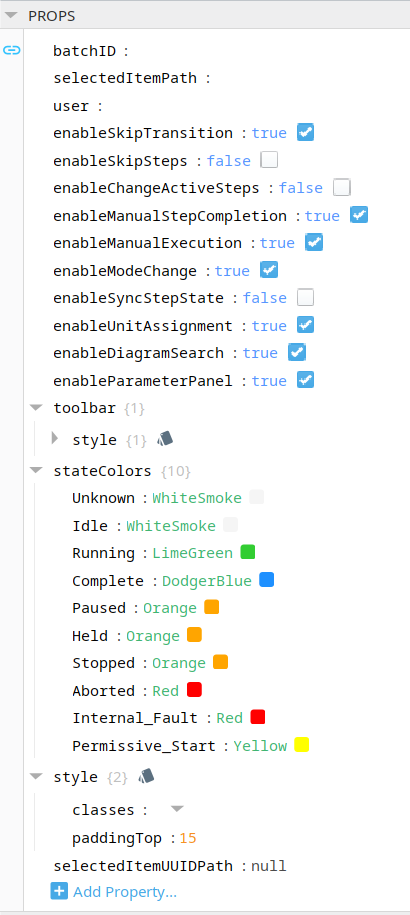
| batchID | binding |
Read-only. Input value from a component, such as Batch Execution. |
||||
| user | string | Name of user recorded in the EBR if this component changes batch parameters. Bind to session properties. If blank, the logged user is used.
| ||||
| enableSkipTransition | Boolean |
Allows the operator to skip transitions. |
||||
| enableManualStepCompletion | Boolean |
Allows the operator to complete steps (Unit Procedure, Operation, Phase) in a recipe. |
||||
| enableManualExecution | Boolean |
Allows the operator to manually start steps (Unit Procedure, Operation, Phase) in a recipe. |
||||
| enableModeChange | Boolean |
Allows the operator to change the mode (automatic, semi-automatic, manual) | ||||
| enableSyncStepState | Boolean |
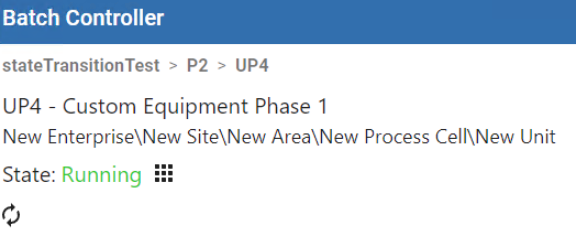
Use this property to display a button to sync the state to the command when a phase is in PLI mode. When set to True, the Sync State button displays within the recipe procedure at the appropriate step element when relevant based on the phase and mode. When set to False the button is hidden.
| ||||
| enableUnitAssignment | Boolean | When set to True, allows you to manually assign a Unit to a Unit Procedure. Defaults to True.
| ||||
| enableDiagramSearch | Boolean | Enables the search box while viewing the execution of a batch. | ||||
| enableParameterPanel | Boolean |
Displays the parameters for a selected step (Unit Procedure, Operation, Phase). |
||||
| enableChangeActiveSteps | Boolean | Enables permission for the Change Active Step icons to be shown, when applicable. Default Value: False
| ||||
| enableSkipSteps | Boolean | Enables the permission for the “Execute Step” checkbox to be shown on all applicable steps. Default Value: False
| ||||
| statecolors | Override the colors used for each Batch state in the Recipe Monitor diagram. Unknown - Used when the Batch Recipe or Recipe Step state could not be determined. Idle - Used when the Batch Recipe or Recipe Step is idle or not active.
Permissive Start - Functionality that applies to PLI state handling for Equipment, Synchronize, Transfer In, and Transfer Out phases. Its primary purpose is to allow field equipment (PLC) to prevent a phase from starting until specific conditions are met, such as closing an open door.
| |||||

Sepasoft MES Module Suite