Sepasoft MES Module Suite
E-Signature Phase
Use the E-Signature Phase to:
- add authentication challenges to Batch recipes.
Version Specific

|
E-Signature is supported in 3.81.6 RC 1 and later. |
For more information, see e-Signature | Batch Procedure.
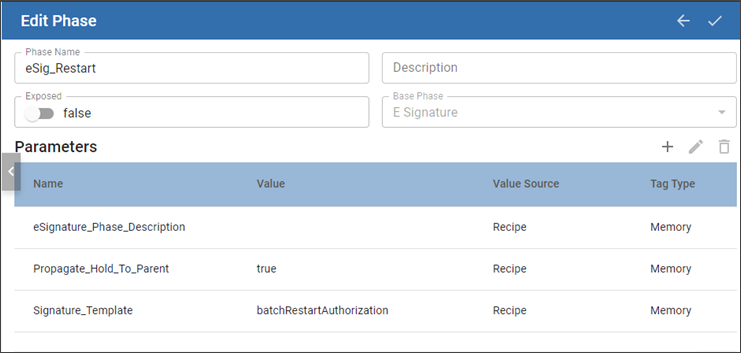
eSignature Specific Phase-Parameters
See Properties Common to All Phase Parameters
| Name | Default Value | Value Source | Tag Type | Data Type | Recording Type | Description |
|---|---|---|---|---|---|---|
| eSignature_Phase_Description | Null | Recipe | Memory | String | All to Object and History | Populates the description in eSignature Manager. |
| Propegate_Hold_To_Parent | True | Recipe | Memory | Boolean | Changes Not Saved | When a Phase state changes to HELD, the HELD state is propagated to the Unit Procedure and Operation. If this parameter is set to True, then the HELD state is passed up to the next parent level. Keep in mind that when you restart the unit procedure or operation, the batch is not restarted. Restart the batch from Batch Controller or Batch Monitor. |
| Signature_Template | Recipe | Memory | String | All to Object and History | Sets the template with authorization challenge rules. |
Sepasoft MES Module Suite