Sepasoft MES Module Suite
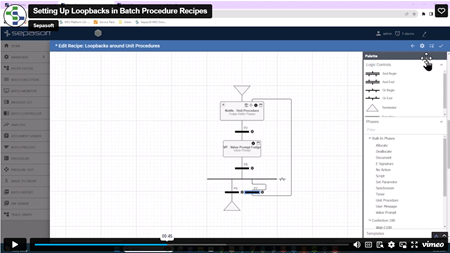
Unit Allocation when Looping Over Unit Procedures
Three examples below include
- Unit Allocation based on Equipment Tree: Units are allocation in sequence following their order within the equipment tree within Equipment Manager.
- One Unit is designated at batch execution time with additional batches set to run on any available Units.
- Demonstrate how the batch allocation engine waits for a Unit to become free when it had been previously used.

|
Version specific functionality: 3.81.11 RC3 and later Unit Allocation in 3.81.11 RC3 and later allows you to change unit allocation for iterations around a Unit Procedure. First pass uses the Assigned Unit and subsequent passes you can choose Same Unit or Any Unit. Any Unit is defined as Any Unit within the Unit Class that is referenced for a Unit Procedure. When the Unit Procedure state = idle, you can change this Unit Procedure parameter. Unit Procedure parameter: Loopback_Allocation uses a new enum with two options: Same Unit and Any Unit. scripting function: system.mes.batch.queue.assignUnit(BatchQueueE)ntry, unitProcedurePath, unitEquipmentPath) enableUnitAssignment: when set to True, allows you to manually assign a Unit to a Unit Procedure. Defaults to True. statecolors; Change the color of the state colors in the monitor. |
Sepasoft MES Module Suite