Sepasoft MES Module Suite
MES Value Editor in Perspective
MES Value Editor component is used to change values that were automatically captured by the system but need to be modified, for example machine said it was in production mode, but it was actually in maintenance mode, or production counts are off.

|
See Adjusting Production Run Data page for various MES Value Editor settings. |

|
From version 3.81.10 SP6 and later Bug fix: when changing Tag Collector Type in the Perspective Value Editor, data was not refreshed. As of 3.81.10 SP6, data is refreshed with current data. |
The MES Value Editor is available under the Production Components in the Perspective Components palette.
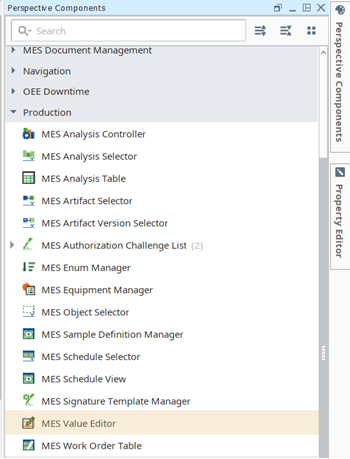
MES Value Editor in Designer
Bind the Perspective Value Editor component by the Equipment Path or Tag Collector properties. Specify the Tag Collector Types to include and read+write permissions.
Below shows the equipmentPath property bound with the Tag Collector Types available in the dropdown. The dataset columns change based on the dataset returned by the binding.
See Tag Collector Types.
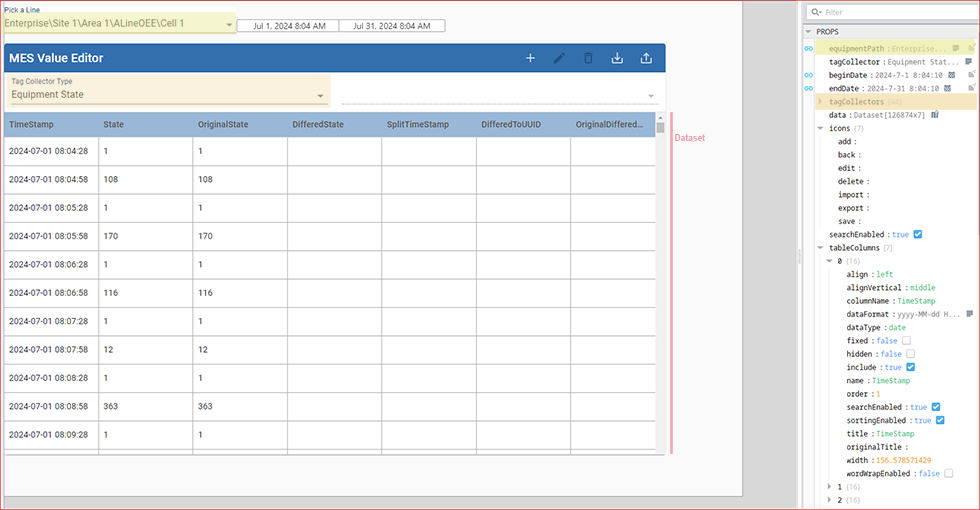
MES Value Editor Properties
You can set each Tag Collector Type permissions individually. Those settings update the GUI immediately.
- Enabled (Read+Write )
- This is the default setting. Tag Collector Type appears in the Value Editor dropdown list, and the values are editable by the end-user.
- Read_only
- Tag Collector Type appears in the Value Editor dropdown list, and the values are not editable by the end-user.
- Disabled
- Tag Collector Type does not appear in the dropdown list.
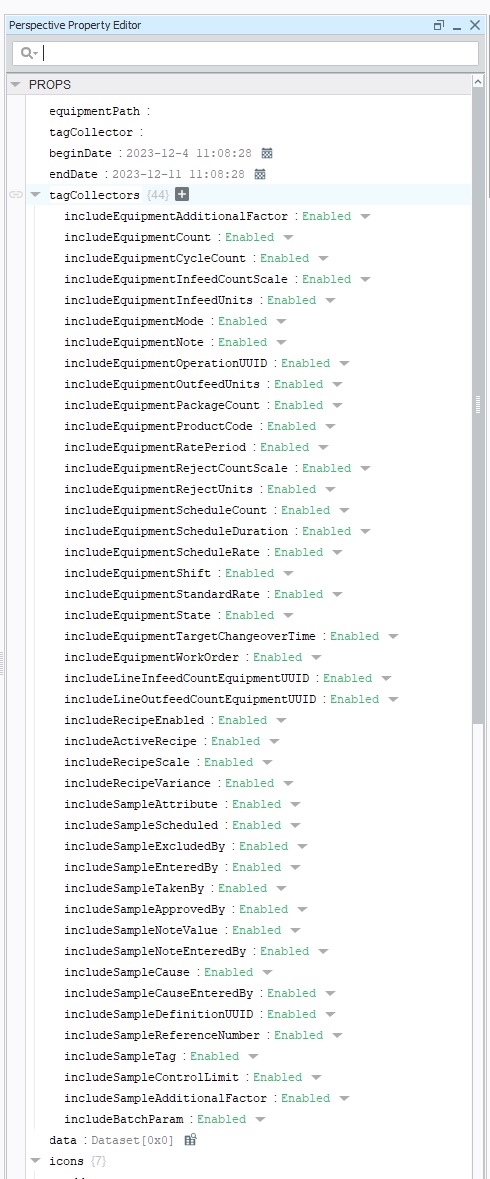
Use properties to configure the operation and look of the component. Set properties in Ignition Designer > Property Editor and via scripting.
Python |
self.getSibling("mesValueEditor").props.searchEnable = True |
| Property | Data Type | Description | ||
|---|---|---|---|---|
| equipmentPath | String | Sets an equipment path. Commonly set by binding to MES Object Selector. | ||
| tagCollector | String | Represents the currently loaded tag collector. | ||
| beginDate | Date/Time | Set the date range for dataset. | ||
| endDate | Date/Time | Set the date range for dataset. | ||
| tagCollectors | String | Bind the Perspective Value Editor component by Tag Collector Type. Specify the Tag Collector Types to include and read+write permissions.
| ||
| data | dataset | Represents the defined dataset that is bound to the editor. | ||
| icons | Change icons for actions. | |||
| searchEnabled | Boolean | Enables searching within the dataset. |
Related Knowledge Base Articles
Sepasoft MES Module Suite