Sepasoft MES Module Suite
Sample Definition Settings for XBar Chart Display
In the Sample Definition Manager, add or edit a sample definition. To learn how to do this, see Sample Definitions
Also see: SPC Sampling for XBar Charts.
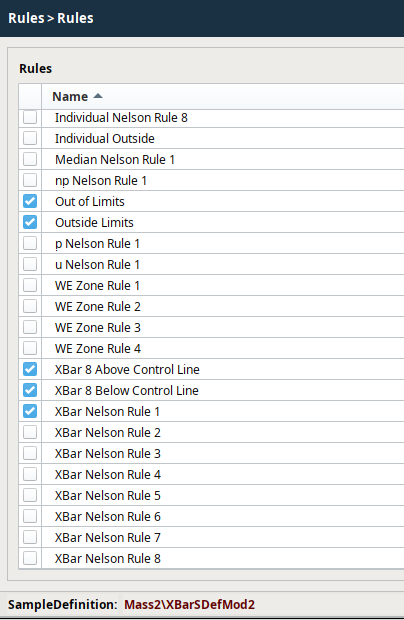
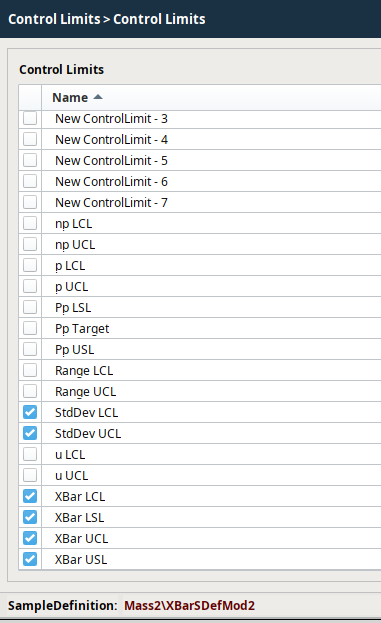
Below is an example of how the settings could be configured for this type of chart.
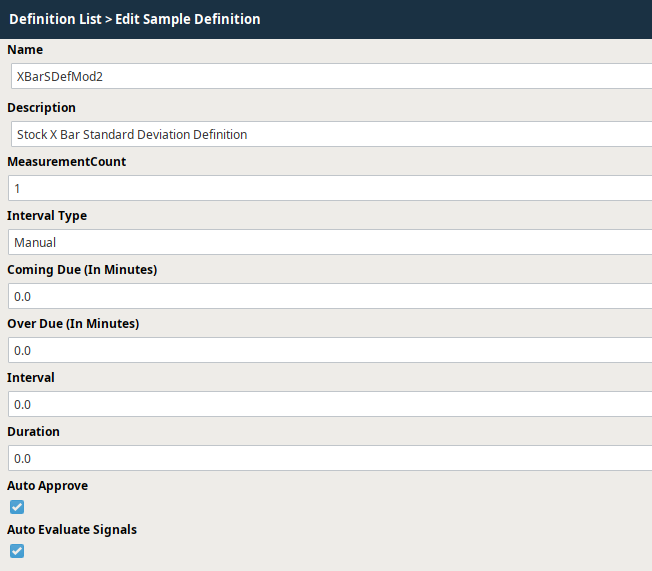
Sample Definition Settings for XBar Chart Display | Attributes

Sample Definition Settings for Individual Chart Display | Rules
Sample Definition Settings for Individual Chart Display |Control Limits
After all the desired settings have been defined, select Save to commit all the changes or Cancel to undo any changes that have been made. After a Sample Definition has been created, samples based on them may begin to appear or can be manually added depending on the Interval Type setting.
Sepasoft MES Module Suite