Sepasoft MES Module Suite
Selecting Machine Recipes
There are a number of different methods for selecting a recipe for production items. When a production line recipe is selected, it will also select the same recipe for all of the cells, cell groups or locations that are children of the line. This feature can be disabled by setting the EnableRecipe tag for the child production item to false. This is a feature that makes day-to-day selection of line recipes easier and mistake free.
Settings & Changeover Components enable selection of machine recipes for a production item.
Recipe Selector List
On a Perspective view, the Recipe Selector List shows the machine recipes for one production item. The recipe that is running is marked (Active). The list updates when recipes are added or removed, and when the active recipe changes somewhere else.
To start a recipe
- Click the recipe.
- Click the checkmark in the header.
To stop the active recipe
- Click the active recipe.
- Click the X in the header.
If the screen requires a note, a note dialog opens before the recipe starts or stops.
The Search box hides recipes that do not match what you type. Clearing the search shows the list again.
To select several recipes (Version Specific: MES 3.81.13 SP3 and later)
- Click a recipe to select only that recipe.
- Ctrl-click (Cmd-click on macOS) to add or remove a recipe.
- Shift-click to select the recipes from the last one you clicked through the one you click now.
- Drag a selected recipe to drag all of the selected recipes that are still showing. Drag a recipe that is not selected to drag only that one.
Other selected recipes are outlined. The recipe you clicked last stays highlighted, and that is the recipe the checkmark and X use.
See Recipe Selector List | Perspective for component properties.
Recipe Selector Combo
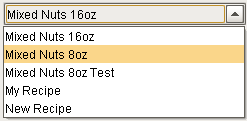
The Recipe Selector Combo component provides a dropdown list that can also be used to select a recipe. It requires an equipment path to the production item and will then display recipes configured for that production item. Only final recipes for the production item will be displayed. The list can be limited to only show a subset of recipes by using the Recipe Name Filter property.
The Recipe Selector Combo component does not provide options to allow a user to download the recipe values to the production item. This component is intended to provide recipe selection when using the other recipe components to edit specific recipes, view variance and change logs, however it can be used in conjunction with the system.recipe.setItemRecipe script function to download the selected recipe values.
Selecting Recipes with OEE Downtime and Track & Trace
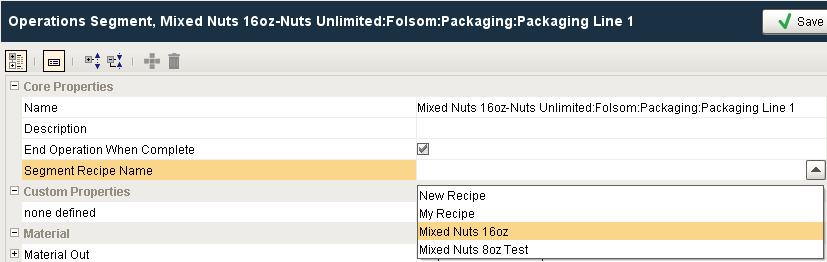
If your project includes Lot Tracking or OEE using our OEE Downtime and Track & Trace modules, the downloading of recipe values to production items is handled by the Operations Segment Segment Recipe Name setting. Whenever the Operations Segment begins or is executed, the selected recipe values will be downloaded to the production item.
Scripting Functions
See Recipe Scripting for more information on using scripting to select recipes and download recipe values.
Sepasoft MES Module Suite