Sepasoft MES Module Suite
Equipment Unit in Batch Procedure
A Unit represents a piece of equipment and its control modules that are used in a major processing activity. Each unit usually performs one operation within production that could include multiple stages. A Unit can have one or more Phases assigned to it .
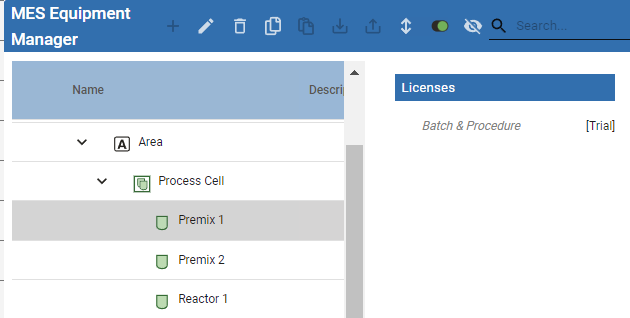
When a batch is running, there is a one-to-one relationship between a Unit Procedure and Unit. A Unit Procedure is an element within the structure of a batch recipe. A Unit is allocated to a Unit Procedure when the Unit Procedure step becomes active in the recipe.
See more information:
A Unit may:
- perform a single function machine
- combine a multifunctional machine operation within a single machine frame and control system.
- separate equipment functionality, such as:
A piece of equipment performs separate jobs: Job X and Job Y
Example:
Job X and Job Y are in the same Recipe
Job X and Job Y are in separate Recipes
Job X and Job Y have overlapping processing time
- Create a Unit for each job so that there is Job X Unit and Job Y Unit.
Unit | Settings
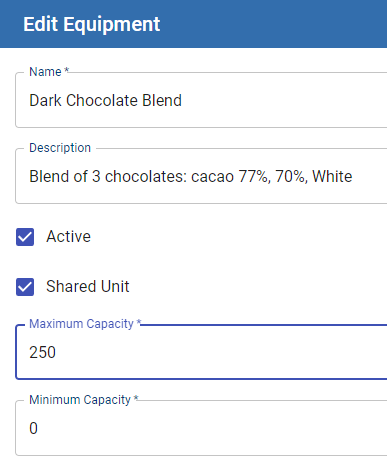
Name | Required - Decide on a naming convention while planning the project. Changing names that are included in equipment paths cause errors. |
Description | Optional - Equipment unit descriptions can be exposed in reports and analysis. |
Active | Default is False. Activate from Equipment Manager sets to True. |
Shared Unit | Optional - Setting for allocating and deallocating equipment use in multiple procedures. See: |
Maximum Capacity | Required - Capacity is one of the factors used in determining the usability of an equipment unit within a batch run. |
Minimum Capacity |

|
Units cannot be deleted when currently allocated in Batch Recipes. |
For more information about Units, see: Batch Procedure Framework | Units.
Sepasoft MES Module Suite