Sepasoft MES Module Suite
Value Prompt Phase
Prompt the user for a value. Use that value to control the batch execution.
You can use a value prompt phase to set parameter values that can be used within the execution and to make decisions with an Or_Begin control. You set the conditional logic in Transitions.
The Value Prompt phase-parameter named: Parameter_Path is where you set the path to a batch-parameter that you want to use to pass values.
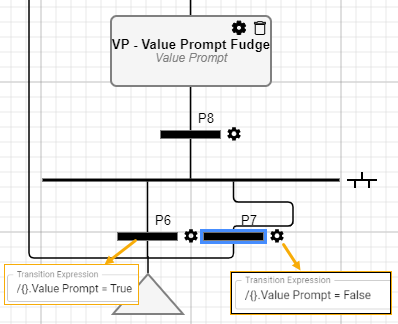
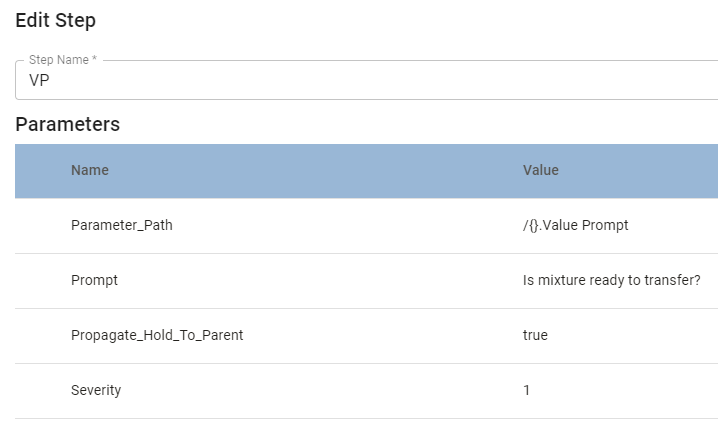
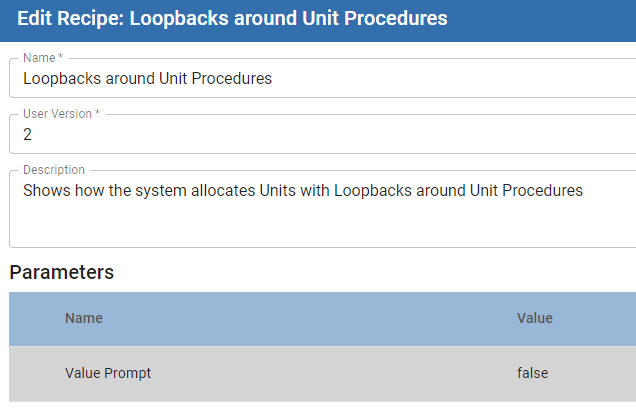
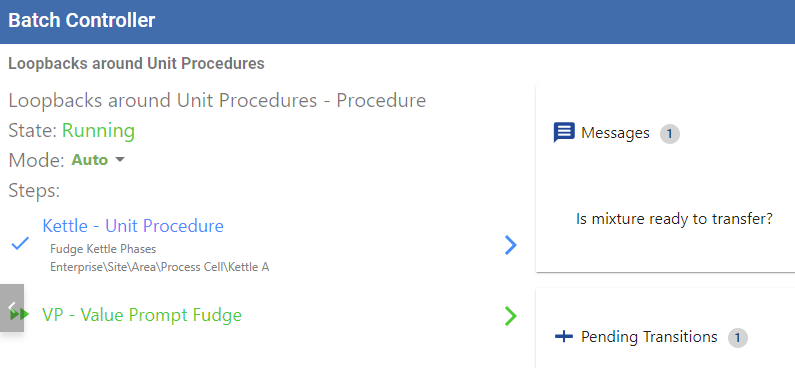
When a batch evaluates a value prompt, the message displays in Batch Controller. When a value is entered, the procedure continues execution.
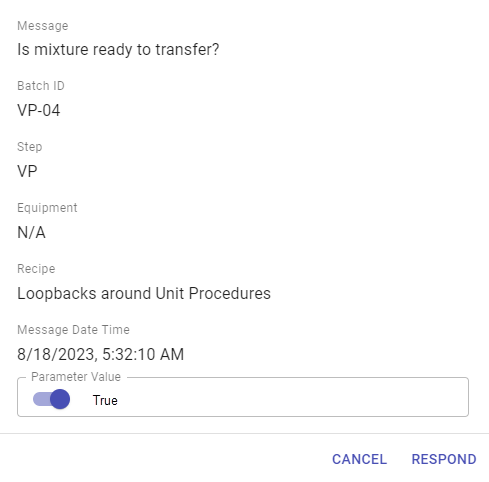
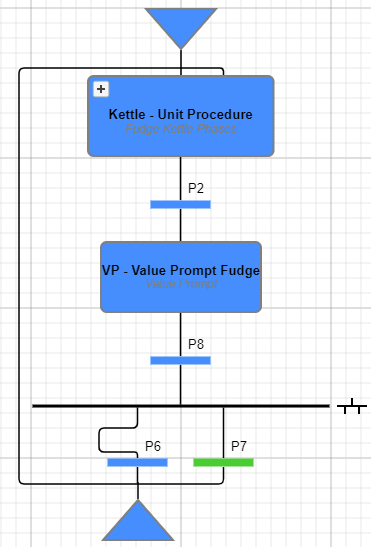
In the above example, when responding False to the value-prompt question, the procedure loops back and executes the unit procedure until the response is True.
Parameters
| Parameter Name: | Data Type | Description | Value Source By Default | Recording Type By Default |
| Parameter_Path | String | Set the path to the batch-parameter value that is prompted to the operator. For Syntax, see: | Recipe | Changes Not Saved |
| Prompt | String | Exposed in Batch Monitor and Batch Controller to prompt for input. Supports calculations. | Recipe | All to Object and History |
| Propagate_Hold_To_Parent | Boolean | When a Phase state changes to HELD, the HELD state is propagated to the Unit Procedure and Operation. If this parameter is set to True, then the HELD state is passed up to the next parent level. Keep in mind that when you restart the unit procedure or operation, the batch is not restarted. Restart the batch from Batch Controller or Batch Monitor. | Recipe | Changes Not Saved |
| Severity | Integer | 1 | Recipe | All to Object and History |
Example Script
Python |
qList = system.mes.batch.queue.getEntries(0, 1000, '') for q in qList: msgList = system.mes.batch.queue.getMessages(q) for m in msgList: if m.requiresValueEntry(): m.assignValue(200, 'admin') system.mes.batch.queue.assignMessageValue(m) |
The additional functions that support prompting for values are:
- m.requiresValueEntry()
- m.assignValue(200, 'admin')
- system.mes.batch.queue.assignMessageValue(m)
Sepasoft MES Module Suite