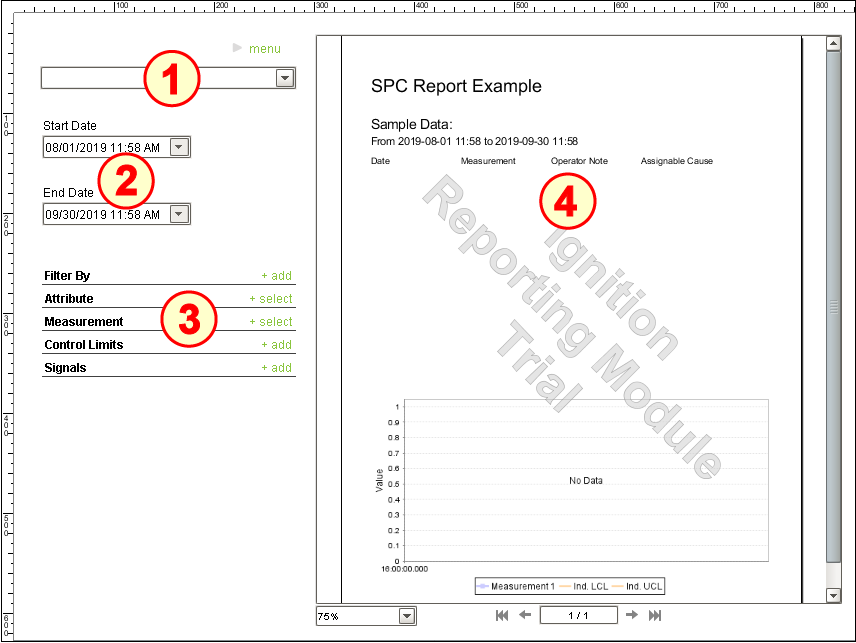
The SPC-Based Report set-up on the window SPC_01_GUI/04_Reporting has four main components:
- Stored SPC Selector | Vision
- Two Popup Calendar (Ignition)
- SPC Selector | Vision
- Report Viewer (Ignition)
Configure Stored SPC Selector
- Drag a Stored SPC Selector component onto the window. Position it near the top-left corner of the window and resize to approximately double its width, as shown above.
- No configuration is required.
Configure Popup Calendars
- Drag two Ignition Popup Calendar components and two Ignition Label components onto the window. Position and resize as shown above.
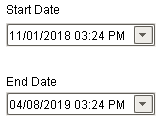
- Rename the upper Popup Calendar to puc_StartDate. Change the Label above it to read Start Date.
- Rename the lower Popup Calendar to puc_EndDate. Change the Label above it to read End Date.
Configure SPC Selector
- Drag an SPC Selector component onto the window. Position it under the Popup Calendars and resize it to fit the remaining area below it , as shown above.
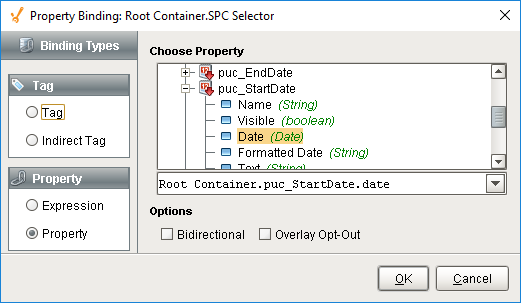
- Bind the Start Date property to the Date property of the puc_StartDate Popup Calendar.
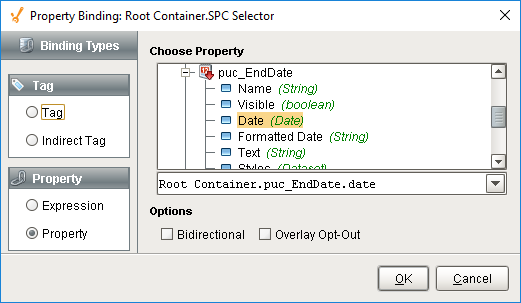
- Bind the End Date property to the Date property of the puc_EndDate Popup Calendar.
- Select Individual in the SPC Data Format property.

- With the SPC Selector component selected, ensure you set the z-order on the component to the forefront, otherwise the slide out may hide behind the Report Viewer component when opened.
Configure Report Viewer
- Drag a Report Viewer component onto the window. Resize it to fill the entire right half of the window, as shown above.
- Select the report called SPC Report 1 in the Report Path property.

- Bind the StartDate parameter to the Date property of the puc_StartDate Popup Calendar.
- Bind the EndDate parameter to the Date property of the puc_EndDate Popup Calendar.
- Paste New Enterprise\Site\Area\Line 1\Test Location into the eqPath parameter.
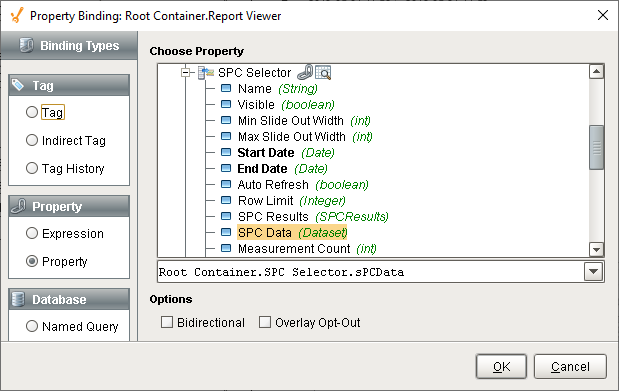
- Bind the spcData property to the SPC Data property of the SPC Selector.
- Follow the instructor on creating an SPC Report (in-class activity).