Sepasoft MES Module Suite
Automatic Schedule-Based Sampling
This is a Quick Start for collecting samples based on Shifts and Schedules.
Collecting Samples
Bind a sample type and method of collection to the operations. Samples are configured at the level of operation segments within operations.
Make sure to have these elements in place before configuring sample collection:
- Equipment - Defined down to the Line within a Production Equipment Model. in Perspective or Vision and Scripting
- Materials Set Up and Associate to Line(s) in Perspective or Vision and Scripting
- Production run elements: Operation Segments and Operations [MES Object Editor in Perspective or Vision and Scripting]
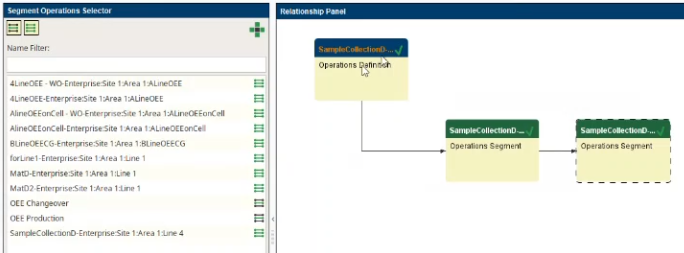
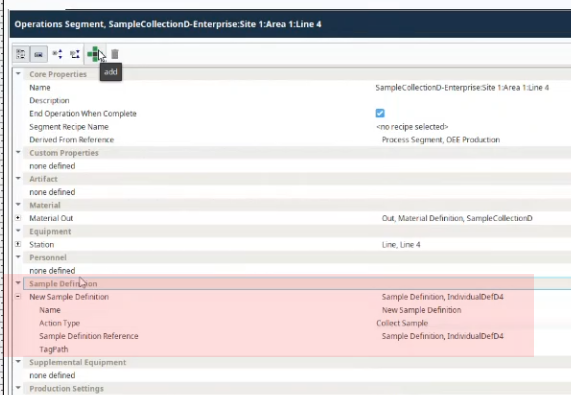
- The Sample Definition defined. [Sample Definition Manager in Vision]
- Shift(s) (see setup below) set up. These are basically parsed time-intervals that cannot overlap.
- Location - links the equipment settings in Settings and Changeover (if present) and Sample Definitions.
Configuring Samples on Time-Base Intervals
Step 1: Create or Verify Sample Definition Configuration
- Interval Type must be set to: Shift Change.
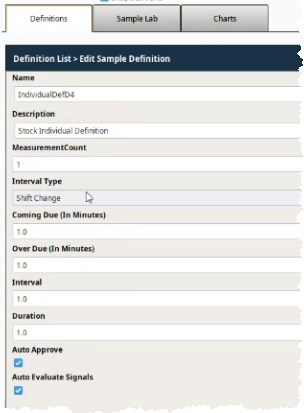
Step 2: Create or Verify Shift Configuration
A Shift is a defined dataset (name, desc, schedules) that can interact with the server time-zone settings and Ignition Scheduling. The dependency is on the time-zone settings of the Ignition Server.
Schedule(s)
- Days of the Week
- Times
- Repeat/Alternate
- On/Off Days of the Week
- Starting on Date
Refresh Collection Data
When setting up sample collection based on time-intervals such as Shift Change, and you need to see the data come in before the trigger time, use these system functions:
Time-based Refresh: .synchronizeIgnitionSchedules refreshes collection-data when sample collection is triggered by changes in Shifts
Equipment-based Refresh: .synchronizeIgnitionSchedulesForEquipment refreshes collection-data by Line
Create a Shift in Shift Manager | Vision
Shift Configuration
Don’t:
- Do not overlap shifts . The intervals must be disjoint and not share common time-stamps. Disjoint intervals are important because they allow for accurate measurement of the intervals. If intervals overlap, the system cannot determine which interval a particular point belongs to. This can lead to inaccurate measurements and incorrect conclusions.
- Do not select a composite Ignition schedule in a shift selection.
- Do not overlap shifts . The intervals must be disjoint and not share common time-stamps. Disjoint intervals are important because they allow for accurate measurement of the intervals. If intervals overlap, the system cannot determine which interval a particular point belongs to. This can lead to inaccurate measurements and incorrect conclusions.
Do:
- Make Shifts as granular as possible for analysis to pick up changes from shift to shift.
Step 3: Link Up the Elements
Select the Shifts at Location(s)
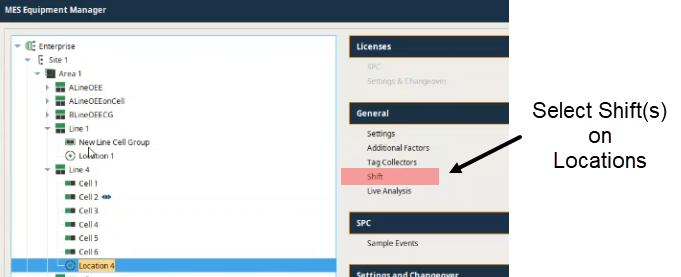
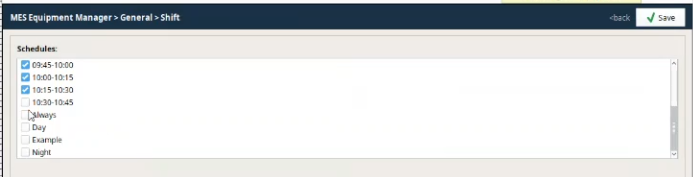
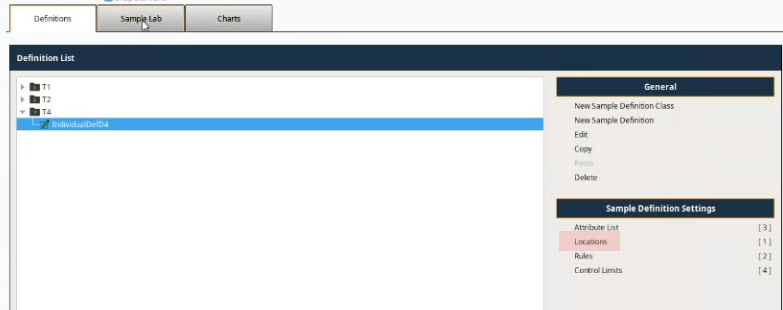
Assign the Sample Definition to the Line and Location
Complete the cross-link between the Sample Definition, Line and Location.
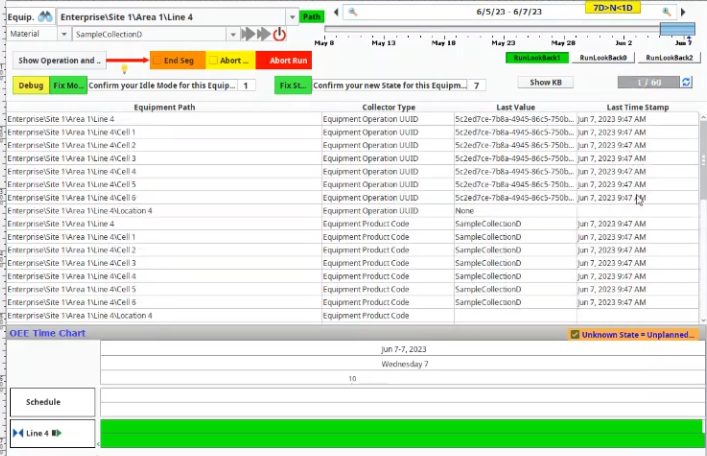
Viewing
Start a Production Run based on a Schedule
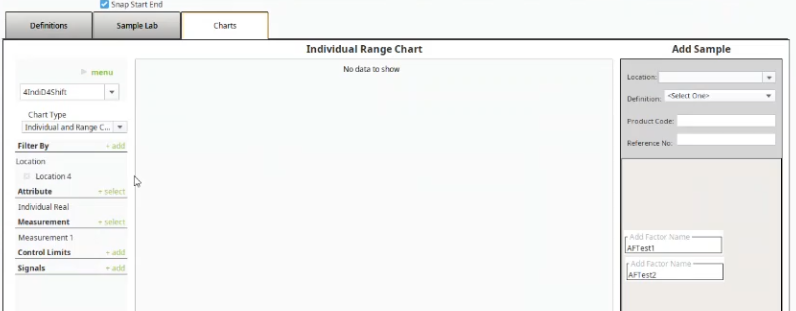
As the samples come in, data populates the SPC chart.
Sepasoft MES Module Suite