Sepasoft MES Module Suite
Command and State Life Cycle
The strategic use of standardized command and state lists is a cornerstone of the ISA-88 model, providing a common language for batch control. While human-readable string values are useful for operators and engineers, using their numeric equivalents (Command_Number and State_Number) is significantly more efficient and reliable for PLC logic. This approach simplifies programming by allowing the PLC to handle simple integer comparisons rather than complex and error-prone string processing.
Batch Execution Modes

|
When in Auto Mode, the batch engine sets the commands without operator input. When in Manual Mode, the operator can set the commands.
|
Auto: batch engine runs the command sequence.
Manual: operator controls the commands.
Semi-Auto: phases run as in Auto; Transitions evaluate but do not allow the batch to continue without operator input.
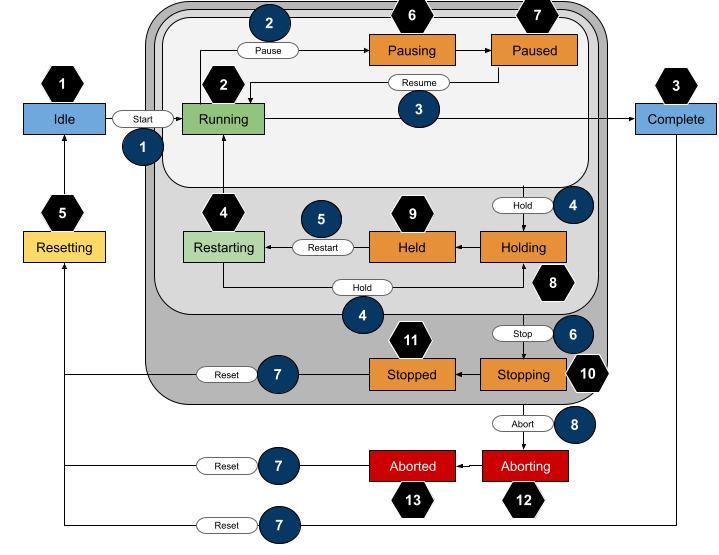
The core principle of this model is a clear division of responsibility: the Batch Engine is the master of what to do (Commands), while the PLC is the master of its own condition (State).
Interfacing Sepasoft Batch Procedure Module with PLCs | PDF Download
State Transition Diagram
|
Command Name
|
Command
Number |
|
State Name
|
State
Number |
|---|---|---|---|---|
|
Start |

|
|
Idle |

|
|
Pause |

|
|
Running |

|
|
Resume |

|
|
Complete |

|
|
Hold |

|
|
Restarting |

|
|
Restart |

|
|
Resetting |

|
|
Stop |

|
|
Pausing |

|
|
Reset |

|
|
Paused |

|
|
Abort |

|
|
Holding |

|
|
|
|
|
Held |

|
|
|
|
|
Stopping |

|
|
|
|
|
Stopped |

|
|
|
|
|
Aborting |

|
|
|
|
|
Aborted |

|
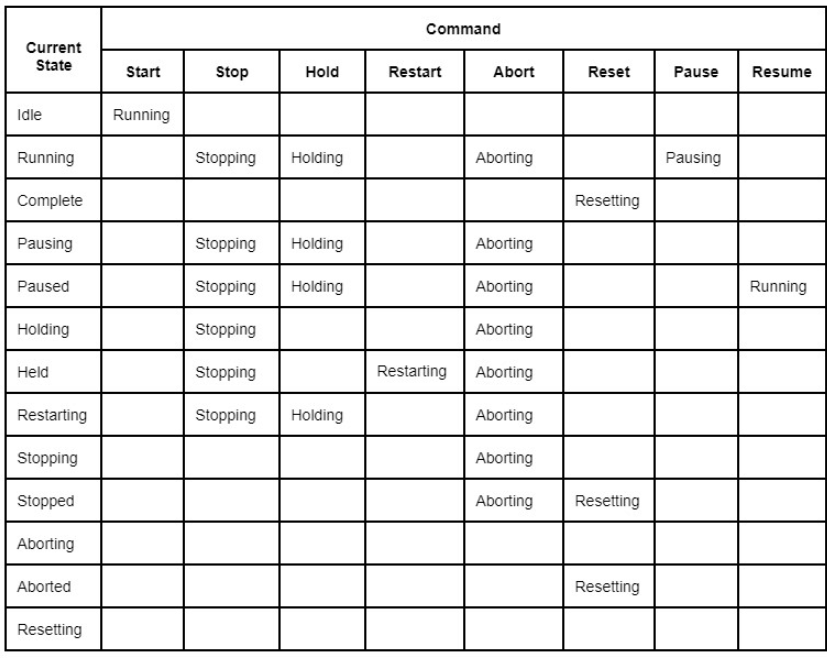
State Definitions in Tabular Form
Permissive Start
Permissive Start is a functionality that applies to PLI state handling for Equipment, Synchronize, Transfer In, and Transfer Out phases. Its primary purpose is to allow field equipment (PLC) to prevent a phase from starting until specific conditions are met, such as closing an open door.
See Permissive Start for more information.
| Start to Complete |
See Start to Complete | Batch Command-State Sequence
|
||
|
Pause
|
See Pause Command| Batch Command-State Sequence
|
||
|
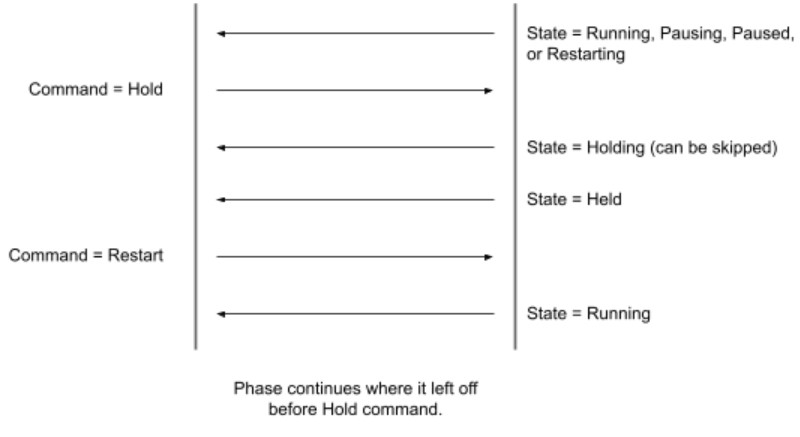
Hold
|
See Hold Command| Batch Command-State Sequence
|
||
|
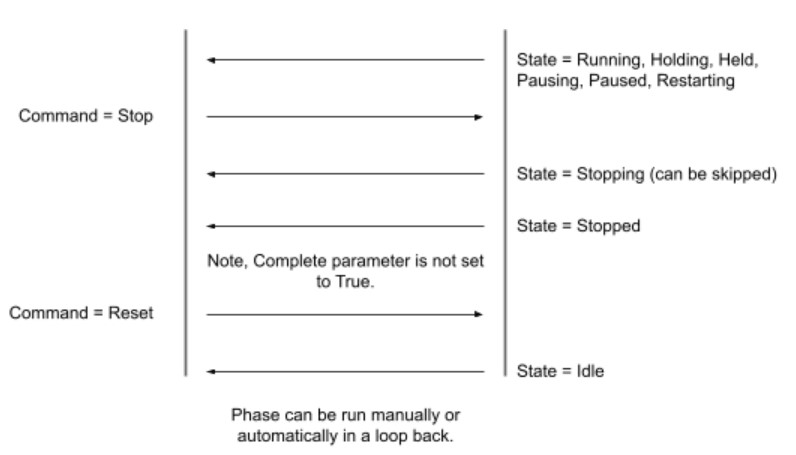
Stop
|
See Stop Command | Batch Command-State Sequence
|
||
|
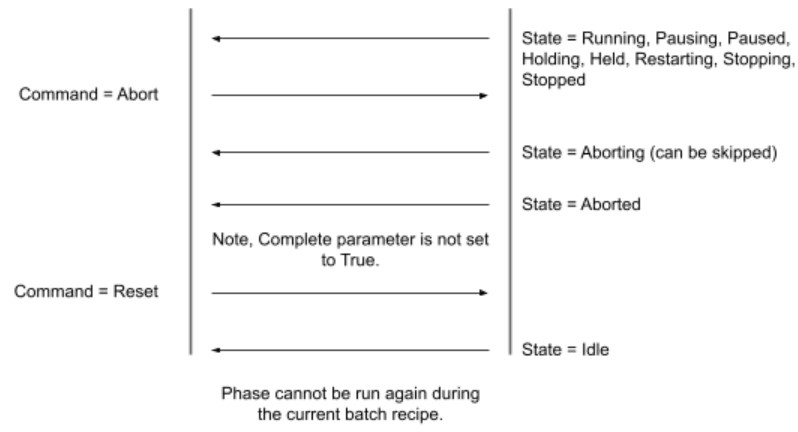
Abort
|
See Abort Command| Batch Command-State Sequence
|
||
|
Production Module
Restart during Batch Run |
See Production Module Restart during Batch Run |
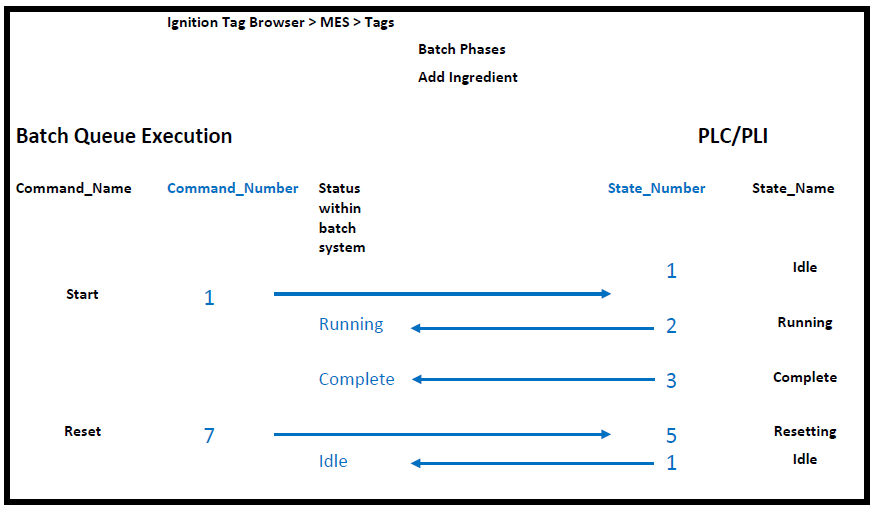
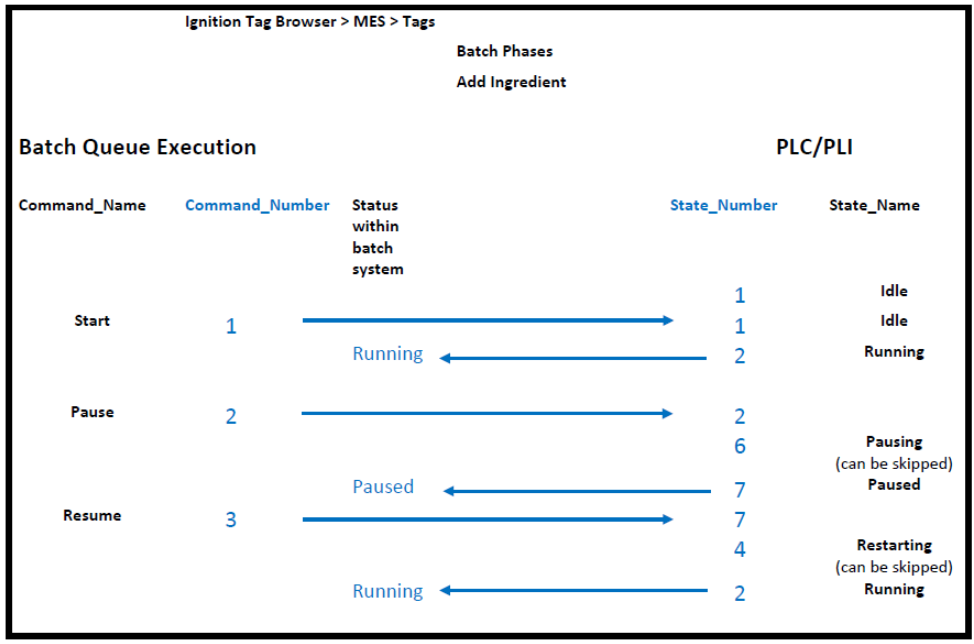

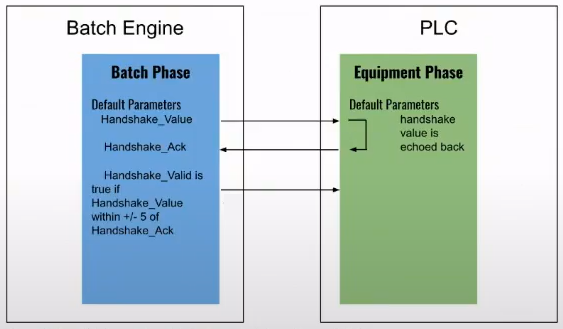
Handshake Relationship between Batch Engine and PLC
Sepasoft MES Module Suite