Sepasoft MES Module Suite
MES Enterprise Settings
For MES Enterprise Network, see MES Enterprise Network.
In Vision
These settings are accessed by selecting the Enterprise item in the Production Equipment Model in the MES Equipment Manager and then selecting Settings in the General section.
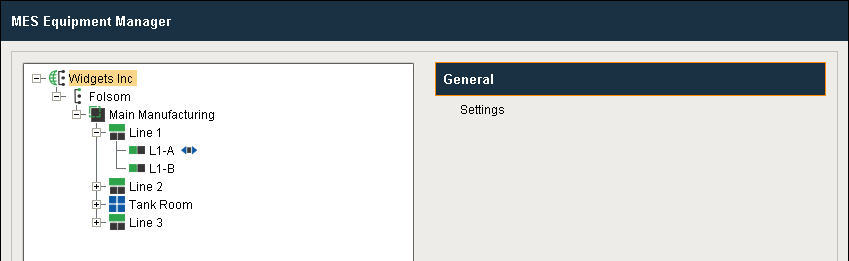
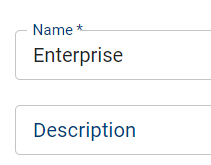
Name – The name that appears in the tree and is used in the equipment path. Enterprise

|
The top node is named Enterprise by default. You can change this name; however, keep in mind that once the system is running changing names could cause errors. |
Description – This is an optional text field just for your reference.
Active – By default, the production item is disabled (items that are disabled are displayed in red text). It can be enabled by checking the Active setting and saving the project. When disabled, this will stop the Track and Trace, OEE Downtime, SPC, Settings & Changeover and scheduling modules from using the area and any other production items that are underneath it. When enabled, the item turns to black text.
Enterprise in Perspective
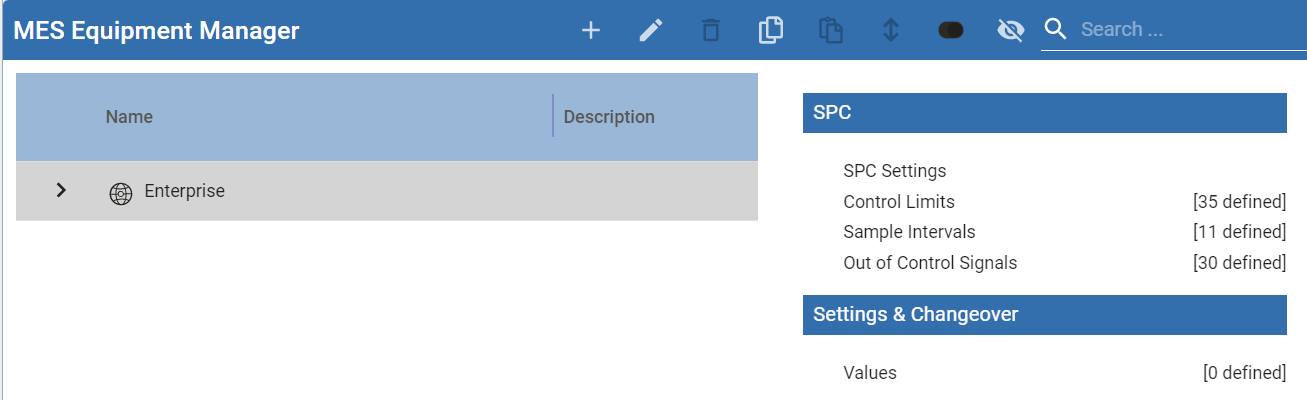
General Settings for Enterprise
MES Production Settings for Enterprise
SPC
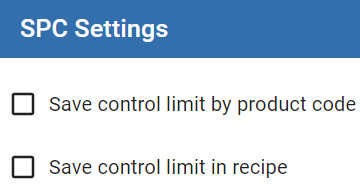
- Control Limits
- Sample Intervals
- Out of Control Signals > Edit SPC Rules
Settings & Changeover

|
Differences from MES 2.0 to MES 3.0 and MES 4.0 Functionality With MES 3.0 and MES 4.0 ("Enterprise") and later, the Production Model no longer resides in the Global section of the Project Browser. The MES Equipment Manager component (placed on any Ignition window) replaces most of the functionality that used to reside there. Also, the MES Scripts section Global section of the Project Browser now handles some of the event scripts that used to be in the Production Model entities. Existing users will find that the overall functionality remains as they are used to to, but the locations of where they go to configure them has changed. The change in location of the Production Model allows it to be stored in the MES database instead of the Ignition database, which gives MES users more control, such as being able to create, edit, delete and configure Production Model items from script (which wasn't available in the MES 2.x software). |
Sepasoft MES Module Suite