Sepasoft MES Module Suite
Setpoint Configuration in Equipment Manager
Installed with the Settings and Changeover Module.

|
Available from version 3.81.9 RC 3 and later. |
Related Information:
- Setpoint Value Inheritance and Propagation
- Sub-Recipe Mask
- Importing and Exporting Settings
- Setpoint Value Inheritance and Propagation
- Recipe Monitoring
To access value definition:
- In Equipment Manager > Settings & Changeover > Values
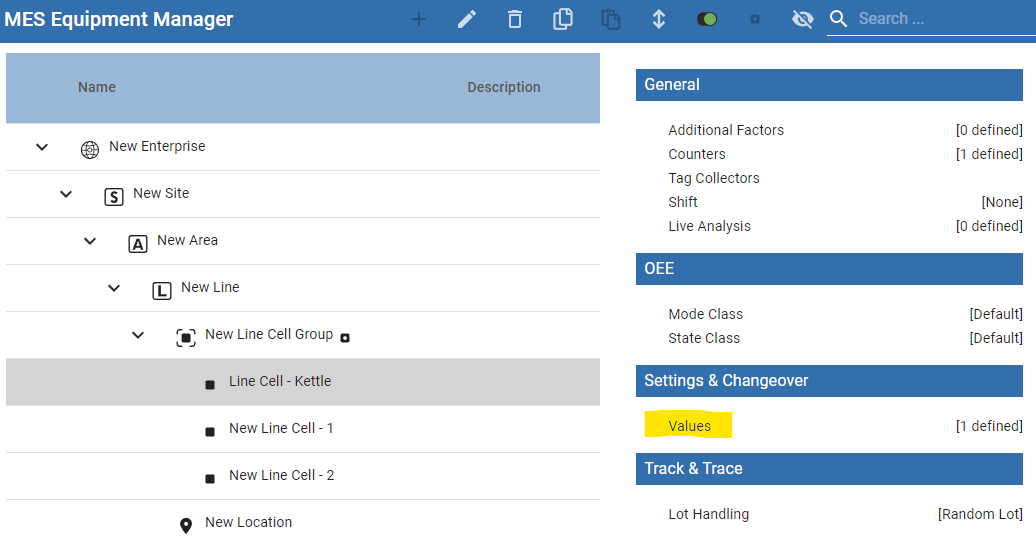
The setpoint configuration page opens.
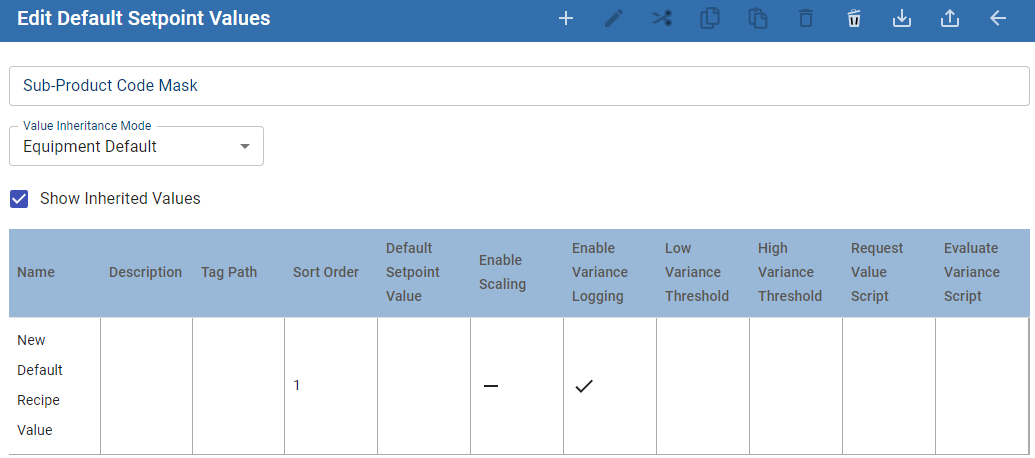
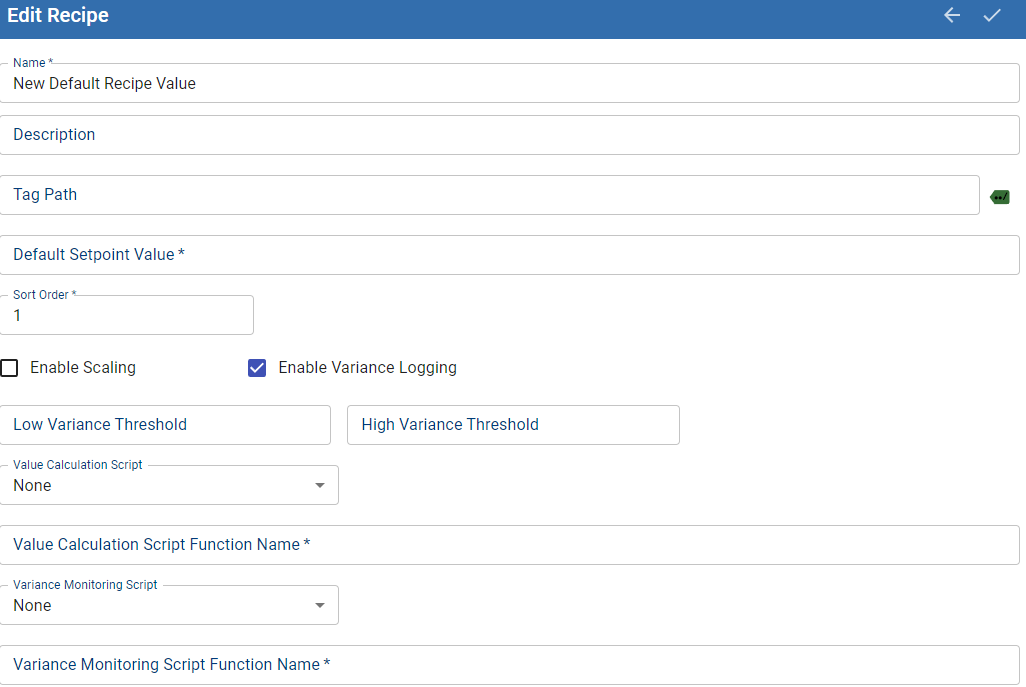
Configuration Options
The most common configuration includes setting the tag path and enabling the variance logging.
| Name | Description | ||
|---|---|---|---|
| Name* | Required: name of setpoint. Illegal characters: % ^ * ~ < > [ ] { } ` ? | ||
| Description | Optional: description of setpoint. | ||
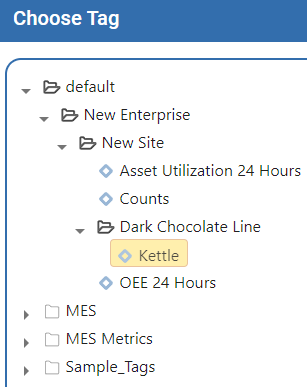
| Tag Path | Open Tag Browser, navigate and select the tag you created for the equipment item.
| ||
| Default Setpoint Value* | Enter the setpoint value. This value can be overwritten at child item or during an operation. Enable Write Permission on Ignition Tags
Date-Time Data Type: The format for the default value must be in this format: Tue Nov 18 13:15:21 PST 2025
| ||
| Sort Order * | Sets the order within the list of setpoints. This is an integer value with higher values appearing first in the Recipe Editor. The default value is 1. | ||
| Enable Scaling | Special use-case where setpoints are multiplied by a scaling factor. | ||
| Enable Variance Logging | Boolean - Optional: To use the Variance Viewer this option must be enabled. For details, see Setpoint Value Variance Logging | ||
Low Variance Threshold | Sets the bottom threshold for variance. If left blank, any change in the setpoint value triggers a variance.
| ||
High Variance Threshold | Sets the top threshold for variance. If left blank, any change in the setpoint value triggers a variance. | ||
| Value Calculation Script | Special use-case where setpoints are calculated using scripting. | ||
Value Calculation Script Function Name | |||
| Variance Monitoring Script | Special use-case where variance is calculated using scripting. | ||
Variance Monitoring Script Function Name |


Sepasoft MES Module Suite