Sepasoft MES Module Suite
Specifying Tags and Setpoints

|
Requirements to complete these steps:
|
Best practice is to add tags (or bring in as reference tags) in Ignition Tag Browser. Then, in Equipment Manager, add setpoints for equipment.
Enable Write Permission on Ignition Tags
|
|
You must enable write permissions in Ignition when writing tag values to remote tag-providers. See: https://docs.inductiveautomation.com/docs/8.1/platform/security/service-security |
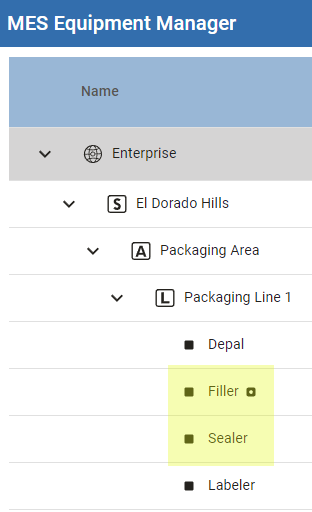
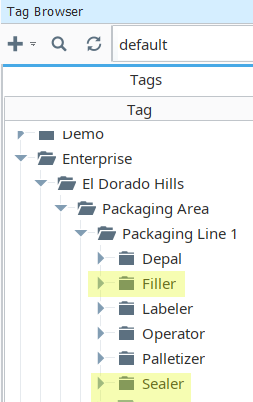
- In Ignition Designer > Tag Browser, create a hierarchy that mirrors the Production Equipment Model.

|
Machine setpoints can be added at the Line, Cell Group, Cell levels; Inheritance can also be used to configure production items. |
Production Equipment Model in Equipment Manager in Perspective. | Ignition Tag Browser Structure -example |
| This example adds setpoints for the Filler and Sealer. These machines are set up as Cells under the Line. | |
 |  |
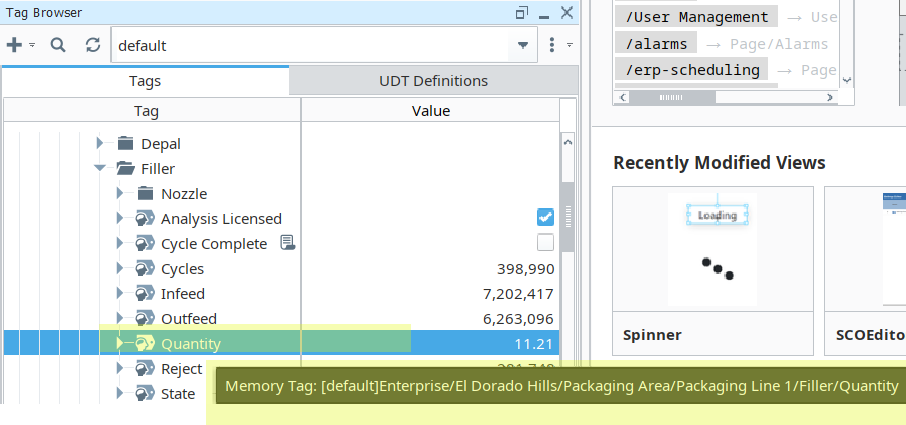
- Under the Filler folder, add a tag (OPC or Memory) for Quantity. See the Ignition documentation for information about Tags.
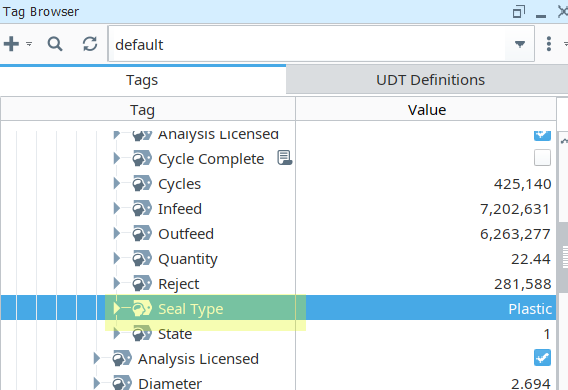
- Under the Sealer folder, add a tag (OPC or Memory) for Seal Type.
Connect Up Tags to Setup Point Values in Equipment Manager
|
|
To read current values into a recipe, see: Settings Editor Table. |
- In Equipment Manager, select one of the cells that represent the Filler or Sealer and under Settings & Changeover, select Values.
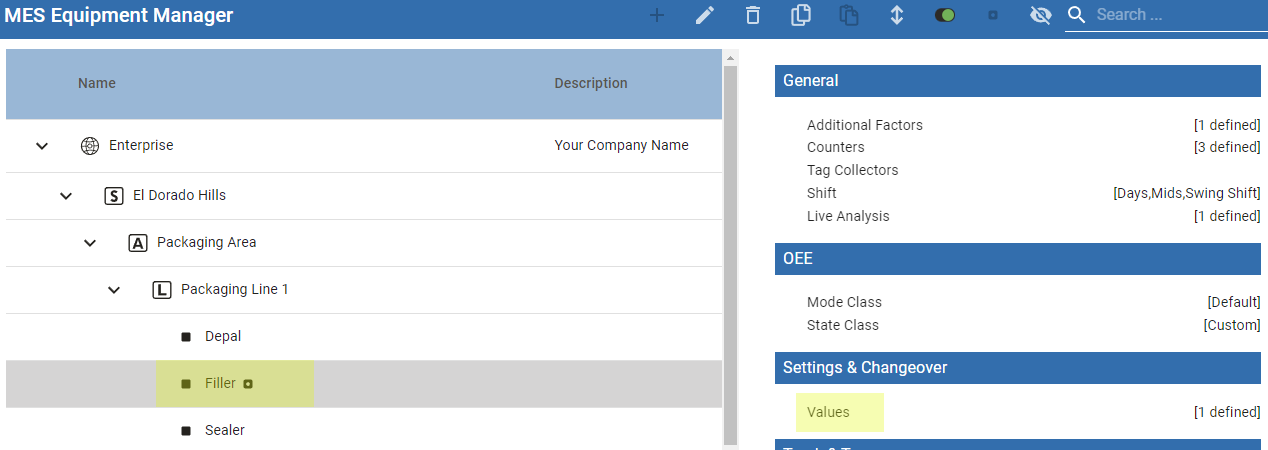
- Click the plus icon to add a setpoint.
- Add setpoints and metadata as shown in the screenshots below. For field descriptions, see Setting and Changeover Values in Equipment Manager | Perspective.
- Use the tag browser tool to navigate to the Quantity tag under Tag Path.
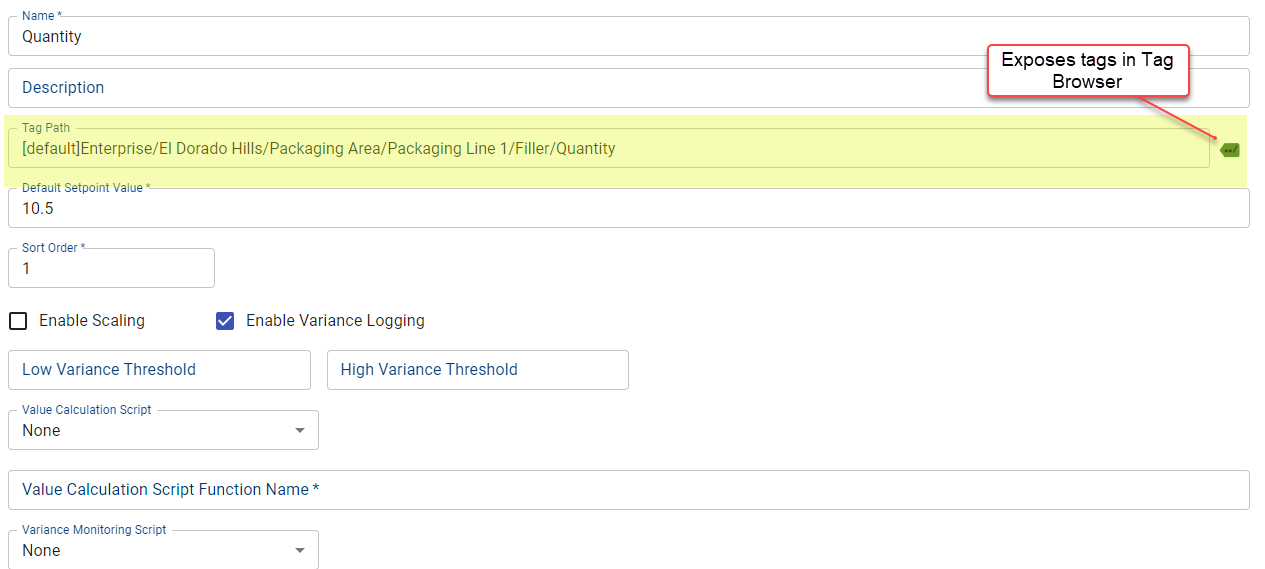
See field descriptions.
Sepasoft MES Module Suite